
When you’re shopping around for a new laptop or desktop, it can be helpful to know a little about the important internal components that help such devices perform as well they do. This way, you can figure out if the computer you’re considering purchasing has the right specs for how you intend to use the machine once you take it home.
In this guide, we’ll be taking a quick look at one of these internal computing components: GPUs. We’ll go over what its abbreviation means, how they can (in some cases) be different from graphics cards, and a few other details you’ll want to keep in mind while shopping for your next computer.
What does GPU stand for?
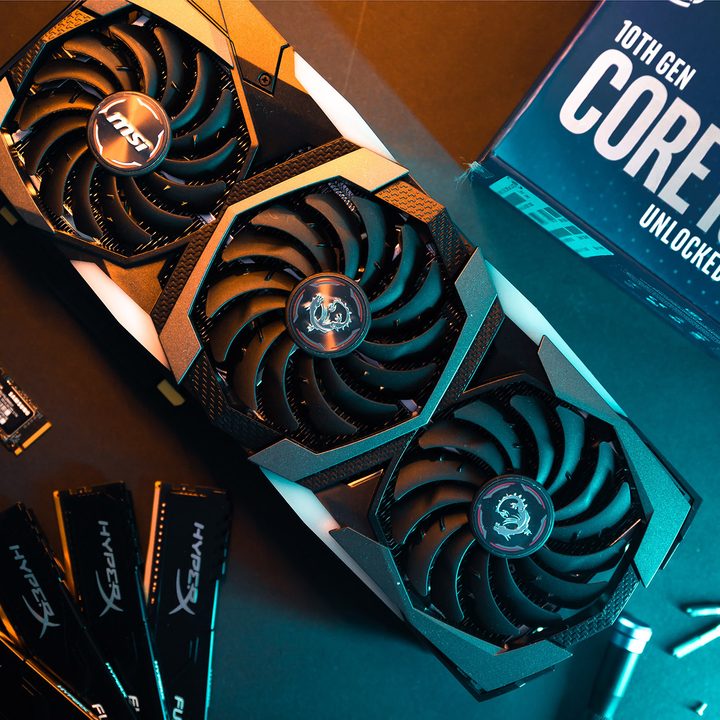
GPU stands for “graphics processing unit.” Generally speaking, it’s a type of processor that handles and speeds up graphics rendering (the generation of the images you’ll see on computer screens). This is especially important for computing tasks such as 3D rendering and gaming. So if you’re buying a PC or laptop for gaming or content creation projects, you’ll need to pay attention to the kinds of GPUs such devices have to offer because it can affect the quality of what you see on screen and how fast certain operations are completed.
Are GPUs and graphics cards the same thing?
Colloquially, GPU is often used interchangeably with “graphics card,” but it can also mean the actual GPU at the heart of the graphics card, alongside the memory and other components — in the same way that CPU refers to the central processor, not the entire PC around it. Technically, a GPU is part of a graphics card. The GPU does the graphics rendering, while the graphics card provides the power and access to high-speed memory it requires. It also connects it to the other parts of the computer it needs access to, like the CPU, system memory, and storage, to complete its tasks.
What does iGPU mean?
An iGPU is an integrated graphics processing unit. It’s a type of GPU that’s found on the same chip as a CPU. Almost all Intel processors (save its F-series models) include integrated or onboard graphics, so they have an iGPU. AMD only includes iGPUs on its APU model processors, typically found in laptops.
With iGPU’s, the main processor shares memory with the GPU, which results in benefits such as a cooler machine and less power consumption. iGPUs are great for normal everyday computing tasks like surfing the web and productivity tasks, but if you need a powerhouse machine for serious gaming or video editing, you may want to look at a graphics card, or dGPU, instead.
What does dGPU stand for?
A dGPU is a “discrete GPU.” A dGPU is not merged with the main processor and doesn’t share memory with the main processor either. It has its own memory, so it can be a full-size graphics card in a desktop or a discrete graphics chip within a laptop. Typically, dGPUs offer better performance and can handle more intensive tasks. But this also means they consume more power, and machines with dGPUs will produce more heat. Laptops can have dGPUs, but you’ll mostly see them in desktop computers.
How do I know if I have an iGPU or dedicated graphics card?
Generally speaking, you can search for your machine’s GPU information via its device settings. For example, on Windows 10, you can do so by navigating to Device Manager and then selecting Display Adapters, which should expand to show you a list of GPUs that your device has. You can Google the name of the GPUs to find out if they’re graphics cards or iGPUs.
You can also find your PC’s GPU info and other specs in several other ways, including third-party programs. Check out our guide to how to check your PC’s specifications on Windows 10 for more info.
Now that you’ve learned a little more about GPUs, you may want to continue doing a little more research before you commit to buying your next PC. If you need more information, you should peruse our best laptops guide.


