
Snap Layouts in Windows 11 is already one of the best features of the operating system to help boost your productivity, but it could soon get a little better. As part of the latest Dev Channel release, Microsoft is testing a change for Snap Layouts that will make it more visually pleasing.
In the Dev Channel version of Windows 11, the relevant app icon in a Snap Layout group now shows up overlaid on top of an acrylic background during resizing. This is a change from the standard version of Windows 11, where doing the same thing only shows a glass tile.
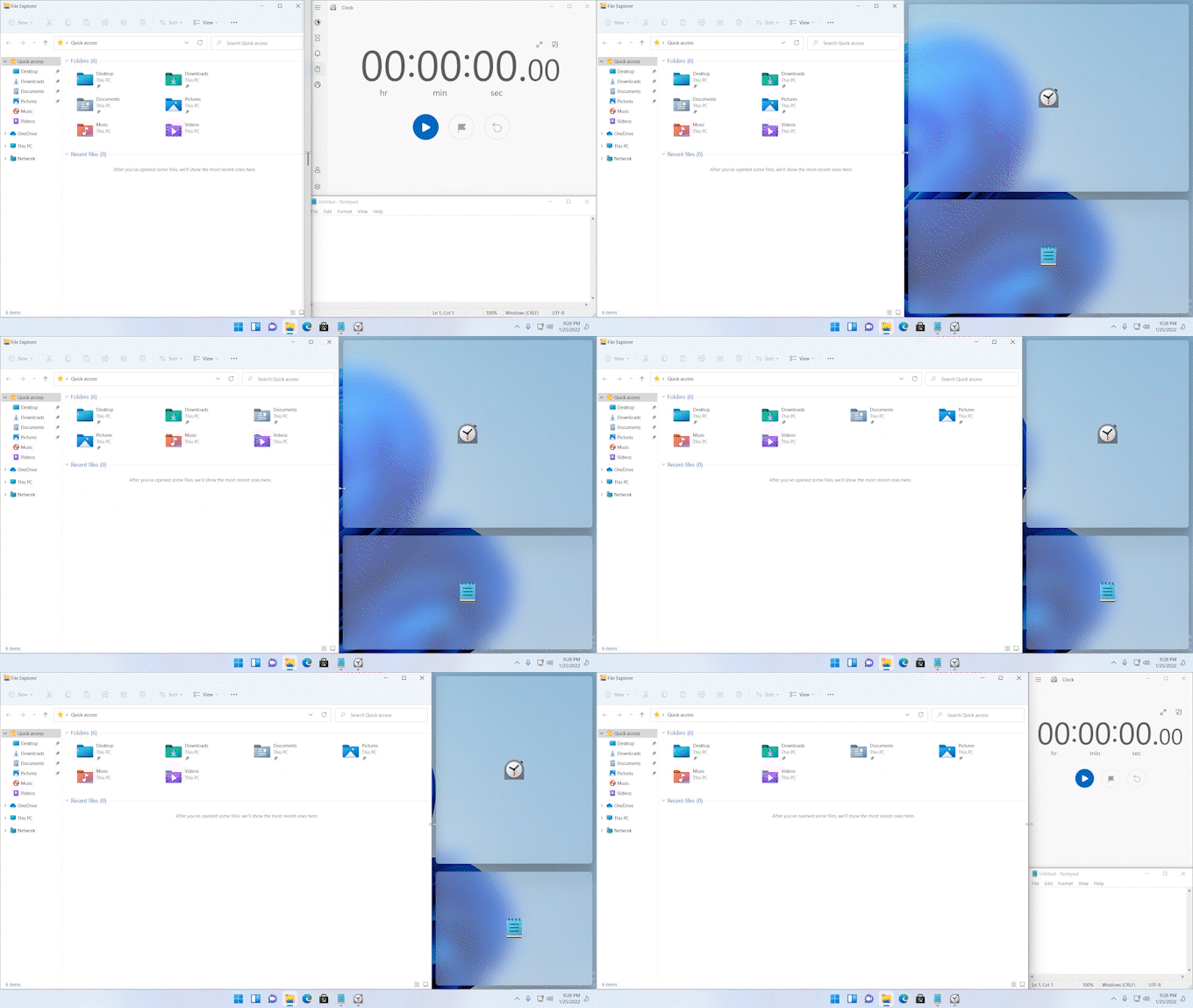
“Snap some windows using the snap assist, resize the snapped window layout using the buffer, and watch the other snapped windows go out of focus overlaid with their app icon,” write Amanda Langowski and Brandon LeBlanc in Microsoft’s Windows Experience blog.
Though it’s quite a small change for an already great feature, Microsoft specifically notes to Windows Insiders that it has updated the experience of resizing app windows in snap layouts, which remains one of the most notable distinguishing features when comparing Windows 11 versus Windows 10.
Since this is being tested in the Dev Channel of the Windows Insider program, there’s no specific time frame for when non-beta testers (and everyone with regular Windows 11) can experience the change. Usually, features in the Dev Channel are not linked to a specific Windows 11 release. Yet, there is some hope it could be coming soon to everyone.
Since the operating system was first released, Microsoft tested the ability to mute and unmute the microphone from the taskbar in Windows 11, as well as a new media player and Notepad app. These two specific features first rolled out in the Dev Channel, and Microsoft has since been confirmed they would be coming to regular Windows 11 next month.
The changes to Snap Layouts are among the many new features in this Dev Channel release. The media controls that appear in the Lock Screen have also been updated to match Windows 11’s new design elements. The release also brings some more natural voices for the Windows narrator.
If you want to try out Dev Channel releases for yourself, you’ll need to enroll your PC in the Windows Insider program. Just keep in mind that you might experience bugs, as the Dev Channel version of Windows 11 is quite unstable.


