  1. Home
  2. Computing
  3. News

Your next Windows update should install much faster

Add as a preferred source on Google
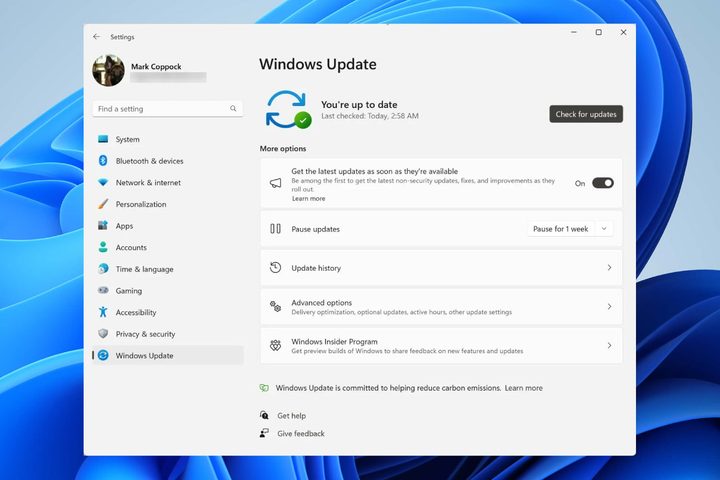
The Windows Update screen in Windows 11.
Digital Trends

It’s about time Windows 11 users got some good news about updates. Microsoft recently claimed in a blog post that thanks to 24H2‘s servicing stack, the update installs up to 45.6% faster than previous versions of Windows. The upcoming update will use fewer system resources, and the restart time will be faster.

According to Microsoft’s tests on PCs that had not been updated for 18 months and ones that were regularly updated, there were significant improvements to celebrate. On the well-maintained PCs, installation time was 45.6% faster, restart time was 39.7% faster, and CPU usage was 15.3% less. In an atypical scenario with an 18-month out-of-date PC, the installation time was 43.6% faster, restart time was 33.5% faster, and CPU usage was 25% less.

Recommended Videos

Microsoft said it achieved these improvements using different methods, such as parallel processing, which allows PCs to control numerous parts of the update simultaneously. Another method used was smart caching, which stores already processed information, so your PC doesn’t have to do the same job twice. Smart caching is a huge help in speeding this up with updates that used to take forever.

Lastly, the Windows 11 update will be able to take advantage of RAM (random access memory) by checking whether your computer has enough RAM and modifying the update process accordingly to prevent it from slowing down. Microsoft summarized everything by saying that “the newest Windows release uses less CPU time (a 15.3-25% improvement) for a monthly security update. The tests also showed that the update is even faster to install (43.6-45.5%) and to restart, which shortens the offline time (33.5-39.7%).”

However, Microsoft had more good news: It has redesigned how non-system and system apps are structured in the Unified Update Platform (UUP) collection of files. The Edge browser will save 200MB of space during more significant feature updates.

Judy Sanhz
Computing Writer
Judy Sanhz is a Digital Trends computing writer covering all computing news. Loves all operating systems and devices.
A simple coding mistake is exposing API keys across thousands of websites
Security gaps that are easier to miss than you think
Computer, Electronics, Laptop

After analyzing 10 million webpages, researchers have found thousands of websites accidentally exposing sensitive API credentials, including keys linked to major services like Amazon Web Services, Stripe, and OpenAI.

This is a serious issue because APIs act as the backbone of the apps we use today. They allow websites to connect to services like payments, cloud storage, and AI tools, but they rely on digital keys to stay secure. Once exposed, API keys can allow anyone to interact with those services with malicious intent.

Read more
AMD’s latest Ryzen 9 9950X3D2 pushes X3D to the limit
Dual 3D V-Cache, higher power, and a focus on enthusiast performance
AMD Ryzen 9 9950X3D2 FEatured

AMD has unveiled what might be its most extreme desktop CPU yet, the Ryzen 9 9950X3D2. And it’s going all-in on one thing: cache.

https://twitter.com/jackhuynh/status/2037159705395491033?s=20

Read more
Next-gen AI breakthrough promises chatbots that can read the room better
Researchers are teaching AI chatbots to read between the lines
Generative AI

Have you ever asked a chatbot something and felt like it completely missed your point? You say something with a bit of nuance, and the AI misses the subtlety entirely. That is exactly the problem researchers are trying to solve.

Even though the emotional connection with AI can feel deeper than human conversation for many users, most AI systems today still treat a sentence as a single block of sentiment. If you mix praise and criticism, the nuance often gets lost.

Read more