  1. Home
  2. Emerging Tech
  3. Features

I’m fed up of the messy internet, but I finally found a cleanup tool that makes it readable

No ads, no clutter, just pure text.

Add as a preferred source on Google
Textise featured image
Varun Mirchandani / Digital Trends

Let’s be honest, the modern web is… a mess. Pop-ups, autoplay videos, cookie banners, ads everywhere. In fact, sometimes it feels like actually reading something online is the hardest part. And that’s exactly where Textise comes in.
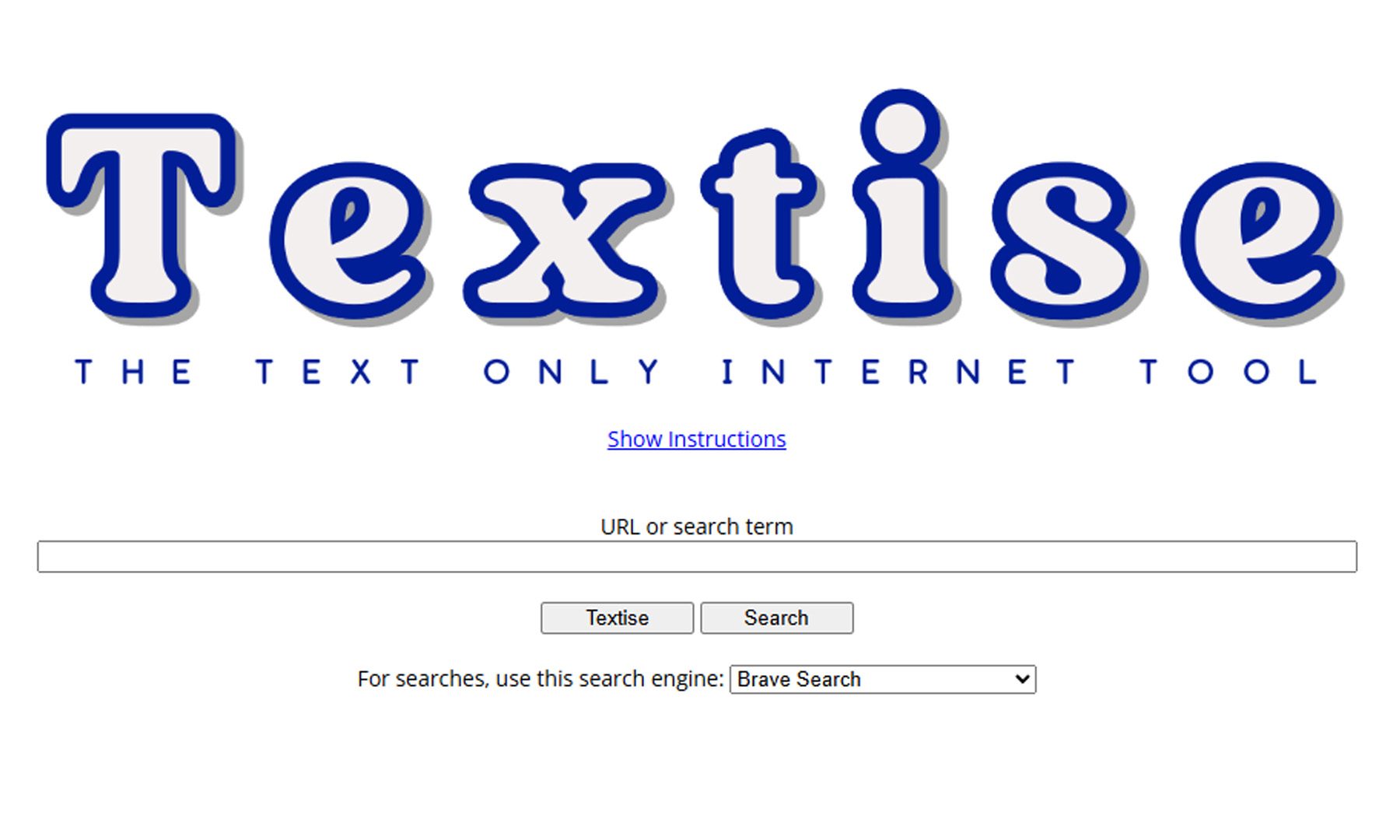
Think of it as a “strip everything away” button for the internet. Textise is a simple web tool that converts any webpage into a clean, text-only version, removing ads, images, scripts, and all the extra clutter. What you’re left with is just the content: no distractions, no loading bloat, no nonsense. It’s fast, lightweight, and honestly feels like going back to a simpler version of the web.

Why does it feel so refreshing?

Modern websites are built for engagement, not readability. That means heavy layouts, tracking scripts, and design choices that often get in the way of just consuming information. Tools like Textise flip that on its head by streamlining content into plain text, making it easier to read and more accessible. In fact, for long articles or research-heavy pieces, it can genuinely feel like a productivity boost: less scrolling, fewer distractions, and quicker load times.
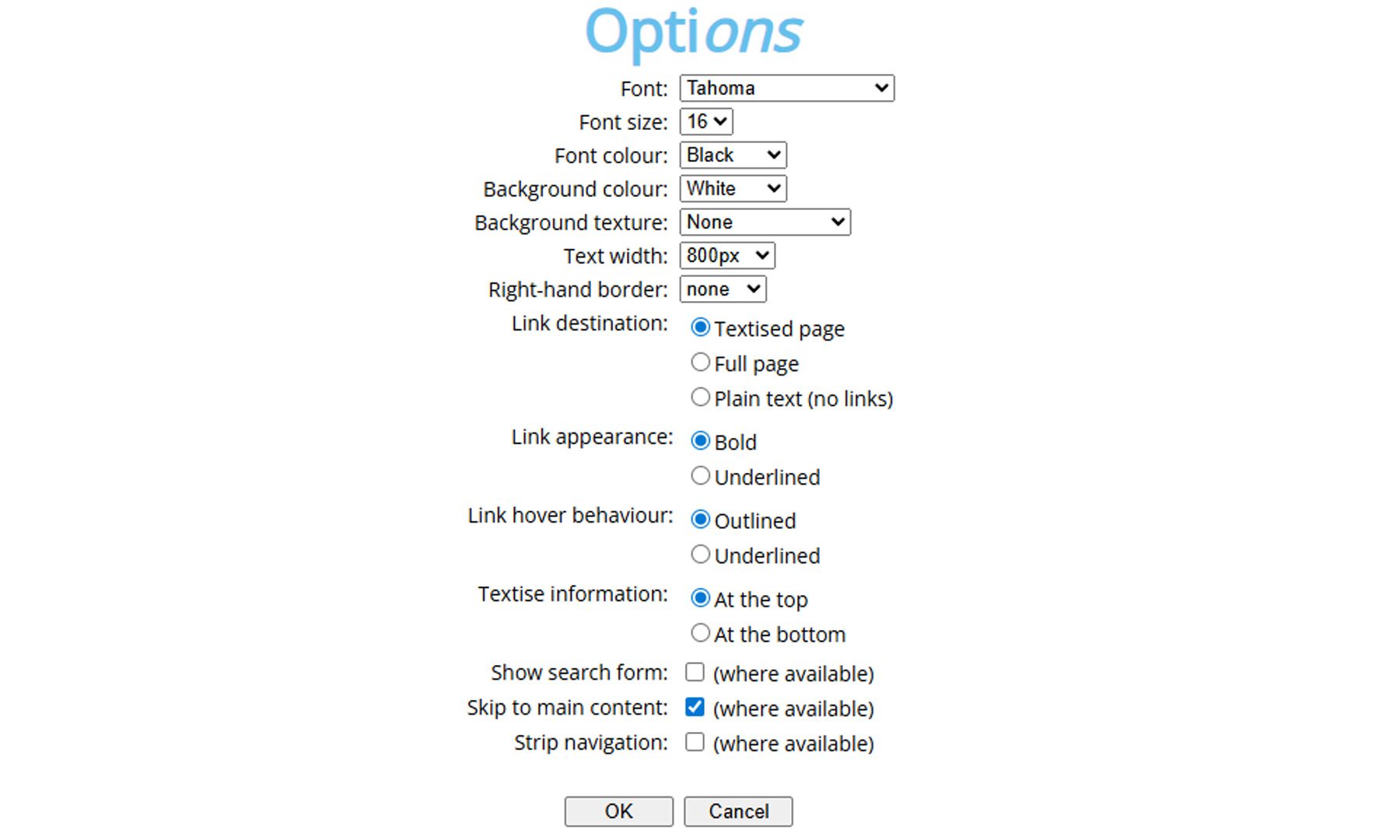
You can even tweak how Textise looks and behaves, from fonts and text size to background colors and link styles. It’s a surprisingly flexible tool, letting you tailor the reading experience exactly the way you like it. Of course, you lose things along the way. Images, videos, interactive elements — all gone. But that’s also what makes it work. Textise isn’t trying to enhance the web; it’s trying to simplify it to the bare minimum. And weirdly enough, that’s exactly why it feels so useful in 2026.

Recommended Videos

So… who is this for? Well, pretty much anyone who reads a lot online. Whether it’s articles, blogs, or even cluttered news pages, Textise makes everything feel cleaner and easier to digest. It’s especially handy for people who just want to focus on content without distractions.

Same idea, very different vibe

If this all sounds familiar, that’s because most modern browsers already have a built-in Reader Mode, like the one in Safari or Chrome. These features clean up a webpage by removing ads, menus, and distractions, and reformat the article into a more readable layout with better fonts and spacing.
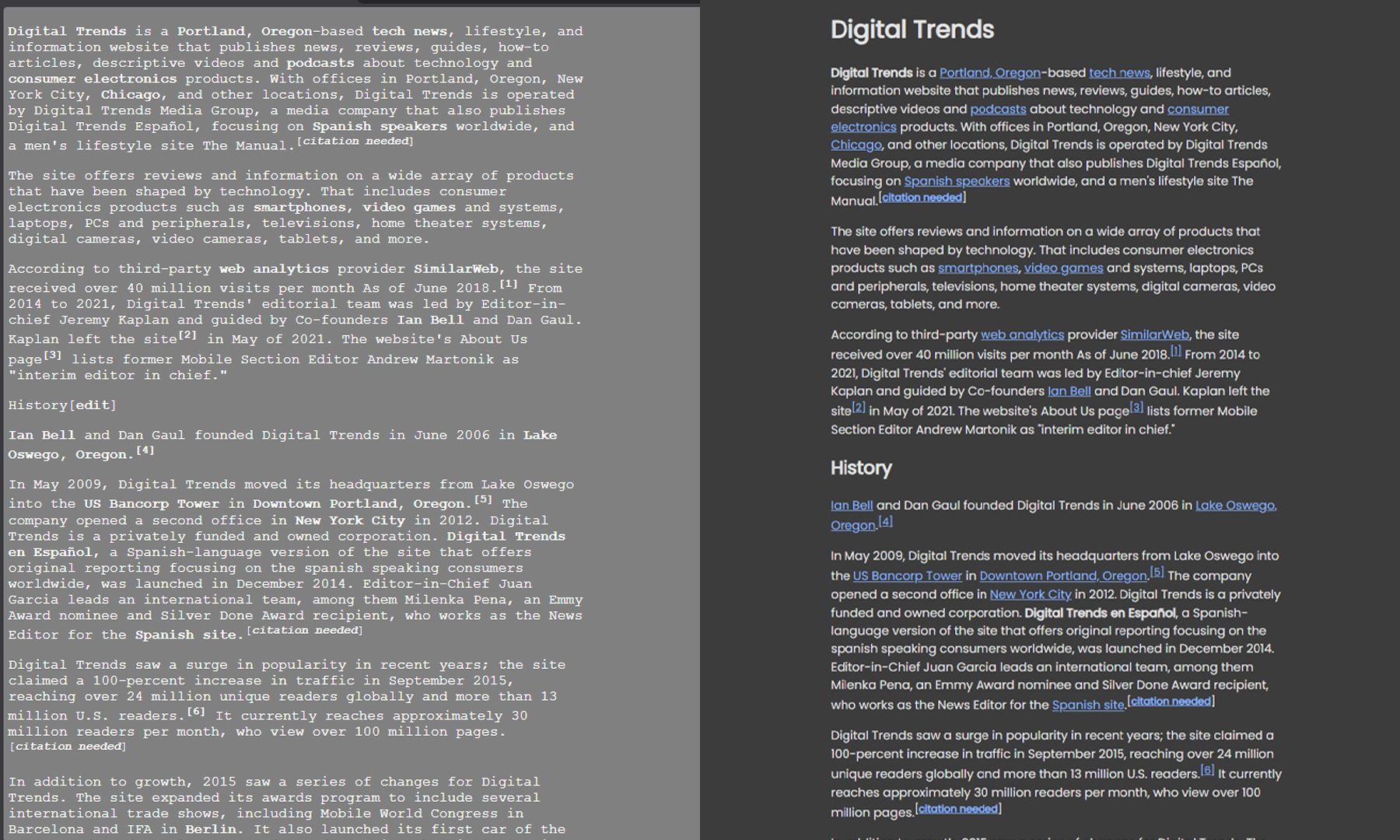
But here’s where Textise feels different. Reader modes are still design-aware, meaning they keep images and basic formatting and rely on the browser to figure out what the “main article” is. Textise, on the other hand, goes full savage mode. It strips everything down to raw text, no images, no styling, no fluff. In a way, Reader Mode is like switching to a clean reading theme… while Textise is like opening the internet in Notepad. And honestly, depending on the day (or how chaotic the webpage is), both have their moment.

And maybe that’s the best part about it. In a web that’s constantly trying to grab attention, Textise just quietly steps back and lets you focus. Sometimes, all it takes to make the internet better… is less internet.

Varun Mirchandani
Varun is an experienced technology journalist and editor with over eight years in consumer tech media. His work spans…
Amazon thinks you love AI, so it has launched a special storefront for AI-powered gadgets
Google AI mode mockup showing new feature

You're browsing for a new laptop — one has a better processor, another has more RAM, a third says "AI-powered" in bold letters, and you're not entirely sure what that means. But Amazon has noticed you pausing on that third one, and it has thoughts. The company just launched an AI Store on Amazon.in — a dedicated storefront that rounds up AI-enabled gadgets across categories, from smartphones and laptops to refrigerators and washing machines. So, instead of you wading through spec sheets trying to figure out which "AI feature" actually does something useful, the store spells it out for you.

What the AI store actually is

Read more
Gemini now makes personalized images by understanding your taste from Photos library
Logo, Disk, Symbol

Up until now, using Google Gemini meant being very specific. If you wanted an image, you’d spell it all out, the mood, the lighting, the tiny details, just to get something close to what you had in mind. That’s still how most AI tools operate. But this is where things start to shift. With the integration of Nano Banana 2 and Google Photos, Gemini feels much more familiar. It leans on your preferences, what you like, what you usually capture, and the kind of visuals you gravitate towards, and uses that context to shape what it creates for you.

So instead of over-explaining every prompt, you’re nudging it in a direction, and it fills in the rest in a way that feels personal. The goal here is simple: spend less time describing and more time seeing your ideas come to life, almost the way you imagined them, without having to say everything out loud.

Read more
This AI lets self-driving cars “remember” past drives to plan safer routes
A memory of the past could make self-driving cars safer on the road
Self driving car from Waymo

One of the biggest problems with self-driving systems is that they can see the road perfectly well and still make shaky short-term decisions in messy city traffic. The advanced systems struggle to keep up with complex and fluctuating road situations. But a new study argues that these cars don't need better vision, but a better memory.

In the peer-reviewed paper KEPT (Knowledge-Enhanced Prediction of Trajectories from Consecutive Driving Frames with Vision-Language Models), researchers from Tongji University and collaborators developed a system that helps autonomous vehicles "remember" past driving scenes before choosing what to do next.

Read more