  1. Home
  2. Gaming
  3. How tos

How to cancel an Xbox Game Pass subscription on Xbox and PC

Add as a preferred source on Google
microsoft is setting the stage for xbox game pass to thrive hero
Image used with permission by copyright holder

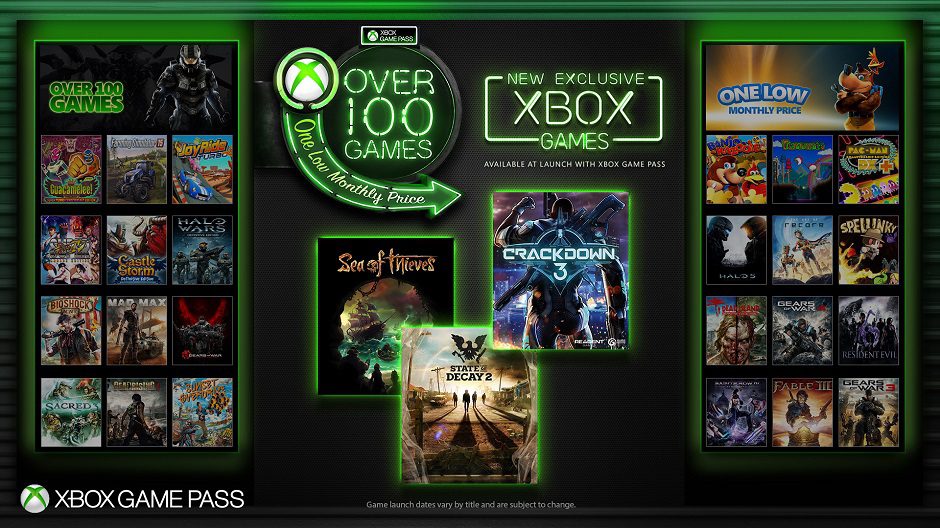
One of the hallmarks of the Xbox ecosystem is Xbox Game Pass. For a monthly fee, gamers get access to more than 100 titles, ranging from seminal classics of yesteryear to the biggest releases of today. Xbox Game Pass may be one of the best deals in gaming, but there may come a time when you need to cancel. Maybe you are taking a gaming break or you’ve played all of the best games on Games Pass. Whatever your reason, the folks at Xbox have made the process fairly painless, as long as you know where to look. 

Here is how to cancel an Xbox Game Pass subscription on Xbox and PC.

Recommended Videos

Difficulty

Easy

Duration

5 minutes

What You Need

  • Internet connection

  • Xbox or PC

Canceling from an Xbox console

Xbox has changed the process for canceling subscriptions several times over the life of its consoles, but it seems to have settled on a pretty simple system going forward. If you are primarily a console user, then follow these steps to end your Xbox Game Pass subscription. 

Step 1: Open the Guide menu by pressing the Xbox Guide button at the center of the controller.

Step 2: Select your profile, and then select My account on the window that pops up.  

Selecting My Account from the Guide Menu
Justin Koreis/Digital Trends

Step 3: Chose the Payment and billing option from the right side of the screen. 

Payment and billing menu in Xbox.
Justin Koreis/Digital Trends

Step 4: Select Xbox Game Pass.

Step 5: Choose Cancel subscription.

Cancel subscription option in Xbox menu.
Justin Koreis/Digital Trends

Step 6: Select Yes to confirm you want your subscription to end.

 Canceling via the web browser 

You can also cancel your subscription from your PC. Open up your favorite web browser, follow these steps, and you will be all set.

Step 1: Navigate your web browser to xbox.com.

A screenshot from the game As Dusk Falls is centered on the homepage of xbox.com
Image used with permission by copyright holder

Step 2: Sign in to your profile by clicking Sign in in the top-right corner. 

A small white box calls for a sign in id at the center of an all green background.
Image used with permission by copyright holder

Step 3: Click on your Profile picture at the top of the page.

A tab in the upper right corner is highlighted, and the mouse cursor hovers over three dots on one corner of the tab.
Image used with permission by copyright holder

Step 4: Click on the Three dots at the bottom right of the pop-up menu and select Subscriptions.

A tab in the upper right corner is open, revealing a link to subscriptions.
Image used with permission by copyright holder

Step 5: Find the Xbox Game Pass option and click on Manage.

Subscription and services is in large letters at the top of a text filled screen listing different types of microsoft subscriptions
Image used with permission by copyright holder

Step 6: Click on Cancel subscription.

A text box in the chrome web browser, with options to manage game pass.
Image used with permission by copyright holder

Step 7: On the pop-up window, confirm that you wish to end recurring billing.

Several boxes of discounted subscriptions sit above the button to cancel gamepass.
Image used with permission by copyright holder

After you cancel Xbox Game Pass 

You will still have access to Xbox Game Pass until the current subscription ends. This could be the end of the month or longer if you have paid for multiple months in advance. Xbox does not offer the option to cancel and partially refund for prepaid months, so you will need to ride out however much time you have left. 

Once your subscription lapses, any games that you downloaded via Game Pass will become inaccessible unless you renew your subscription or buy them outright. If at some point in the future you decide to jump back in, then Xbox Game Pass will take you back with open arms, and you can once again play those games and more. 

Justin Koreis
Former Digital Trends Contributor
Justin is a freelance writer with a lifelong love of video games and technology. He loves writing about games, especially…
Sony wants AI to turn your gaming moments into shareable highlights
Sony's new patent could make sharing your gaming highlights as easy as playing the game.
Computer Hardware, Electronics, Hardware

If you have ever gone on an absolute rampage in a multiplayer game and wanted to share it, you know how painful the process is. You record, scrub through footage, clip the moment, edit it, and then finally share it. Sony wants to change all of that, and AI is at the center of it.

As discovered by MP1st, Sony Interactive Entertainment filed a patent application with the USPTO on May 5, 2026, under document ID "12616902," for an AI system that automatically selects your best gaming moments and turns them into shareable highlights, without you lifting a finger.

Read more
I hate scalpers, and Valve’s Steam Machine queue is exactly what we need
Valve may have found the right way to sell the Steam Machine
Steam Machine with Steam Controller

I hate scalpers. I especially hate scalpers when they swarm gaming hardware that already has limited availability. They buy it before regular customers and gamers can get a fair shot, and then relist it at cartoonish prices for the people who actually wanted to use it. We've seen this issue time and time again, but Valve's latest move might be the best anti-scalper weapon I've seen in a while.

Steam’s database now suggests Valve may already have a reservation queue system prepared for the upcoming Steam Machine. The discovery reportedly comes from a recent Steam update spotted by user Pepeizq, in which references to multiple Steam Machine packages appeared within the same reservation system code used for the Steam Controller.

Read more
Wordle is getting a TV show on NBC, and it already feels like a betrayal
Wordle is becoming an NBC primetime game show in 2027.
Woman playing Wordle on her smartphone.

Every morning, millions of people open Wordle, stare at a blank grid, and spend a few quiet minutes locked in a private battle with the five letters.

There is no host narrating your every move, no studio audience gasping when you waste a guess on a word, and absolutely nobody cheering you on. Just you, the word, and the slightly smug satisfaction of getting it right under three attempts.

Read more