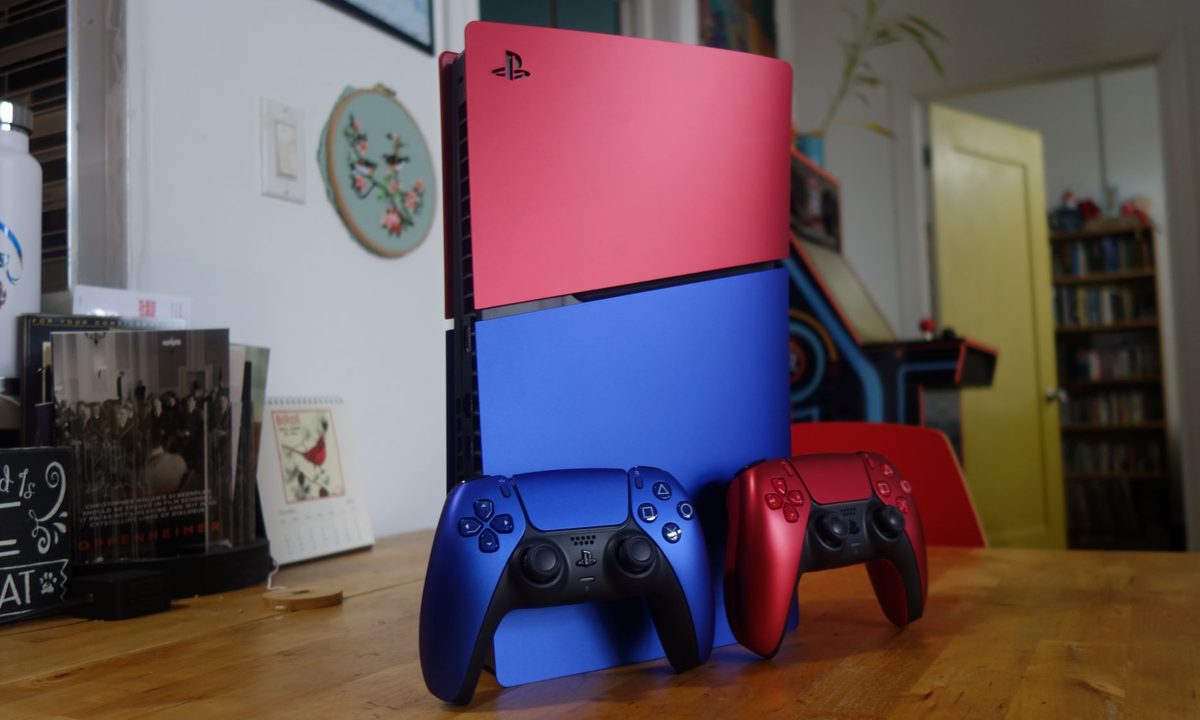
The DualSense controller is one of the coolest console controllers (say that ten times fast) to ever hit the market. After years of fine-tuning, the PlayStation 5 accessory doesn’t disappoint, thanks to advanced haptics feedback, comfortable grips, and a streamlined design. When it comes to AV bravura, Sony just knows how to get things done! But did you know that your PS5 controller can be linked to your home computer?
Whether that’s a laptop or desktop, the DualSense controller can be connected to your PC via USB or Bluetooth, and we’re going to teach you how to set things up using both of these methods.
Difficulty
Duration
What You Need
-
a DualSense controller
-
a USB-C cable

How to connect a PS5 controller to PC with USB
Connecting the PS5 controller to a PC with a USB cable will likely be the go-to option for most people, as it’s extremely easy to do and won’t run the risk of draining the DualSense’s battery during a play session.
Step 1: Connect the DualSense controller to a USB-C to USB-A cable (like the one that comes with the PS5.
Step 2: Plug the other end into your PC and wait for Windows to notify you that it’s identified the controller.

How to connect a PS5 controller to PC with Bluetooth
If your PC has built-in Bluetooth capability or you have a separate Bluetooth adapter, you can also connect the DualSense controller wirelessly. The process is the same as connecting any wireless controller.
Step 1: Just like when you sync a PS5 controller with a PS5, hold the PS button and the Create button on the DualSense controller to start pairing.
Step 2: On your PC, navigate to the Bluetooth & Other Devices menu and click Add Bluetooth or other device, then select the Bluetooth option.
Step 3: When the connection is made, the PS5 controller will show up as Wireless Controller in the menu.

How to use a PS5 controller on PC with Steam
The major caveat to using a PS5 controller on PC is that not all games will recognize it natively. Fortunately, Valve added limited DualSense support to Steam almost as soon as the PS5 was released and is continuing to add features. All the Steam games with controller support are playable with the DualSense, and functions like motion controls, rumble, and the light bar should work just like they did for the PS4’s controller, though new features like adaptive triggers still aren’t working.
Step 1: Open Steam with the controller connected and navigate to the Controller menu under Settings.
Step 2: Open General Controller Settings and find your PS5 controller (which may be listed as Sony Interactive Entertainment Wireless Controller), and you can configure each individual button, just like with any other controller.
Can you connect a PS5 controller to a Mac?
You most certainly can! In fact, you can connect the DualSense controller to just about any Apple device, including Macs, iPhones, iPads, Apple TVs, and the Apple Vision Pro. You can do so via USB-C or Bluetooth, and our above instructions are relevant for Apple hardware.
Do keep in mind that many new MacBooks don’t include USB-A ports. If this is the case for your Apple machine, you’ll need to purchase a USB-C adapter before connecting the DualSense via USB.
If you find that your PS5 controller isn’t working with a game outside of Steam, there’s even a workaround for that. In Steam, just click on Games in the top toolbar, then Add a Non-Steam Game to My Library. You can add any installed game to Steam from this menu and enjoy the full benefits of Steam’s DualSense support.
Can you connect a PS5 controller to a PC wirelessly?
Your DualSense PS5 controller can absolutely be connected to your PC wirelessly. All you need is a Bluetooth-enabled computer to connect wirelessly. Alternatively, if you prefer to save the battery life of your controller, you can connect it to your PC via a USB-C cable.
How do I put my PS5 controller in pairing mode?
To put your PS5 controller in pairing mode and initiate the pairing process with your PC, simply hold down the the Create and PS buttons at the same time. Make sure Bluetooth is enabled on your PC, and navigate to the list of Bluetooth devices, selecting your controller from the list. You’ll know you’ve paired successfully when the light bar blinks.
How do I get my PC to recognize my PS5 controller?
To get your PC to recognize your PS5 controller, hold the PS and Create buttons down. Next, go to your computer’s Bluetooth menu and find it in the list of options. Alternatively, you can connect your PS5 controller instantly by plugging the USB-C cable that came with your system into your computer.