  1. Home
  2. Gaming
  3. How tos

Digital Trends may earn a commission when you buy through links on our site. Why trust us?

How to find PlayStation VR2 games on the PS5’s PlayStation Store

Add as a preferred source on Google
An image featuring several launch window titles for the PlayStation VR2.
Image used with permission by copyright holder

PlayStation VR2 is out now, and many of us are trying out the headset for the first time. If you didn’t buy the Horizon Call of the Mountain bundle, you’ll need to buy some games for the headset on the PS5’s PlayStation Store. Right now, we have the benefit of the headset and its biggest launch titles being prominently featured on the PlayStation Store on PS5. That won’t always be the case, though.

PSVR2 is not backward compatible with games for its predecessor, and just searching “VR” on the PlayStation Store will bring up many games that are only compatible with the original PlayStation VR headset. As such, searching for PSVR2 games manually on the PlayStation Store is more complicated than it might seem. To ensure you don’t accidentally buy a game you can’t play in your new headset, this is how you can find and identify PSVR2 games on the PS5’s PlayStation Store.

Recommended Videos

How to manually find PlayStation VR2 games on the PlayStation Store

A filtered list of PlayStation VR2 games on the PlayStation VR2.
PlayStation

Currently, the “Latest” tab of the PlayStation Store does have featured widgets for specific games and an entire row dedicated to PSVR2 games, with a “View All” option at the end, which will bring you a list of the headset’s games and demos. That’s currently the easiest way to find PSVR2 games, but it likely won’t stay there as we get further out from the PSVR2’s launch. To manually search for PSVR2 games, you’ll need to head over to the Browse section of the PlayStation Store. By default, “All Games” for PS4, PSVR, PS5, and PSVR2 will be shown, sorted by bestselling. To filter out non-PSVR2 games, choose the “Filter” button featuring three lines and a downward-pointing arrow on the screen’s left side. 

Once there, you’ll see filters for price, genre, platform, release date, VR, and age rating. To ensure you’re only served PSVR2 games, you’ll want to go to the platform tab and choose the PS5 option and to the VR tab to choose the PSVR2 option. Once that’s done, you can sort them by bestselling, most downloaded, name, release date, or price in the filter menu. Once everything is set to your liking, you can press the circle button to exit out of those filter options and you will see a list of games that all work with PSVR2. From here, you can easily access each game’s store page before choosing whether or not you want to buy and download them. 

How to tell if a game is PlayStation VR2-compatible

NFL Pro Era's PlayStation Store page on PS5.
Image used with permission by copyright holder

If you’re on a specific game’s store page and still wondering whether or not it’s on PSVR2, look at the platforms listed above the game’s logo. PSVR2-compatible games will have a little icon denoting that it’s available on the platform, which you can see in the image above. A list of compatibility notices and game info will also appear to the right, and this will also mention if PSVR2 and Sense controllers are required for the game and which VR playstyles the specific game supports. Once the game is downloaded, a little PSVR2 headset icon will appear next to its title on your home screen. If you’ve filtered your games correctly and know how to spot this info, you should have no trouble finding games to try on your PlayStation VR2.

Tomas Franzese
Former Digital Trends Contributor
A former Gaming Staff Writer at Digital Trends, Tomas Franzese now reports on and reviews the latest releases and exciting…
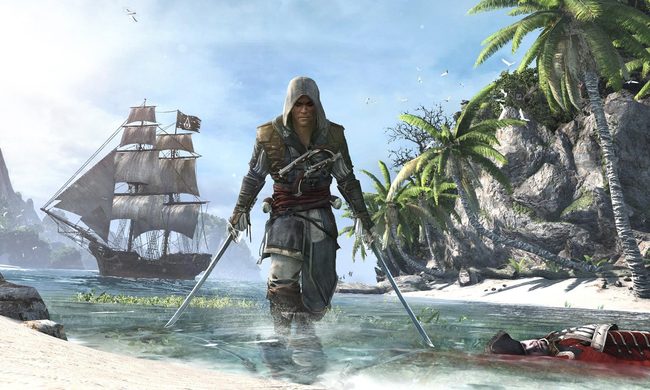
Assassin’s Creed Black Flag Resynced finally gets a showcase date
Gaming's worst kept secret finally gets its day!
Assassin's Creed IV Black Flag

After multiple rounds of rumors and leaks, Ubisoft has officially confirmed a Worldwide Reveal Showcase for Assassin's Creed Black Flag Resynced. The reveal was first rumored for last week, only for fresh rumors to push it to this week instead. Ubisoft has now put that speculation to rest.

The event goes live on April 23 at 9AM PDT / 4PM UTC / 6PM CEST on YouTube. Ubisoft even leaned into the whole saga, dubbing it "Gaming's Worst Kept Secret" in its teaser video. That's hardly an exaggeration given how long the rumors have been circulating online.

Read more
Intel’s secret handheld chips might just give AMD a run for its money
Two Intel chips built for handheld gaming just leaked online, and things are about to get interesting.
zotac zone front view

Intel has been quietly working on something interesting. A new leak has revealed two unannounced chips, the Arc G3 and Arc G3 Extreme, built specifically for handheld gaming consoles. These chips are expected to show up sometime in Q2 2026, and they could shake up the handheld gaming market in a big way.

Shortly after Intel revealed its full Panther Lake lineup, rumors started swirling about two chips that didn't make the cut. These were originally designed to compete with AMD's Ryzen Z2 series, but their launch was delayed for reasons we don’t know. Now, one of them has resurfaced online.

Read more
OnePlus’ gaming controller for phones has a neat little charging trick that you’ll love
The new add-on does more than add buttons, it could make charging and cooling much less awkward during longer phone gaming sessions
Body Part, Finger, Hand

OnePlus’ new controller for the Ace 6 Ultra looks like another attempt to turn a phone into a handheld, but the smarter idea is the open space in the middle. OnePlus says that section is meant for cooling, and the company’s promo images make clear that this isn’t just a grip with triggers bolted on. It’s a design that tries to leave room for heat management and easier power options at the same time.

OnePlus is still selling it on gaming features, including four physical buttons, hybrid touch-and-button controls, micro-switch inputs, a 1 kHz polling rate, and a claimed 1.8 ms response time. But comfort over time is the more convincing pitch, especially for shooters that punish awkward hand positions and a hot phone.

Read more