
Hit an unbelievable buzzer-beater in NBA 2k21 that the squad needs to see? Or do you need to prove to the world that you’re a top-tier sniper in Call of Duty: Warzone? If you’re playing on the new Xbox Series X or Series S, recording and sharing your top clips has never been easier.
Microsoft has given players multiple options for recording and sharing footage from the next-generation console — whether you’re uploading content as quickly as possible or on the go, or you need to sift through a large collection of clips.
This guide will go through all the ways you can record gameplay on the Xbox Series X.
Further reading
Capturing footage using an Xbox controller

The newest Microsoft controller that comes with the Xbox Series X has a dedicated Capture button in the center of the controller. To capture gameplay footage with the latest controller, press and hold Capture for about one to two seconds to record your gameplay clips.
Playing games on the Xbox Series X but using an older Xbox One controller? Don’t fret — you can still record gameplay footage with ease just like you used to on the Xbox One. Thankfully, Microsoft has made sure older Xbox accessories are compatible with the latest console. If you’re using an Xbox One controller, press the Guide button during your game, and then press X to record gameplay. When the gameplay footage is captured, you will get a notification letting you know your footage has been saved.
Capturing footage using a mobile device

Another way to capture footage is by using the Xbox App on your Android or iOS device. On the app, tap My Library (symbolized as three books), then select Consoles. Select the Xbox that you are currently playing on, then tap Open Remote Control. The app screen layout depicts a simplified version of the Xbox controller’s face buttons. Like the Xbox controller itself, tap the Xbox Guide button and select X to record what happened.
How to access your captures on your console and Xbox Live
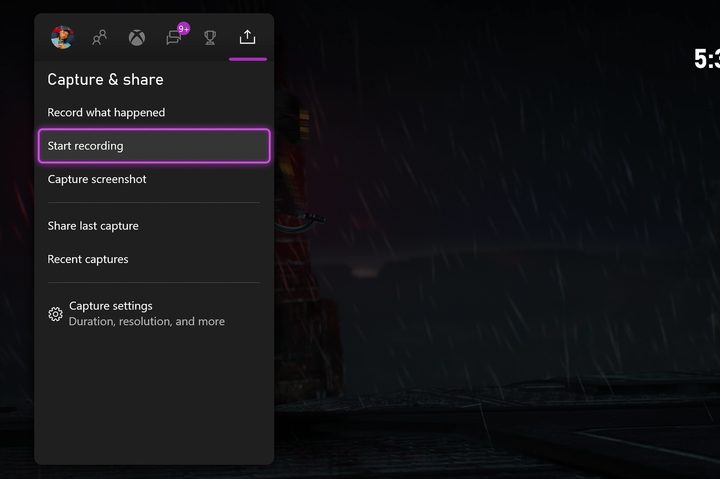
Once your captures are recorded, they can be stored on your Xbox’s internal hard drive, Xbox Live, Onedrive, or an external hard drive.
To access your recordings on your console, press the Home button on your controller, and go over to the Capture & Share column. This column gives you access to all of your recordings and other recording options. Choosing Recent Captures will give you access to up to eight recent captures, but if you want to see all your captures, select the Show All button.
Capture settings
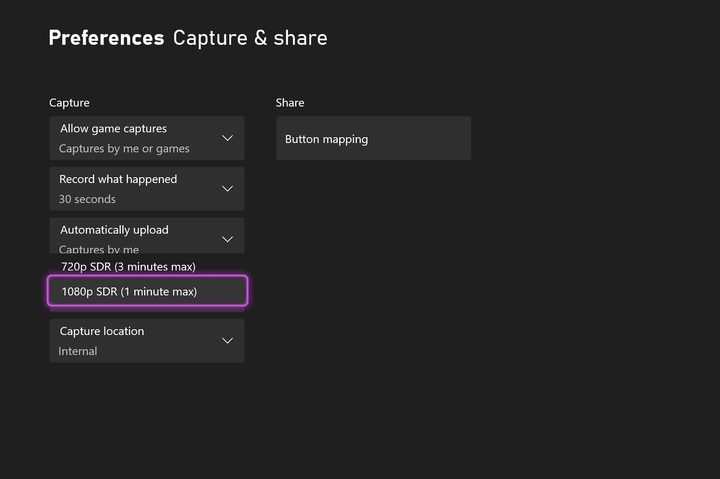
Xbox consoles default to 30 seconds for footage recording, but you can capture longer footage within the Xbox settings.
In the Settings menu, select Preferences, and then Capture & Share. This feature allows you to change the recording length, resolution, capture location, and even what the share button does.
Now that you have the methods of recording gameplay on your Xbox Series X|S console, it is time to start recording all your epic gaming moments and share them with your friends.


