1. Home
  2. Gaming
  3. How tos

How to get gold camos in Modern Warfare II

Add as a preferred source on Google
Gun with a gold camo in MW2.
Image used with permission by copyright holder

Call of Duty: Modern Warfare II has nearly 200 unique camos to choose from in its multiplayer mode, but one, in particular, stands out above the rest — the gold camo. While there are now a few higher-ranking camos above gold (platinum, polyatomic, and Orion), the gold camo is a classic, easily identifiable on the battlefield, letting the enemy know that you've mastered your rifle of choice.

Recommended Videos

Difficulty

Moderate

Duration

2 hours

What You Need

  • Complete weapon-specific camo challenges

  • Complete first weapon mastery challenge

Unlocking gold camos and higher in Modern Warfare II takes time, skill, and knowing where to look in the game's sometimes overcomplicated UI. We're here to show you where to look for the right challenges and how to move on to weapon mastery.

Gun with a gold camo in MW2.
Image used with permission by copyright holder

How to unlock gold camos in MW2

How to unlock the gold and higher camos isn't easy to understand at first glance, so we'll show you where to look.

Step 1: From the multiplayer home screen, select the Weapons tab on the top toolbar.

Step 2: Select Multiplayer loadout.

Step 3: Select one of your custom loadouts.

Step 4: Hover over your primary weapon and select Gunsmith.

Step 5: At the top of your screen, select Customize.

Step 6: Select Camo.

Step 7: Toward the left of the screen, you'll see a gray box with specific unlock options for the gun you've selected. There are four camos to the left with challenges attached to them. You must level up your weapon to unlock each camo challenge, then complete the listed challenge — these usually just require you to get a certain number of kills with the weapon or use it in a specific manner by getting hip-fire or ADS kills.

Sam Hill
As Digital Trends' Gaming evergreen lead, Sam Hill is here to help you find your new favorite game and dive right in. The…
MSI’s next gaming monitor can morph between three different resolutions and refresh rates
Why buy three monitors when MSI wants you to buy one expensive one?
MSI MPG OLED 322URDX

Gaming monitors have slowly become one of the most aggressively competitive categories in PC hardware. Over the past few years, brands have raced to push refresh rates higher, improve OLED technology, reduce response times, and deliver increasingly brighter displays. But despite all those upgrades, buyers still usually have to pick one side of the experience. You either buy a super-fast esports monitor with lower resolution or a high-resolution OLED display focused more on cinematic gaming.

At Computex 2026, MSI appears to be trying to eliminate that compromise. The company has officially unveiled the MSI MPG OLED 322URDX36, which it describes as the world’s first triple-mode QD-OLED gaming monitor.

Read more
All Stellaris cheats and console commands
Give yourself the edge in galactic conquest with these cheats and commands
Fleet in Stellaris

Running a galactic empire in Stellaris is an arduous task. One bad war, an economic spiral, or one neighbor with a suspiciously large fleet can turn a promising save into a slow-motion disaster. You may want to fix a mistake, or maybe even want to test a build. And sometimes, you just want to see what happens when your empire suddenly has more alloys than sense.

This is where Stellaris console commands come in. These cheats let you add resources, finish research, control empires, spawn ships, trigger events, or bend the galaxy in ways the normal game usually won’t allow.

Read more
Is Rust cross-platform?
Yes, but there's levels to this.
Rust player running by buildings.

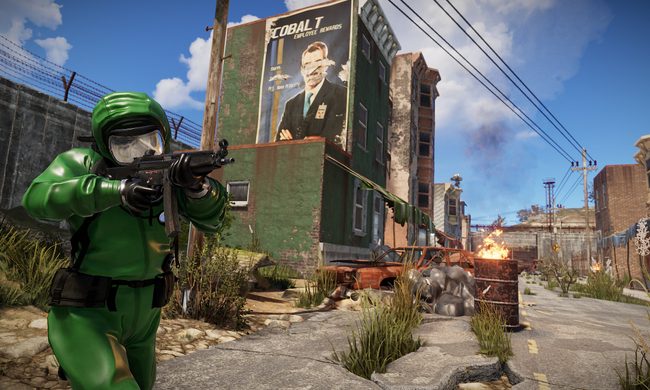
Rust is the kind of survival game where choosing the right server matters almost as much as choosing the right weapon. This also reflects on the platform of your choice. If you're you're friends are spread across PC, PlayStation, and Xbox, you’ll want to know exactly who can play together before anyone starts building a base.

The answer to the question is simple in one way and annoying in another. Rust supports crossplay between PlayStation and Xbox players, but PC players cannot play with console players. So yes, there is cross-platform support, but only inside the console version of the game.

Read more