  1. Home
  2. Gaming
  3. News

PlayStation 5 can technically be a CD-player, if you’ve got a tinkerer’s heart

A clever workaround makes data CDs and DVDs usable on PS5

Add as a preferred source on Google
youtuber-plays-cd-on-ps5
Will It Work? / Youtube

What’s happened? PlayStation 5 was never meant to be a regular CD player. Sony intentionally disabled CD support on both the PS4 and PS5, so inserting a standard CD into the console simply doesn’t work out of the box.

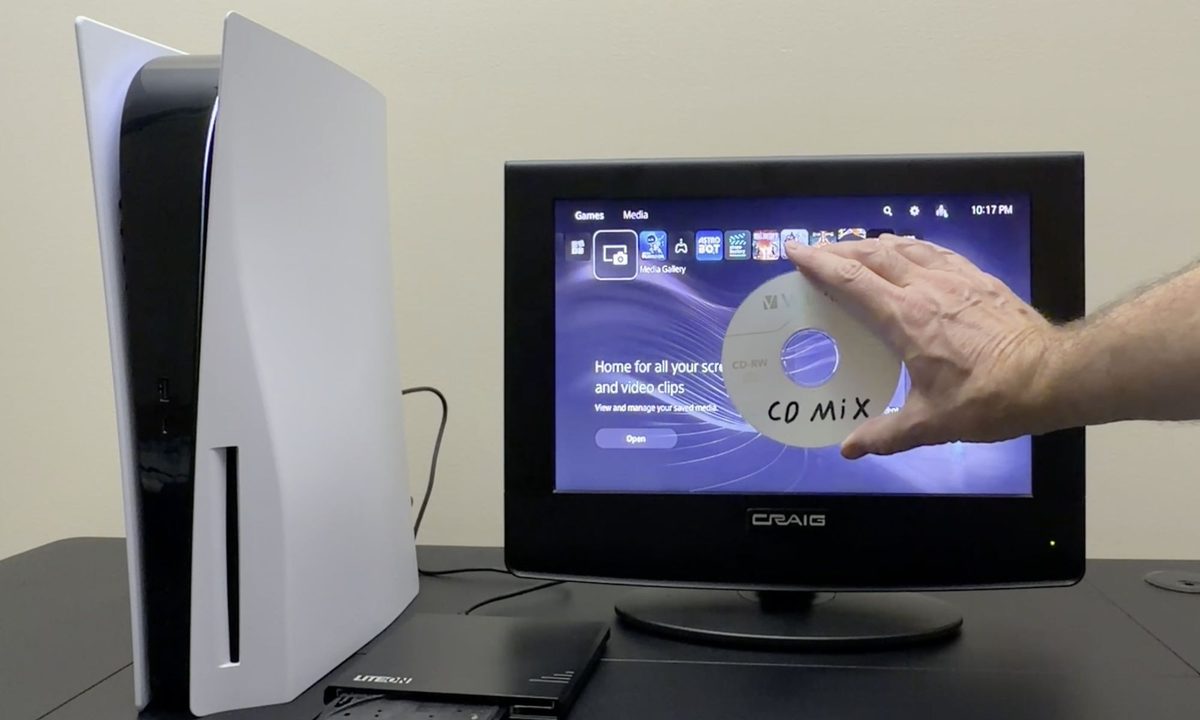
But a creator behind the YouTube channel Will It Work? decided to test that limit with a clever workaround. Using an unusual optical drive, he managed to trick the PS5 into reading CDs as if they were USB storage devices.

Recommended Videos

To be clear, this isn’t Sony adding a hidden feature. It is a workaround that bypasses the limitation by changing how the CD is presented to the console.

How to play CDs on PS5? The YouTuber used a Lite-On eBAU108 USB CD/DVD drive that includes a feature called ‘Link to TV’, but the YouTuber prefers calling it the ‘flash drive mode’.

When activated, the drive no longer behaves like a normal disc reader. It makes the ISO and UDF-formatted CDs and DVDs appear as a read-only FAT32 flash drive.

This function was originally designed for smart TVs that could not use USB optical drives, but it also happens to work on the PS5. Once the PS5 detects it as USB storage, the console’s media apps can access the files just like they would from a flash drive.

The limitations: Here’s a quick breakdown of which discs and file types actually work with this PS5 CD hack, and which ones still fail to load or play.

Works: Burned data CDs and DVDs in ISO or UDF with MP3, MP4 (H.264), and JPEG files, including mini and business-card CDs, as long as MP3s are inside a “Music” folder and all media is inside folders, not the root.

Doesn’t work: Standard audio CDs, most retail MP3 or audiobook CDs, and many enhanced CDs that use outdated codecs, unsupported extensions, or MP4 profiles that fall outside the PS5’s strict format limits.

Why should I care? This experiment proves the PS5 is more capable than Sony allows it to be. With the right gear and a little creativity, you can turn an unsupported console feature into a working one. It’s neither perfect nor official, but for anyone who loves to tweak, this is a fun experiment.

Manisha Priyadarshini
Manisha Priyadarshini is a tech and entertainment writer with over nine years of editorial experience.
MSI’s next gaming monitor can morph between three different resolutions and refresh rates
Why buy three monitors when MSI wants you to buy one expensive one?
MSI MPG OLED 322URDX

Gaming monitors have slowly become one of the most aggressively competitive categories in PC hardware. Over the past few years, brands have raced to push refresh rates higher, improve OLED technology, reduce response times, and deliver increasingly brighter displays. But despite all those upgrades, buyers still usually have to pick one side of the experience. You either buy a super-fast esports monitor with lower resolution or a high-resolution OLED display focused more on cinematic gaming.

At Computex 2026, MSI appears to be trying to eliminate that compromise. The company has officially unveiled the MSI MPG OLED 322URDX36, which it describes as the world’s first triple-mode QD-OLED gaming monitor.

Read more
All Stellaris cheats and console commands
Give yourself the edge in galactic conquest with these cheats and commands
Fleet in Stellaris

Running a galactic empire in Stellaris is an arduous task. One bad war, an economic spiral, or one neighbor with a suspiciously large fleet can turn a promising save into a slow-motion disaster. You may want to fix a mistake, or maybe even want to test a build. And sometimes, you just want to see what happens when your empire suddenly has more alloys than sense.

This is where Stellaris console commands come in. These cheats let you add resources, finish research, control empires, spawn ships, trigger events, or bend the galaxy in ways the normal game usually won’t allow.

Read more
Is Rust cross-platform?
Yes, but there's levels to this.
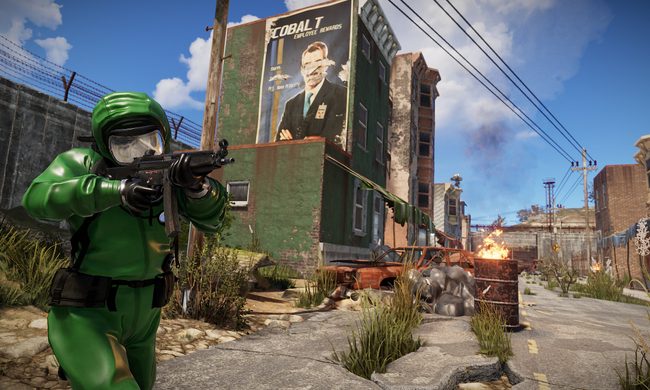
Rust player running by buildings.

Rust is the kind of survival game where choosing the right server matters almost as much as choosing the right weapon. This also reflects on the platform of your choice. If you're you're friends are spread across PC, PlayStation, and Xbox, you’ll want to know exactly who can play together before anyone starts building a base.

The answer to the question is simple in one way and annoying in another. Rust supports crossplay between PlayStation and Xbox players, but PC players cannot play with console players. So yes, there is cross-platform support, but only inside the console version of the game.

Read more