

If you’re reading this article, there’s a good chance you’re considering mounting at TV above your fireplace. You’ve seen it done a million times on real estate or interior design shows, so why not, right? We might not be experts when it comes to home decor, but we know a thing or two about TVs and we’re here to set the record straight: Mounting a TV above a fireplace is a terrible idea.
We get it: a fireplace is often the focal point of a room, so throwing your beautiful new TV in the same location feels like the right thing to do, especially if you have limited space. Even some TV manufacturers appear to endorse the idea (just look at some of the photos in this article). But before you start drilling wall-mount holes, allow us to list the many reasons we’re begging you to reconsider this decision.
Heat + electronics = bad
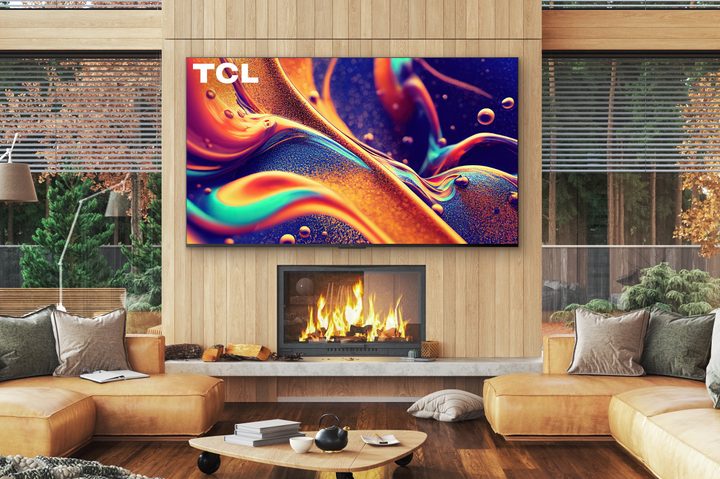
Heat is one of the biggest contributors to electronic failure. If you’ve ever received an excessive heat warning on your phone, you’ve got first-hand experience with the problem. Increased heat can lead to decreased electrical resistance, which translates into higher-than-expected voltages. It’s one of the reasons why desktop and laptop computers have internal cooling fans. TVs, however, rarely come equipped with fans for heat dissipation (nobody wants to hear a fan whirring while watching their favorite show).
And unfortunately, most fireplaces give off a lot of heat — that is, after all, their original purpose. Heat doesn’t just threaten TVs when there’s power running through it. If your TV is constantly exposed to the temperature fluctuations of having a fireplace nearby, its internal components can go through cycles of expansion and contraction which will also lead to failure over time.
Electronics don’t care for heat, and they care for smoke even less. Have you ever seen the windows inside the car of a cigarette smoker? Unless the smoking driver is an equally habitual window washer, those windows are covered with a hazy film of filth. Exposed to the smoke of burning wood, a similar film can build up on the components inside a television cabinet. As that particulate builds up, so does the heat generated by the TV.
To ensure we aren’t just blowing smoke, we spoke to Brian Sevigny, owner of Portland, Oregon-based A/V installation service Digital Connex. He told us he gets asked to install TVs over fireplaces frequently. When we asked him if he encouraged or discouraged the practice, he was quick to jump in. “Discourage,” Sevigny said firmly, “primarily because of the heat and the smoke.”
Smoke may only affect TVs mounted above wood-burning fireplaces, but the only way to avoid the heat is to install an electric fireplace and keep it on flame mode only (as opposed to flame+heat).
It’s a pain in the neck
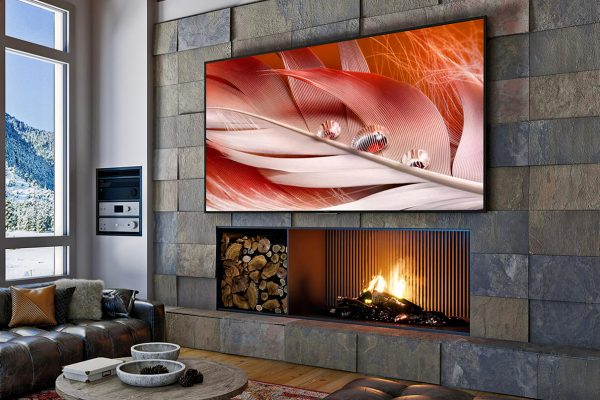
Placing a TV up high or above a fireplace moves the image you’re trying to watch well above eye level, forcing you to tilt your head backward. Think back to the last time you went to the movie theater and had to sit in one of the front three rows. Chances are you walked out of the theater with a stiff neck. Craning your neck for an extended period will cause temporary discomfort, but doing so for even short periods, day after day, can have lasting effects, like chronic headaches.
Neck headaches become a problem when you start protruding your chin forward with that “looking up” posture.
We spoke to Brad Simpson, a physical therapist and clinical director at Life’s Work Physical Therapy. Simpson’s clinic treats patients with multiple types of musculoskeletal problems, and he is an expert in ergonomics. Simpson says that repeatedly sitting in an unnatural position can have lasting repercussions.
“It ends up putting your body in a position where your deep-neck stabilizers, muscle-wise — it’s kind of like the core of your lower back, but up in your neck — aren’t able to function. That position where you have to push your head forward and up to look up at the television compromises those muscles,” Simpson said. “Having your head forward like that causes a shearing force within your mid-cervical spine. That’s where a lot of pain ends up coming from … you lose the ability for your neck to stabilize.”
Muscle pain isn’t the only thing you can suffer from. Just like staring down at our smartphones for hours a day can cause neck headaches, so can looking up, which causes us to protrude our chins forward, Simpson said. He also indicated that this poor posture leads to improper breathing, which causes us to overuse certain muscles, becoming yet another source of pain. The main takeaway from our interview: It’s not worth the pain.
Six degrees of separation from a beautiful picture
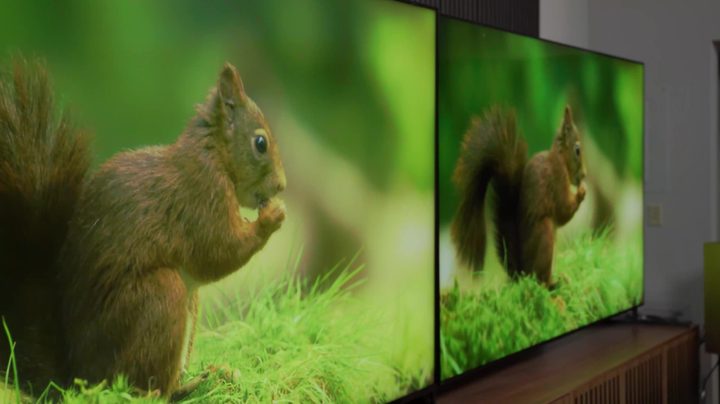
On this issue, there is no debate. We review many TVs every year, and the viewing angle on LED/LCD TVs remains a problem, even among the best TVs.
The cause is the LCD matrix — the part of the display that creates the image — and it’s used on all LCD, LED, and QLED TVs. The matrix is made up of many tiny, shuttered windows. These shutters open and close to let the TV’s backlight through. The problem with these windows is that they have a narrow ideal viewing angle. Their sweet spot is dead-center, both vertically and horizontally. If you move too far left, right, up, or down, you see only a fraction of the produced light. The result is a washed-out, lifeless picture — hardly what you had in mind when you laid out hard-earned cash for a new television.
Related:
The good news here is that you have some options to mitigate this problem. The first is to buy a wall mount with enough downward tilt to give you a more perpendicular view of the screen. Even better is a mount that will drop the TV down closer to your eye level (make sure the fireplace isn’t in use, though). Either option will improve brightness, color saturation, and contrast.
The second option is to purchase an OLED TV (not to be confused with a QLED TV), which has a nearly infinite viewing angle and will look amazing no matter how high you place the TV. There are plenty of other reasons why OLED wins in the OLED vs. QLED TV battle. If an OLED TV isn’t an option for you, consider an LED TV that uses an IPS LCD panel — these have wider viewing angles than the competing VA-style of panel.
It’s just not stylish
While we may have the design sense of a color-blind hippopotamus (no offense to hippopotamuses, but they do spend a lot of time in the mud), we’re really good at finding experts on just about anything. So we reached out to Garrison Hullinger, owner of Garrison Hullinger Interior Design. We asked him if he had a TV mounted over his fireplace. “No, I live in a 100-plus-year-old home and would never put a TV in my formal living room over the fireplace,” Hullinger told us. “We also have a beach house with a fireplace in the formal living room, and choose not to hang a TV in that room.”

Again, though, most modern homes have rooms built around this idea. Hullinger told us about 25% of the homes he has walked into had one wired location and were ready for a TV over the fireplace. Sevigny echoed that estimation when he told us that almost all of the new construction he has seen “will have electrical and coax connections already installed above the fireplace.”
We can think of only one way that would significantly diminish the inherent ugliness of a big, dark rectangle floating above your mantel: buy a TV that can do double-duty as an art frame when you’re not watching it. Samsung’s models of lifestyle TVs, the aptly named The Frame, can display a wide variety of artwork, or information screens, when not in use. LG’s best-in-class OLED TVs are another option. If your fireplace wall has an especially unique appearance, you can even mirror that look on the screen instead.
Since this article was first written, we’ve made a point of keeping an eye out for well-thought-out counterarguments. So far, most of them come down to, “these problems aren’t really problems if you use the right TV mount,” which we suppose is mostly true. But the right mounting tech is only part of the answer.
But I have to (or want to) anyway. What can I do to make the best of it?
In an ideal world, you would place your television in another room purpose-built for enjoying TV and maybe make music the focus of your main living area. But everyone’s space is unique and comes with different limitations, and some spaces might not give you an alternative to mounting your TV over the fireplace. Or you might just like the look of it, regardless of the issues it poses. If you absolutely, positively insist on ignoring our advice from above, we’ve got a few suggestions for making the best of it.
- Measure the heat: Most TVs can withstand up to 100 degrees Fahrenheit, but many fireplaces can easily exceed that temperature. Place a thermometer where you’re planning to put your TV and leave it there for an hour with your fireplace turned on (or with a roaring fire lit). If the reading exceeds 100 degrees F, that’s bad news.
- Reduce the heat: Dave Napoleon of CloudNine AV says installing a mantel over a fireplace can significantly reduce the amount of heat that rises toward your TV. Installing built-in blowers can also help by redirecting heat into the room and away from your television.
- Sit farther back if you can: The farther away you sit from the TV, the less you’ll have to crane your neck to see it properly.
- Lounge it out: Kick back and watch TV from a reclined position. You will eliminate the need to crane your neck entirely.
- Use a tilting or motorized wall mount: Altering the TV’s angle can improve picture quality by giving you a more direct view of the screen.
- Go with OLED: In addition to providing an outstanding picture and a super-thin profile, OLED TVs pose fewer viewing-angle problems. Just beware that, as mentioned above, electronics aren’t exactly fond of heat and smoke, so be extra careful with your pricey new OLED.
- Don’t have a fire and watch TV at the same time: The flicker of the fire and added brightness of a TV in a darkened room can play with your pupils and strain your eyes while watching. It’s also a bit distracting. If the two are close together, it’s best to enjoy one at a time.
- Hire a professional installer: A professional will be able to handle cable management for a clean install, and they come armed with other helpful suggestions to make the most of your TV installation.


