
Spotify is the latest company to embrace the AI tsunami with a new feature called DJ. Using an AI-generated voice, Spotify can create what amounts to a radio station built around your musical tastes. In some ways, it’s not that different from the company’s other algorithmically generated playlists, but now you’ll hear the kind of voice introductions and other commentaries we typically associate with the radio experience. The feature is currently in beta and is rolling out to all Spotify Premium subscribers in the U.S. and Canada.
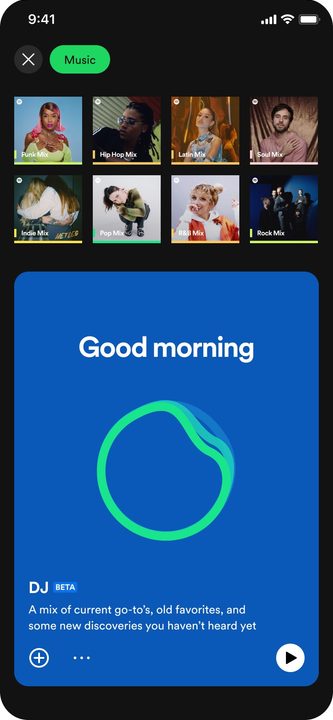 The company says that DJ will use AI technology in two ways. It leverages generative AI tech from OpenAI (the makers of the now-infamous ChatGPT AI), which lets Spotify’s human editors “scale their innate knowledge in ways never before possible,” while a second AI platform produces the synthetic DJ “voice” you hear when you interact with DJ.
Though the DJ voice may be synthetic, it will also strike some listeners as familiar. That’s because the AI model was trained with audio samples from Xavier “X” Jernigan, Spotify’s head of cultural partnerships. X has served as one of the hosts on Spotify’s morning show, The Get Up.
The AI system is similar to Sonos Voice Control, which was trained on samples provided by Giancarlo Esposito. Spotify says it will continue to iterate and innovate the DJ feature over time, which suggests there could be additional voices available in the future.
To access Spotify DJ:
- Go to your Music Feed on Home in the Spotify mobile app for iOS or Android.
- Select Play on the DJ card.
- The DJ will serve a lineup of music alongside short commentary on the songs and artists picked for you.
- If you don’t like the music the DJ is picking, select the DJ button at the bottom-right of the screen to be taken to a different genre, artist, or mood.


