
A Ring Video Doorbell is ultra-convenient; it lets you receive packages or respond to deliveries from anywhere in your home — or anywhere in the world using the built-in camera and the Ring app.
You may also know that you can have Amazon’s Alexa smart speaker devices alert you to a doorbell ring — and even show you who’s there. But if you want to take this a step further, you can actually have Alexa respond for you if you’re too busy to run to the door from your home office, or if you’re on the phone and can’t respond to the Ring Doorbell notification. Here’s how to get Alexa to answer your Ring Video Doorbell.
Smart Responses include Alexa Greetings
Smart Responses are a feature of Ring Video Doorbells that let you respond in the right way to whoever’s at the door, when you can’t do it yourself. Quick Replies, for example, let you allow visitors to leave a video message on the Ring Video Doorbell that you can view later. Alexa Greetings are a relatively new Smart Response feature where Alexa greets your visitor, takes a message, or provides instructions on what to do with a package.
What to know about Alexa Greetings on Ring Video Doorbell
Alexa Greetings is optional on Ring Video Doorbells and for now is only available to customers in the U.S. with compatible versions of the Ring Video Doorbell Pro. You also must be opted in to Ring’s Protect home security and cloud recording plan. They’ve been rolling it out in stages starting earlier on 2021 so it may or may not be available in your area.
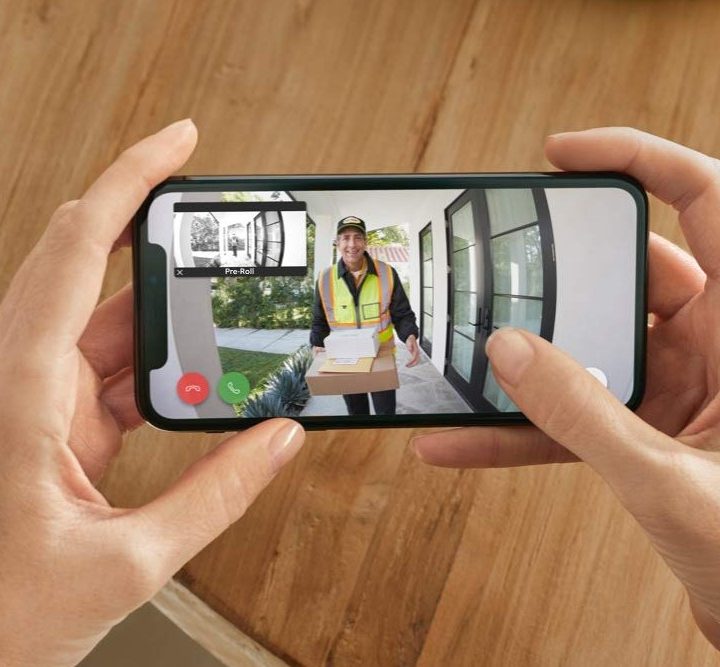
How to get Alexa to answer your Ring Video Doorbell
You first need to turn on Alexa Greetings inside the Ring app. Then you get to decide what happens and how quickly: You can set Alexa to respond to any Ring that you don’t respond to yourself within 0-20 seconds. Your visitor will hear: “Hi, this is Alexa. May I know the purpose of your visit?”
Now before you get excited thinking you just got a new butler for the front door, it’s important to know Alexa Greetings assists in two specific situations only: Package deliveries and taking a message. For example, if the visitor is there to deliver a package, Alexa can provide instructions on where to leave the package. If their visit is not related to a package delivery, Alexa can ask to take a video message. If Alexa cannot identify one of these two situations, it will respond: “Sorry, I can’t help you with that.”
How to set up Alexa Greetings in the Ring App
To get this robot concierge service working for you, here’s what to do:
- Open the Ring app.
- Tap the three lines (hamburger menu) in the upper left-hand corner.
- Tap Devices.
- Select your Ring Video Doorbell Pro.
- Touch the Smart Responses tile.
- Select Alexa Greetings.
- Tap Continue.
- Click on Enable Feature to turn on Alexa Greetings.
As noted, you can also customize how long your doorbell should wait for Alexa to answer the door with wait time options from “Right away” to 20 seconds. You can also specify a location for delivery people to leave packages. If you don’t choose one, Alexa will just tell them to “Please put it out of plain sight.”
Want to intervene in a delivery or change up what Alexa is set to do? You can stop an Alexa Greeting and answer with Ring’s Live View by tapping the green button or microphone button to speak, or by saying “Alexa, stop” to the doorbell directly.
How to watch Alexa Greetings events
Videos made using Alexa Greetings are tagged as an Alexa Greetings event in the Ring app or on your Ring.com account. Since a Ring Protect Plan is required for this feature, you can review, delete, download, or share Alexa Greetings videos as you would other Ring video recordings in the Ring app or on your Ring.com account.
Just like that you’ve got a versatile robot concierge that can do your bidding while you’re otherwise occupied. Alexa Greetings on Ring Video Doorbell Pro can mean fewer missed deliveries, which can save you time heading to the post office or pickup department to retrieve them.



