
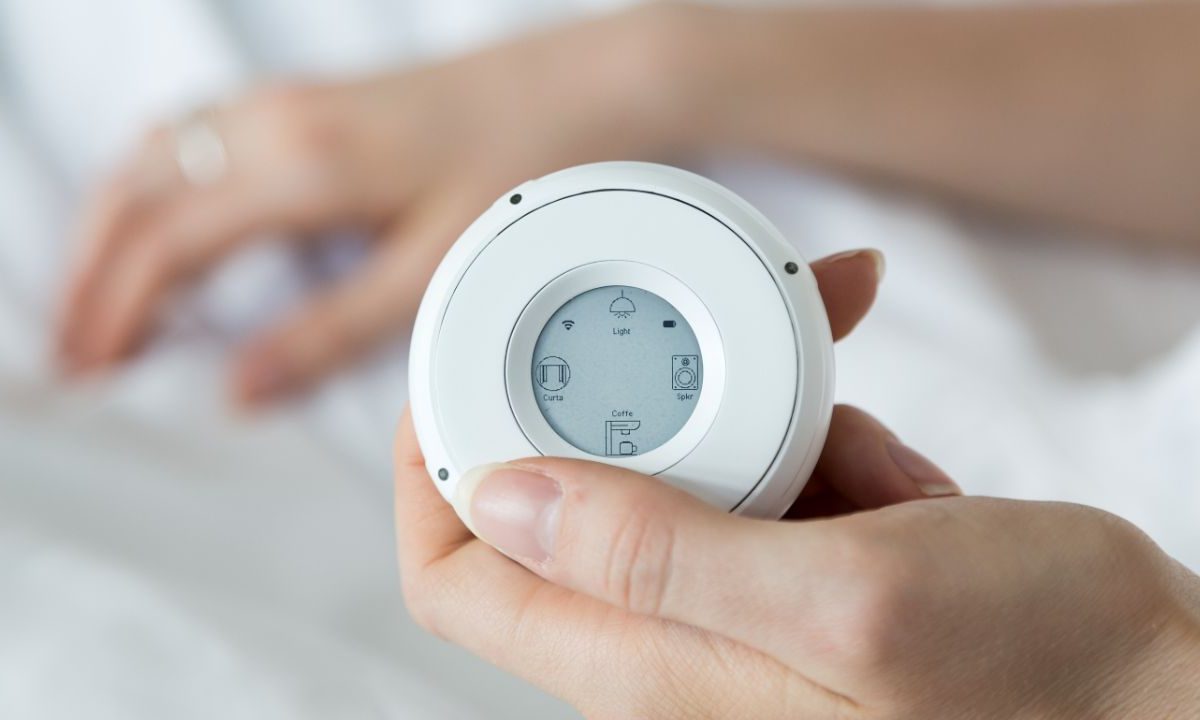
The Linxura Smart Controller is a powerful way to control your smart home. Instead of relying on mobile companion apps, you can toggle smart lights, change your thermostat, or open smart blinds at the press of a button. It’s a unique device, but like all electronic gadgets, it’s bound to run into some issues. And if you’re encountering serious ones that can’t be fixed by other troubleshooting methods, it might be time to reset your Linxura Smart Controller. This wipes all your data from the device, giving you a chance to start anew. It’s also a great option if you’re selling the smart controller to another user or giving it away to a family member, ensuring they don’t have access to your data.
Here's a look at how to reset your Linxura Smart Controller, along with other troubleshooting tips to try before opting for a full reset.
How to troubleshoot your Linxura Smart Controller
Since performing a reset is a “last resort” type of solution, it’s worth exploring other ways to fix your Linxura Smart Controller. Here’s a quick look at common issues and how to fix them:
Poor Wi-Fi connection: Consider checking the Wi-Fi Settings in your Linxura mobile app. If needed, disconnect and reconnect to your network.
Poor battery life: Open your Linxura mobile app and see if you’re running the latest software. Running older software sometimes results in poor battery life. You could also check your Wi-Fi Settings, as an unstable network could quickly drain your battery.
Slow to toggle: If it takes a very long time for a Linxura button press to translate to a smart home action, you may want to check your Wi-Fi Settings in the mobile app. Some actions simply take longer to toggle than others, and depending on your specific network speeds and which companion apps you’re using, it may take multiple seconds for an event to register.
At the very least, it’s highly recommended you restart your Linxura before performing a reset. Restarting requires you to hold down the button on the back of the device for a few seconds to power it off. Release the button, then hold the button down again. After a few seconds, it should reboot. This will not delete any of your data, as you’re essentially turning the device off and on. If you’re running into minor issues, this can sometimes resolve the problem.
How to reset the Linxura Smart Controller
If you’re ready to perform a reset, here’s what you’ll need to do. Keep in mind that this will delete all your stored data and connections.
Step 1: Turn over the Linxura Smart Controller.
Step 2: Locate the tiny pinhole, which can be found across from the power button.
Step 3: Insert a pin into this pinhole and press down for 1 second.
Step 4: This will begin the reset process for the Linxura Smart Controller.


