1. Home
  2. Smart Home
  3. Evergreens

How to use IFTTT with Google Home

Add as a preferred source on Google

Google Home makes it easy to automate your connected devices, but you can only do so much with the platform. Take your smart home to the next level by integrating Google Home into IFTTT (If This Then That). IFTTT is an online automation and productivity tool that you can use to connect two widely different services. Ever want to use Google Home to create a calendar event on your iPhone? Then IFTTT and this tutorial are for you.

What is IFTTT?
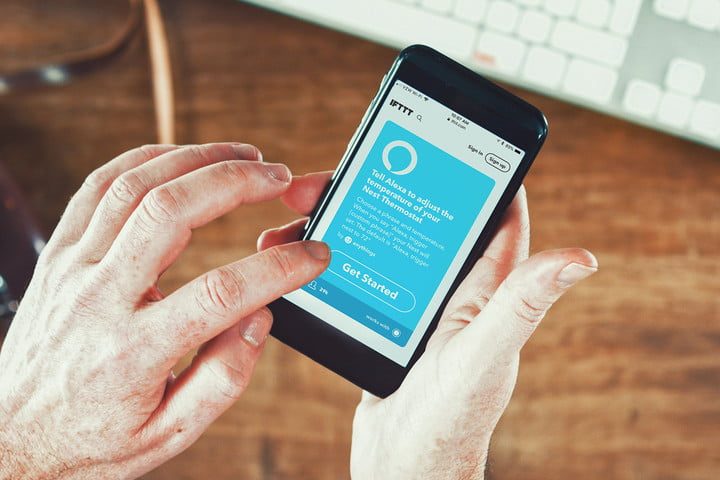
Screenshot of getting started with IFTTT.
Image used with permission by copyright holder

IFTTT works just as its name implies. If “This” trigger happens, then “That” event occurs as a result. This type of automation is common. For example, MacOS features the Automator app that lets you create scripts that’ll resize images, delete files, and so on when triggered. What’s unique about IFTTT is that the trigger and the resulting event can be on two different services. In the example mentioned above, you can use a trigger from Google Voice assistant to add a calendar event that IFTTT will send to the Calendar app on your iPhone or iPad.

Recommended Videos

Log in to your IFTTT account

Complete the IFTTT Login screen to get started.
Image used with permission by copyright holder

You’ll need to use IFTTT to create and manage all your cross-platform automations, so you must have an IFTTT account. If you have an account, log into the service via the website or the mobile apps (iOS or Android). Those who have never used IFTTT will need to create an account either at IFTTT.com or by downloading one of the mobile apps. Don’t worry about the cost. The basic plan at IFTTT is powerful enough for most casual users and is available for free. Those who want complex or real-time automations can upgrade to the Pro version which costs $40 per year or $4 per month.

Connect services to IFTTT
Start using IFTTT with Google assistant automations.
Image used with permission by copyright holder

Once you have logged into your account, you can connect the services you want to use. In this case, we want to use Google Assistant with IFTTT. Google Assistant is the service that you will use to control your Google Home-connected devices. IFTTT makes it easy by listing all the available services to which it connects. Be prepared, there are a lot of them. If you are unable to find your service, use the search bar to locate it quickly.

Use recipes for Google Assistant and Google Home

IFTTT recipes working with Google Assistant.
Image used with permission by copyright holder

You can find Google Assistant by typing Google into the search bar. Select the connect button for Google Assistant and follow the prompts to log in to your Google account. You also can log in to the other services you want to use and authorize IFTTT to connect to them on your behalf.

Once you link a few accounts, you can begin to use recipes. Recipes are user-created applets that you can use immediately. Simply select the applet you want to use and turn on the button to enable it (the button will turn green).

Live life and let IFTTT do the work
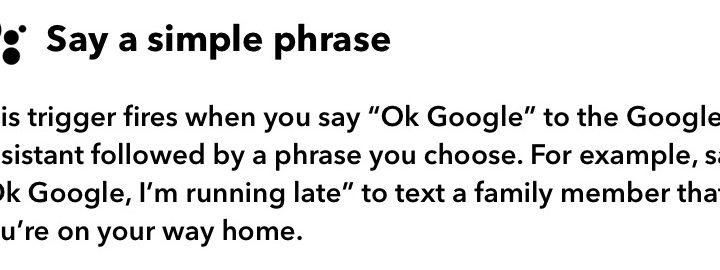
How to configure Google Home IFTTT.
Image used with permission by copyright holder

Spend some time choosing recipes or creating your own. Think of the triggers that would be useful for your productivity flow. Then consider the outcome you want. For example, do you want to send a text message to someone or add an item to your To Do list. In no time, you’ll have an arsenal of applets working on your behalf. As the saying goes, “Work smarter, not harder.”


Kelly Hodgkins
Kelly's been writing online for ten years, working at Gizmodo, TUAW, and BGR among others. Living near the White Mountains of…
Beyond the Boundary Wire: How Yardcare and the New N1600PRO are Leading the Robotic Mower Revolution
With automated routes and advanced mapping, Yardcare N1600 PRO robot lawn mower is made to meet modern lifestyle with smart precision.
Grass, Lawn, Plant

The weekend morning dread is a real situation, and homeowners know it pretty well. I've often woken up with the realization that the next few hours will be spent toiling with the hum of a petrol engine machine and hours of pushing a heavy mower around the yard. We’ve all been there, sweating under the sun, in our quest to achieve a green carpet that looks fine at best, but rarely ever achieves the work done by an expert. A fully automated solution should address all those problems, but finding a reliable one isn't a cakewalk.

The hassles of setting up boundary wire, mastering the navigation, and requiring constant manual supervision don't really sound like an autonomous dream. But tech is finally catching up, and one of its best specimens is Yardcare’s N1600PRO. The latest from Yardcare ensures that lawn care no longer means non-stop manual effort, but relaxed efficiency. If you're a homeowner who is increasingly leaning toward automation to take care of your yard space, Yardcare is here to help you make that smart shift with the N1600PRO.

Read more
Apple is reportedly sitting on new products because Siri AI isn’t ready
Inventory shortages suggest launches are near, but delays tell a different story
Apple HomePod Featured

Apple might have new products ready to go, but it’s just not launching them yet. According to a recent report from Bloomberg, inventory for devices like the HomePod, HomePod mini, and Apple TV is running low across Apple Stores globally.

Normally, that’s a clear sign that refreshed models are around the corner. But this time, there’s a twist. Apple is reportedly holding back releases because its next-generation Siri and AI features aren’t ready yet.

Read more
Google Home update soups up Gemini and fixes frustrating papercuts
The latest Google Home update speeds up Gemini, adds new languages, and fixes recurring annoyances to make voice control smoother and smarter.
Gemini for Home devices

Google is rolling out a fresh update for the Google Home app that makes Gemini a lot more useful in day-to-day use, while also addressing several small but frustrating issues that have been holding it back. The new release follows an update from earlier this month that also brought performance improvements and bug fixes for Gemini's smart home voice controls.

What's new with Gemini for Home?

Read more