
If you have a shiny new convection oven on your counter, or a wall oven that includes convection capabilities, you may be thinking, “Cool! But what does the convection setting do?”
That’s a good question. What is a convection oven really? Do you just turn it on? Well … not exactly. Convection ovens take a little practice to use with your favorite recipes because they can affect how dishes turn out. Let’s go over everything you need to know about convection ovens and how to cook with convection properly.
Setting the temperature
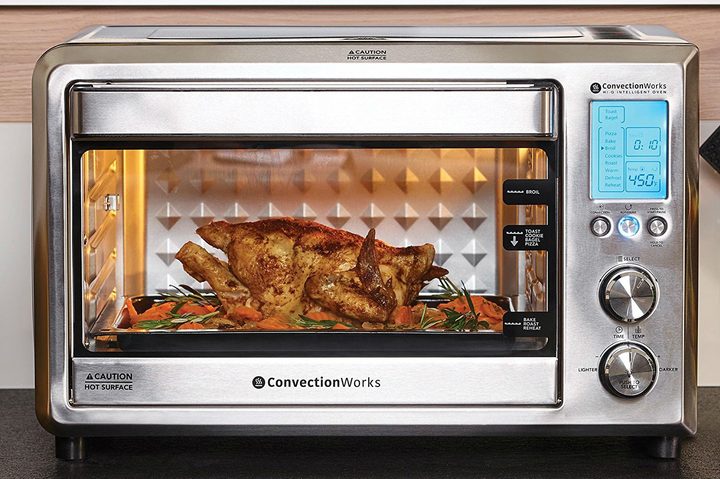
The “convection” in convection ovens refers to heating via air. A convection oven still uses traditional heating methods, but it adds an airflow cycle that blows hot air across the cooking dish and vents it back out again.
Basically, this means your food is being cooked by both radiant heat and heated air passing over the food. This speeds up the cooking process, but it also offers other advantages: Food in convection ovens tends to cook more evenly without experiencing “hot spots,” and it’s easier to brown foods a bit for a delicious crunchy crust when appropriate.
In fact, convection cooking is so efficient that you will need to begin by adjusting the temperature down for your recipes. This saves energy and ensures your food will cook as expected instead of cooking too quickly. Here, we offer three important rules to serve as guidelines:
- For shorter cooking times and easy projects (like cookies), lower the expected temperature by 10% to 15%.
- For big cooking projects that will take a lot of time (like roasts), lower the temperature by as much as 30% for reliable cooking.
- When in doubt, drop the regular cooking temperature by 25 to 30 degrees.
Give the air as much room as possible
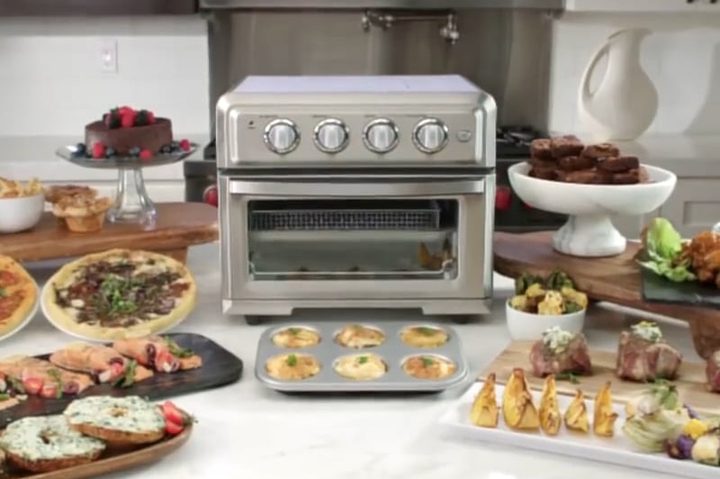
Since convection cooking depends a lot on air, it’s important to give that circulating air room to do its work. Convection cooking is not the time to fill the oven rack with every pan you can squeeze in (we’re looking at you, Thanksgiving!). Instead, limit yourself to one dish per rack to give the air plenty of space to move around. Your taste buds will thank you.
Also, use low-profile pans and baking dishes when possible. Expose as much surface area of your food as possible to the moving air so it can cook reliably. Today’s roasting pans and trays tend to have low sides, but if you have older cookware with a high profile, think about an update to improve convection results.
Set your timer a bit early and check your dish
 Even with the temperature lowered, convection ovens can cook dishes faster than you might expect. To prevent unpleasant surprises, set your timer about 5 to 10 minutes earlier than you normally would (adjusting for the food and tray type), especially when first starting out.
When the timer goes off, check your food. If it looks like it’s doing nicely and could use several minutes to finish up, add a bit more time. But if your food has already browned over, is at a hard sizzle, or just looks done, you may want to cut your cooking time short to prevent drying out or burning.
These foods do particularly well on convection

Foods that roast or caramelize are an excellent fit for convection cooking. Many baked goods also perform very well in these conditions. Freely use your convection setting when:
- Roasting ham, turkey, roast-ready beef cuts, and similar meats
- Roasting vegetables for a little extra crisp
- Cookies and muffins—especially when you want to bake a lot at a time: These small foods defy our “leave plenty of space” rule because they have space, well, baked in … although the air current may give your muffins a more curious shape
- Pies and pastry
- Covered casseroles — when casseroles have covers or foil, they won’t lose much moisture, although convection settings may not be as effective in these situations
- Toasting breads or buns
- Drying foods out as part of meal prep — think dehydrating fish or roasting nuts
Avoid convection with these foods
Other foods you want to cook slowly, particularly delicate foods that need a very specific consistency. Avoid the convection option when:
- Cooking custards or flans — the delicate, spongy surface of these foods fares very poorly in a convection oven.
- Soufflés — likewise, a soufflé needs carefully controlled surface baking, and a convection oven might burn a soufflé without allowing it to rise.
- Cakes and similar large confectionary items, which tend to either rise too quickly and collapse or cook too fast.
- Baking quick breads — this might be confusing, since some cookies and pastries are considered short breads, but we are referring to breads that really need to rise but don’t have traditional yeasts. That includes banana and pumpkin bread, cornbread, beer bread, and so on: You can cook many of these in convection ovens, but you have to be careful and keep a close eye on the process.
Sensors and automatic features

Convection ovens are trying to make the cooking process easier on us all by offering preset buttons, automatic temperature selection, and even “sensor cooking.” Whether or not these options make things more efficient for you remains to be seen.
Brands like LG have well-rated sensor cook options you can use with any dishes that you’re unfamiliar with. The sensors function according to how they’re programmed, so you might prefer to stay close when you’re first using this option so you can change the temperature or cooking time if needed.
When it comes to automatic cooking options, your most reliable option is a thermometer probe. These focus on setting accurate meat temperatures and are available on a growing number of home ovens. If you don’t have one with your oven, you can buy one separately to ensure you’re cooking meat properly.



