
  1. Home
  2. Smart Home
  3. Evergreens

Digital Trends may earn a commission when you buy through links on our site. Why trust us?

Why is my Amazon Smart Thermostat display blank?

Add as a preferred source on Google
The Amazon Smart Thermostat hanging on wall.
Amazon

The Amazon Smart Thermostat gets you a lot of cool features without breaking your budget, though it’s not without a few issues. Like all electronics, it’s bound to encounter a few hiccups throughout its lifetime — and a common issue among users is a blank display. But why does the Amazon Smart Thermostat’s display go blank, and what can you do to fix it?

Here’s a quick look at why the issue may arise and how you can quickly get your smart thermostat back to normal.

Recommended Videos

Reasons why your Amazon Smart Thermostat display is blank

There are a variety of reasons why your Amazon Smart Thermostat display may go blank. Some are cause for concern, while others are a part of its normal operation. For example, if the unit isn’t being operated, it will eventually go blank and enter an inactive state. The unit is still working properly and following all your directions, but the display will go blank from a lack of input. If you want to see the screen again, simply tap the display, and all your details should pop back up.

If tapping the display doesn’t turn the screen back on, then there’s a deeper issue at hand. It’s possible the brightness for your thermostat was turned down — dive into the Alexa app and check your device settings to see if that’s the case.
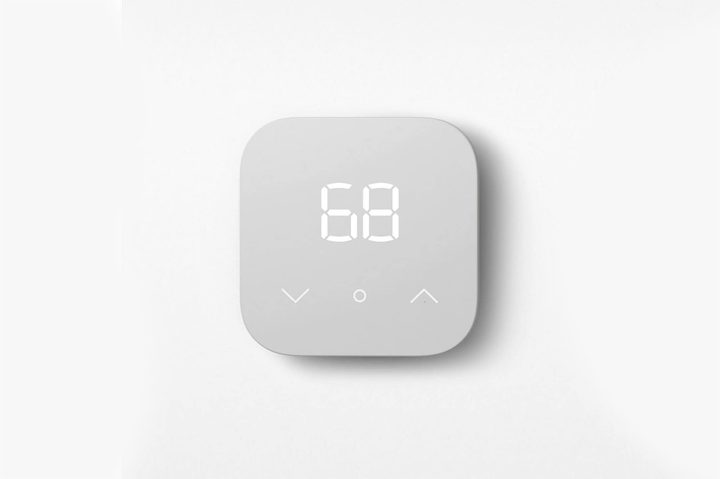
The Amazon Smart Thermostat.
Amazon

The biggest issue responsible for a blank Amazon Smart Thermostat display is faulty wiring. This often happens if the C-wire isn’t properly connected, or if the C-wire adapter is improperly installed. If you’re going through the installation steps for the first time and run into a blank display, consider retracing your steps and attempting a reinstall.

Additionally, a power outage or blown fuse can result in a blank display. Be sure to check your fuse box and contact the local utility company to see if there’s an outage in your area. As you’d expect, a smart thermostat with no power running to it won’t be able to load its display.

If you’ve checked all these common causes and still can’t find a culprit, consider contacting Amazon Customer Service or employing an electrician to get to the bottom of the issue. Contacting an electrician is a particularly wise decision if you think the issue is related to the C-wire adapter, as the installation process can be tricky for DIY novices. Be sure to check this connection thoroughly and reach out to a professional if help is needed.

Thankfully, this issue is usually one that’s quick to fix. In fact, there’s a good chance there’s nothing you need to fix at all. The Amazon Smart Thermostat display frequently goes blank as part of its normal operating procedure. If you have any questions about its brightness or other customization options, be sure to check out the device’s settings in its companion Alexa app.


Jon Bitner
Former Digital Trends Contributor
Jon Bitner is a writer covering consumer electronics, technology, and gaming. His work has been published on various websites…
Topics
Beyond the Boundary Wire: How Yardcare and the New N1600PRO are Leading the Robotic Mower Revolution
With automated routes and advanced mapping, Yardcare N1600 PRO robot lawn mower is made to meet modern lifestyle with smart precision.
Grass, Lawn, Plant

The weekend morning dread is a real situation, and homeowners know it pretty well. I've often woken up with the realization that the next few hours will be spent toiling with the hum of a petrol engine machine and hours of pushing a heavy mower around the yard. We’ve all been there, sweating under the sun, in our quest to achieve a green carpet that looks fine at best, but rarely ever achieves the work done by an expert. A fully automated solution should address all those problems, but finding a reliable one isn't a cakewalk.

The hassles of setting up boundary wire, mastering the navigation, and requiring constant manual supervision don't really sound like an autonomous dream. But tech is finally catching up, and one of its best specimens is Yardcare’s N1600PRO. The latest from Yardcare ensures that lawn care no longer means non-stop manual effort, but relaxed efficiency. If you're a homeowner who is increasingly leaning toward automation to take care of your yard space, Yardcare is here to help you make that smart shift with the N1600PRO.

Read more
Apple is reportedly sitting on new products because Siri AI isn’t ready
Inventory shortages suggest launches are near, but delays tell a different story
Apple HomePod Featured

Apple might have new products ready to go, but it’s just not launching them yet. According to a recent report from Bloomberg, inventory for devices like the HomePod, HomePod mini, and Apple TV is running low across Apple Stores globally.

Normally, that’s a clear sign that refreshed models are around the corner. But this time, there’s a twist. Apple is reportedly holding back releases because its next-generation Siri and AI features aren’t ready yet.

Read more
Google Home update soups up Gemini and fixes frustrating papercuts
The latest Google Home update speeds up Gemini, adds new languages, and fixes recurring annoyances to make voice control smoother and smarter.
Gemini for Home devices

Google is rolling out a fresh update for the Google Home app that makes Gemini a lot more useful in day-to-day use, while also addressing several small but frustrating issues that have been holding it back. The new release follows an update from earlier this month that also brought performance improvements and bug fixes for Gemini's smart home voice controls.

What's new with Gemini for Home?

Read more