
When you’re away from home, a security camera is your best friend. Just the knowledge that you can check a live stream at any time to see what’s happening in and around your home gives a lot of peace of mind, especially if you have motion alerts set up for cameras that are strategically positioned.
If anything hinky happens, your phone will buzz and tell you. On the other hand, sitting at home and staring at the unblinking eye of the camera is downright unnerving. Is someone watching? At least webcams usually have an LED indicator — smart home security cameras can sometimes have no outward alerts that they’re on.
The concept of always-on cameras has raised numerous concerns with regard to user privacy. No one likes the idea their smart home might be watching them — or might be vulnerable to hackers.
That’s where privacy shutters come into play. These mechanisms — whether digital or physical — give the user more privacy, but not all privacy shutters are created equal. There are four main types of privacy shutters: Electronic, manual switch, automatic, and rotating cameras — which aren’t technically shutters, but can be turned to face away or down so they see nothing.
Electronic privacy shutters
Almost every security camera has an electronic shutter. In short, this is just a privacy shutter that is activated by disabling the camera electronically — it stops recording. The lens is still pointed toward you, and the camera can still “see.” It just doesn’t broadcast audio or video.
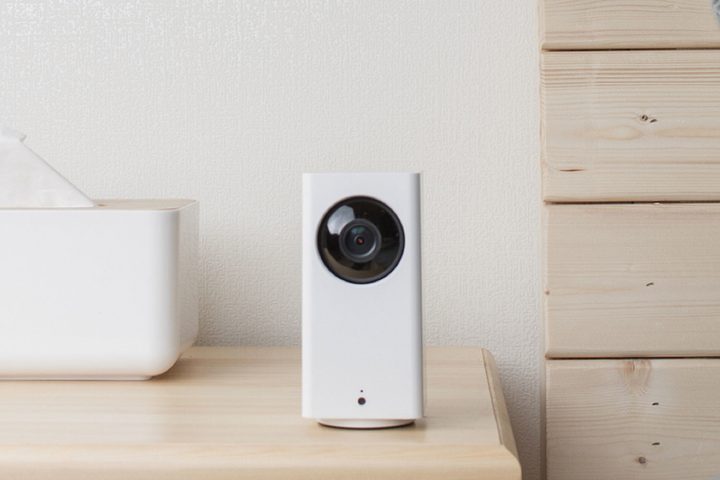
An electronic shutter is by far the most common type, but also one of those that most puts people on edge. After all, someone could reactive the camera and you might not know it. Sure, some brands have an LED that changes color to indicate when the camera is on, but not all.
The fact you can turn your camera off for privacy is reassuring, but some people want more outward proof. Still, even an electronic shutter is better than nothing at all.
Manual switch shutters
A manual switch shutter is one you can slide on your own. Think about a webcam privacy shade or the camera on a smart display like the Amazon Echo Show 8. Just slide the switch to physically block the view of the camera.
While putting something opaque in front of the camera is a guarantee no one can watch you through it, audio is a different story. Many modern smart devices also disable the microphone when the privacy shutter is activated, but not always — and you can often circumvent this step, too.

For example, the Nest Hub Max has an option to disable just the camera but leave audio enabled. Manual switch shutters are far less common than their electronic counterparts but provide more privacy overall. When you know the camera is blocked, it puts you more at ease.
Of course, it also eliminates the camera’s ability to function if you forget to turn off the slide when you leave. While physical-only control is more private, it is less convenient — but if the slide were app-controlled, it would be vulnerable to hackers.
Automatic mechanical shutters
Automatic privacy shutters combine the best of both worlds — they’re automatic and app-controlled, but enable a physical shield that snaps into place in front of the camera. The automatic part of the name comes into play when you change the armed status of the system.
When you’re at home, the shield is enabled. When you leave or activate the security system, it disappears and begins monitoring. The Simplisafe Cam functions like this — in “Home” mode, the privacy shutter is active. It’s a physical piece of plastic, so you know when it’s in play.
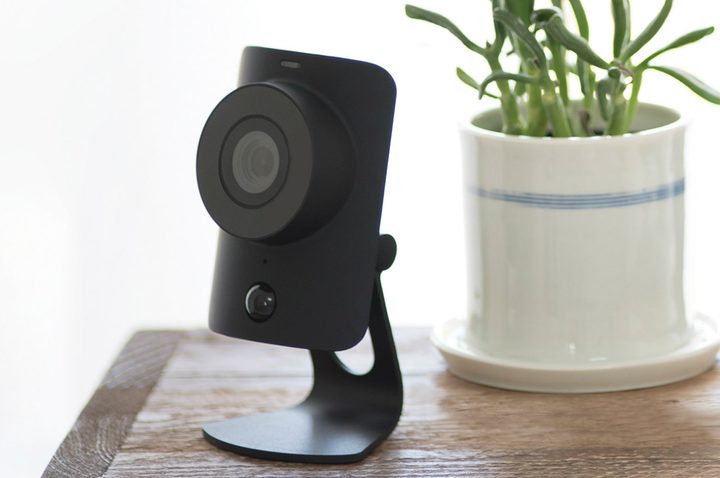
If you’re afraid someone might hack your system and disable it, don’t worry — you’ll know. The privacy shutter makes an audible sound that’s hard to miss when it’s disabled. The same system is in place in the Kangaroo Security smart camera, too.
If you have your pick of privacy shutters, the automatic shutter is the best option. You can enable or disable it at will without worry that you’ll forget to turn it off before you leave. Automatic privacy shutters provide security and privacy all in one but are few and far between.
Rotating cameras
Rotating cameras don’t exactly have privacy shutters, but they provide a high level of privacy all the same. Take a look at the Eufy Indoor 2K Pan & Tilt camera, for instance. It can rotate the lens to look straight down in such a way that it sees nothing.
While there may not be a physical privacy shutter blocking the lens, it certainly won’t spy on you without your knowledge. Rotating cameras are great options thanks to their wide fields of view and easy placement. You can monitor a wide area with a single camera.

The sound of the rotating is also loud enough that it isn’t likely to be activated by a third party without your knowledge. If the camera comes on, you’ll know — and you can snatch the plug out of the wall if needed.
I know when I’m at home, my cameras are disabled — and I prefer cameras with physical privacy shutters to those with electronic shutters. The knowledge that the camera is off and not watching or listening to me is reassuring, but it also helps to know the camera will turn back on when the arming mode is changed.


