Check out our full reviews of the BlackBerry Z10 and the BlackBerry Q10 phones.
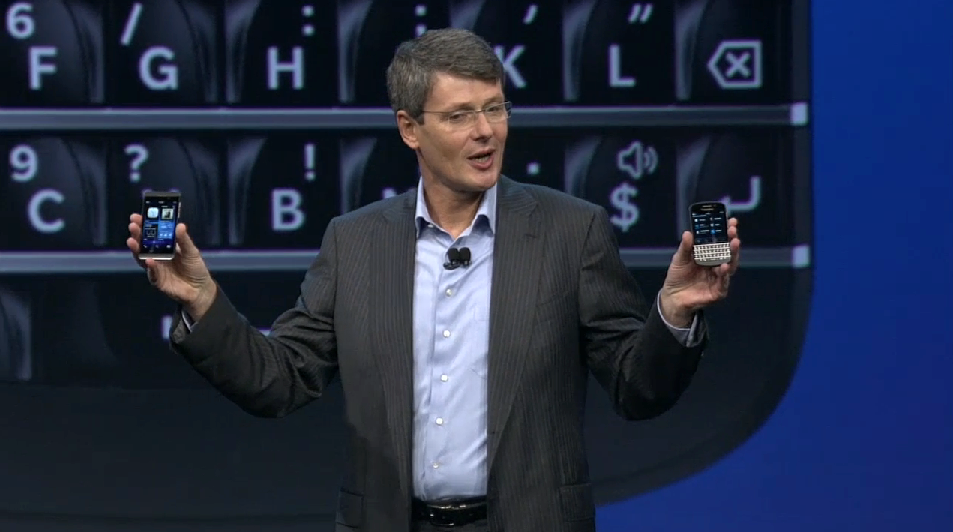
Research in Motion – which will forever now be known as BlackBerry, after a surprise rebranding announcement – has been preparing for today’s event for what seems like years, and despite some PR mishaps earlier in the day, BlackBerry 10 has finally had its official launch. Proving how seriously BlackBerry is taking BlackBerry 10, the launch event was held simultaneously in New York, London, Toronto, Paris, Dubai, Johannesburg, Jakarta and Delhi, plus live streamed over the Internet for us all to enjoy.
Well, we say enjoy, but it took a long while to get the event going, with a little too much cheesy pre-show and hair cutting “fun” before getting on with it and showing us the phones and the software. So what have we got?
As expected, it’s two phones: The BlackBerry Z10 and BlackBerry Q10, the former being a touchscreen device and the latter featuring RIM’s trademark QWERTY keyboard. The Z10 has a 4.2-inch touchscreen with 356 ppi, and the chassis has a textured, curved rear panel, just like we saw in some of the early leaked pictures. The Q10 has a physical QWERTY keyboard and a glass-weave rear cover, which is said to be lighter and stronger than plastic.
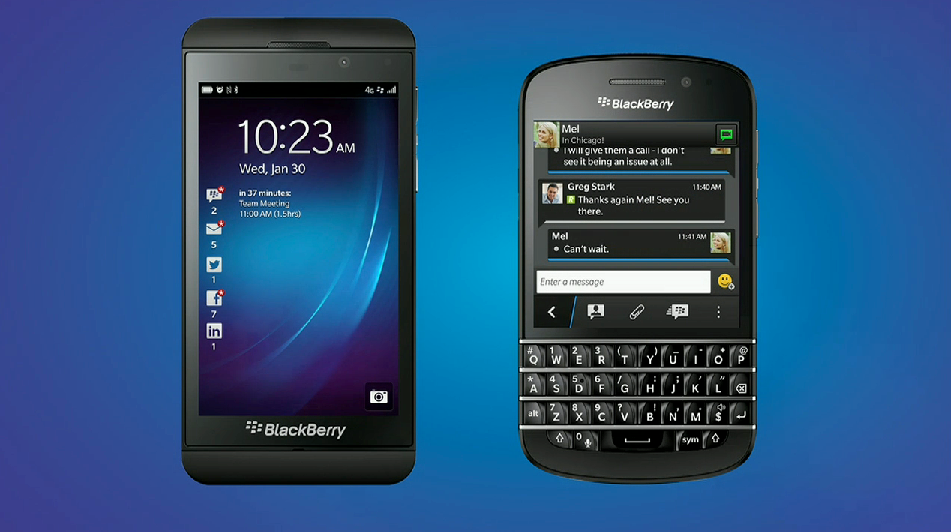
BlackBerry 10 was then extensively demonstrated on stage, primarily with the touchscreen Z10, where its easy one-handed, one-thumb use was highlighted. The software’s gesture control system appears to make flicking through applications, notifications and screens very easy. The keyboard’s ability to switch between languages impressed, as did Balance, a feature – activated by a simple gesture – that flips between your work space and personal space. It’s an important feature for BlackBerry, as it could help them push back into the business world.
The new BBM Video app got its public debut too, where a text chat became a video call seamlessly inside the same app. A screen share option was also demonstrated, where instead of emailing documents or photos, they can be shared across two BlackBerry 10 phones without leaving the call.
BlackBerry Remember is another new feature we haven’t seen before, where URLs, voice notes, photos and plenty more can be saved to an organizer program that can also connect with email programs and calendars. The camera’s much-hyped rewind feature was shown-off again, where a time-shift system helps you construct the best possible picture, plus Picture Editor uses gestures to add filters and edit your snaps.
70,000 apps and Alicia Keys as Creative Director
The BlackBerry 10 platform will launch with more than 70,000 apps available, with thousands more promised each week. Amazon Kindle, Skype, WhatsApp, Dropbox and Angry Birds were all mentioned as being ready to go on the new phones, as were apps from Twitter, Facebook, LinkedIn, Foursquare, Rdio, Bloomberg, Reuters and Box.

In another effort to keep up with the competition, BlackBerry also invited a celebrity up on stage to endorse the launch of BB10, in this case it was singer Alicia Keys. What’s more, she will act as the firm’s new Creative Director. Apparently a long-time BlackBerry fan, Keys will be overseeing creative projects used to promote BlackBerry 10. Yes, of course she will.
According to CEO Thorsten Heins, “BlackBerry 10 is for people who have an appetite for getting things done and want to get the most out of their smartphones.” He sees the new software as a big step towards, “true mobile computing.”