  1. Home
  2. Mobile
  3. Android
  4. Legacy Archives

Flipboard 2.0 update comes to Android, brings magazines and updated search

Add as a preferred source on Google
flipboard 2.0 for Android - what's new
Image used with permission by copyright holder

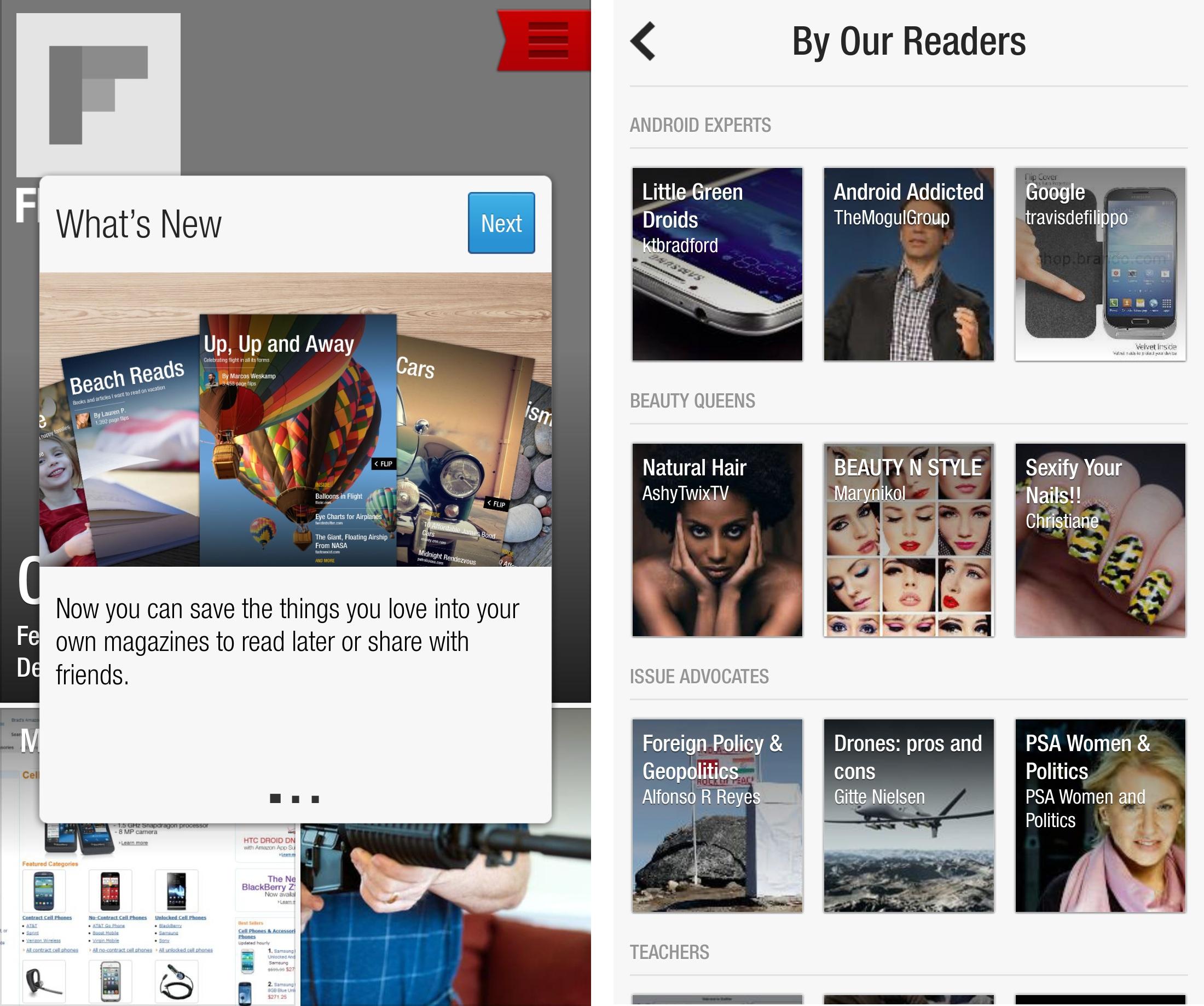
A few weeks ago news app Flipboard dropped a major update to its iOS users. Flipboard 2.0 brought several enhancements, but the biggest one was the addition of user curated Magazines. Today that update finally comes to Android as well. Flipboard 2.0 just hit the Google Play Store, so now Android owners can start reading and creating magazines of their own.

In addition to magazines, 2.0 comes with an improved search function that not only grabs from feed titles but feed content as well. It’s now much easier to find what you’re looking for and add it to your Flipboard or just flip through it to find the individual posts and articles you want to read. Each individual section will also get something similar to a table of contents that breaks down the sources or sections for easier navigation.

Recommended Videos

There’s more emphasis on discovery in this version, and Flipboard is pushing the magazines created by users in the By Our Readers section. Here you’ll find magazines sorted by topic, and the topics change and shift around so you won’t always see the same ones. Magazines work just like any other section in Flipboard; the only difference is that, as you flip, you’ll see small discovery sections pointing to similar magazines.
flipboard 2.0 for Android - magazines
Image used with permission by copyright holder

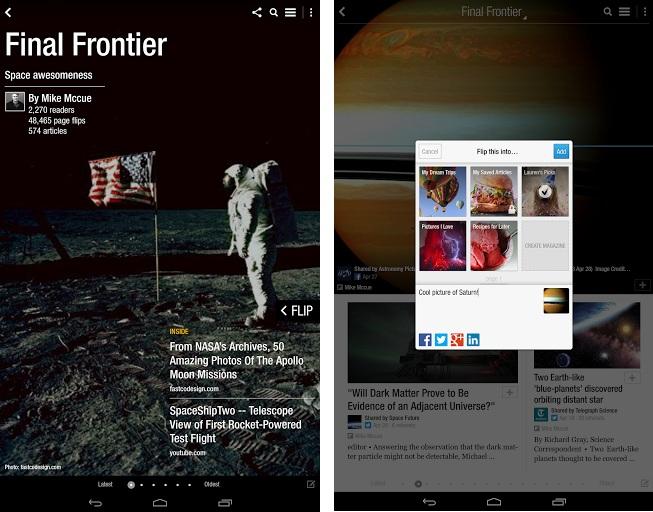
Creating and curating your own magazine is as simple on Android as it is on iOS. A new + button now appears on each content item. Tap it to add to an existing magazine or create a new one. Apple owners already have a head start on these, though there are several Android-focused magazines highlighted in the Android Experts area (full disclosure: one of them is mine). Curators can “flip” an article into their own magazines from anywhere, including other magazines and on the Web via a bookmarklet or extension. Flipboard will keep track of sources and credit appropriately.

Alongside the launch of 2.0 on Android, Flipboard also launched a magazine editor, giving creators more control of the order posts go in, which was missing before. It’s also possible to share to Facebook, twitter, and email from this interface.

You can download Flipboard 2.0 here.

K. T. Bradford
Former Contributor
K. T Bradford is a lover of gadgets and all things geek. Prior to writing for Digital Trends she cut her teeth on tech…
Snapchat Planets Meaning: Order, Rankings, and How Friend Solar System Works
Snapchat Planets turns your best friends list into a solar system, and yes, your orbit says a lot
Snapchat Planets being shown on the Snapchat app on iPhone.

Snapchat+ includes several exclusive features, but few have generated as much curiosity as Snapchat Planets. Part of the app's Friend Solar System, it transforms your Best Friends list into a planetary ranking, assigning each of your top eight friends a planet based on how often you interact.

From Mercury, which represents your closest friend, to Neptune, which represents your eighth closest, the system offers a quick visual snapshot of your interactions. But what do the different planets actually mean, and how does Snapchat decide who gets which one?

Read more
How to use WhatsApp Web
We'll show you how to use WhatsApp on your desktop or laptop
WhatsApp Web

As one of the most popular messaging services, you’ve already heard of WhatsApp. From its humble beginnings in 2009—two years before Apple introduced iMessage—to its acquisition by Facebook (now Meta) in 2014, WhatsApp has become the dominant messaging platform around the globe.

In recent years, it's grown even more potent with new features like video messages, self-destructing voice messages, the ability to edit sent messages, and more. We even finally got an WhatsApp iPad app in May 2025.

Read more
What is WhatsApp? How to use the app, tips, tricks, and more
From setting it up to mastering hidden features, here is your complete guide to WhatsApp.
WhatsApp app store listing open on iPhone

There's no shortage of messaging apps out there. The past decade has given us more options than we know what to do with, largely because smartphones demanded something better than plain old SMS.

Both the App Store and the Play Store are packed with apps that promise to revolutionize the way we communicate. Most of them didn't make it. The truth is, a messaging app is only as good as the number of people using it, and most apps never cross that threshold.

Read more

