
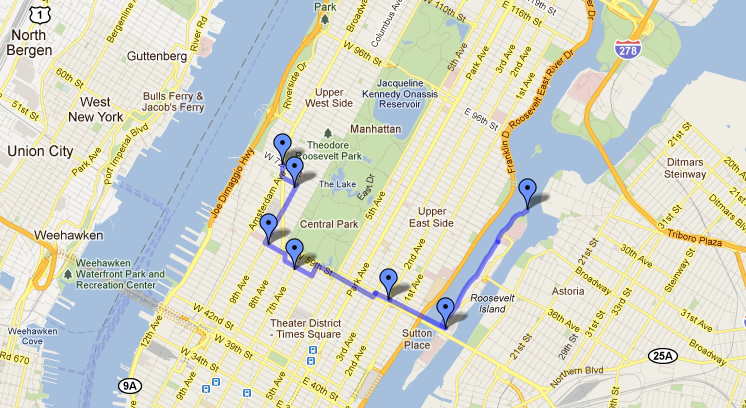
Working at Google as a software engineer, Ari Gilder is no stranger to the Google Maps mobile app. In a recent post on the official Google blog, Gilder described in detail how he used technology from Google to ask his long-time girlfriend, Faigy, to marry him. Gilder constructed a map of seven places in New York City that had special significance to the couple such as the first date and memorable surprises. He then convince Faigy’s manager at hew workplace to give her a Nexus One preloaded with the Google Maps app. She was also to be given a digital camera and instructions to reach the first location in the scavenger hunt.
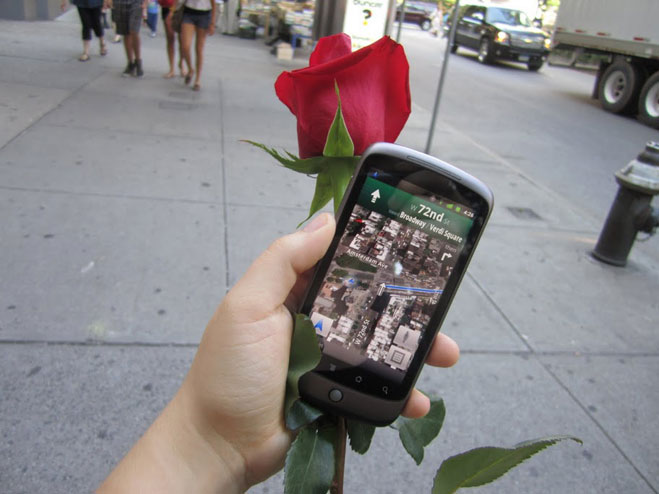 When she arrived at each location, a friend of the couple gave Faigy a red rose, took her picture and asked her to check into the location through Google Maps. This custom version of the software required a password to reveal the next location on the map, a feat that was programmed with the help of a couple of Gilder’s coworkers at Google. The people handing out the roses asked Faigy a question specific to the place or the couple’s relationship and the answer was the password. Once unlocked, walking directions were revealed on the phone and Faigy continued on her journey.
At the end of the scavenger hunt (the lighthouse on Roosevelt Island), Gilder waited with a final red rose as well as an engagement ring. After Faigy traveled about 4.5 miles around Central Park to the lighthouse, she got a proposal from Gilder as her prize at the finale of the hunt. There was a similar proposal that made headlines in 2009 when Bryan Haggerty, a LinkedIn employee, created an iPhone app that offered up a video scavenger hunt in San Francisco. His bride-to-be had to solve video clues to locate hew future husband waiting on a hill in Dolores Park.



