  1. Home
  2. Mobile
  3. Legacy Archives

Hack a secure Redact text message, get $15,000

Add as a preferred source on Google
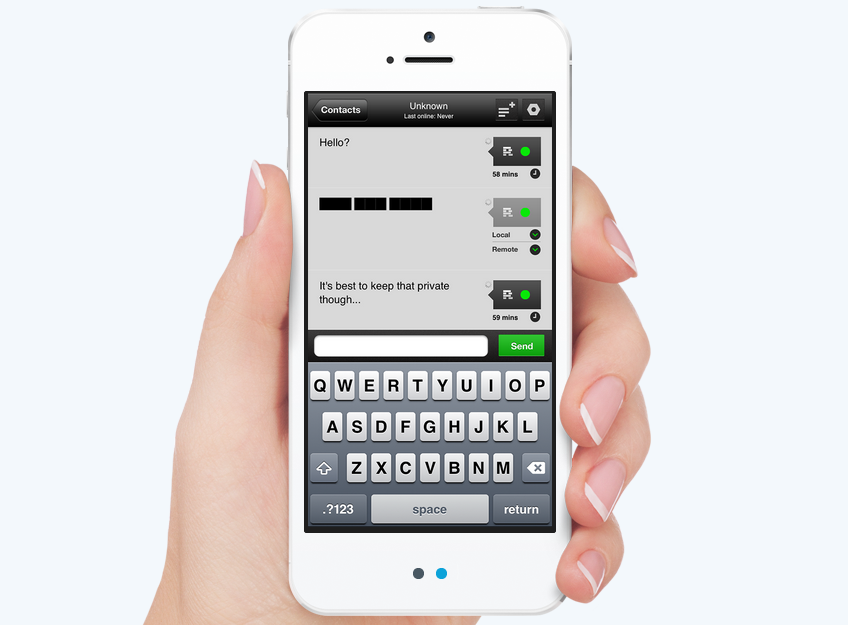
Redact app
Image used with permission by copyright holder

Who doesn’t like to be given the opportunity to earn some cold, hard cash? What if we told you that we knew of a way you could earn yourself $15,500? It’s simple. All you have to do is hack a super secure messaging service.

Redact, a messaging service that lets users send texts that delete themselves (like Snapchat), is so confident in its claim that no one can intercept its messages sent between two devices, it’s offering $15,000 if someone can pull it off. Not only does a person have to intercept a message, but he or she will also have to decrypt it and discover what it actually says.

Recommended Videos

The intercepted message has to be one sent between the company’s two challenge phones, which will be sending texts back and forth from two separate locations. Again displaying its over-the-top confidence, the company will even disclose the locations of the two phones to those who apply for the challenge.

But before you get all excited, be warned: only 20 people will actually be invited to participate. Those who are interested will have to fill out an application by June 1. If you are one of the chosen few, Redact will be in touch for a brief interview, and then assign your challenge date and let you know the location of the two phones you need to intercept.

The company warns non-chosen people not to try to attempt any covert operations; even if you manage to crack the code on two non-challenge phones, you won’t be eligible for the money. Not as fun, right?

Redact is an app currently only available on iOS devices. You can download the app here for $6. Redact claims the app is “coming soon to Android, Windows Phone 8, and Desktops.”

Ready. Set. Hack!

Joshua Pramis
Spending a childhood engrossed in such technologically inspiring television shows like Voltron, Small Wonder, and Power…
Snapchat Planets Meaning: Order, Rankings, and How Friend Solar System Works
Snapchat Planets turns your best friends list into a solar system, and yes, your orbit says a lot
Snapchat Planets being shown on the Snapchat app on iPhone.

Snapchat+ includes several exclusive features, but few have generated as much curiosity as Snapchat Planets. Part of the app's Friend Solar System, it transforms your Best Friends list into a planetary ranking, assigning each of your top eight friends a planet based on how often you interact.

From Mercury, which represents your closest friend, to Neptune, which represents your eighth closest, the system offers a quick visual snapshot of your interactions. But what do the different planets actually mean, and how does Snapchat decide who gets which one?

Read more
How to use WhatsApp Web
We'll show you how to use WhatsApp on your desktop or laptop
WhatsApp Web

As one of the most popular messaging services, you’ve already heard of WhatsApp. From its humble beginnings in 2009—two years before Apple introduced iMessage—to its acquisition by Facebook (now Meta) in 2014, WhatsApp has become the dominant messaging platform around the globe.

In recent years, it's grown even more potent with new features like video messages, self-destructing voice messages, the ability to edit sent messages, and more. We even finally got an WhatsApp iPad app in May 2025.

Read more
What is WhatsApp? How to use the app, tips, tricks, and more
From setting it up to mastering hidden features, here is your complete guide to WhatsApp.
WhatsApp app store listing open on iPhone

There's no shortage of messaging apps out there. The past decade has given us more options than we know what to do with, largely because smartphones demanded something better than plain old SMS.

Both the App Store and the Play Store are packed with apps that promise to revolutionize the way we communicate. Most of them didn't make it. The truth is, a messaging app is only as good as the number of people using it, and most apps never cross that threshold.

Read more

