  1. Home
  2. Mobile
  3. Legacy Archives

Ice Cream Sandwich ported to Samsung Galaxy S II

Add as a preferred source on Google

Ice Cream Sandwich on Galaxy S IIIt has been a busy week for the Android hacking community. On Monday Google released the source code for its latest version of Android, named Ice Cream Sandwich. Hackers have been able to successfully port ICS over to the popular Galaxy S II, in less than a week.

In the video below you will be able to see a semi-functional version of ICS running on a non-U.S. version of the Galaxy device. We are calling it a semi-functional version mostly because none of the radios work on the phone. That means that the phone doesn’t work as a phone and can’t connect to WiFi or Bluetooth. This mostly serves as a proof of concept, that it can be done, and will be done long before an official version of Ice Cream Sandwich are released for the phone.

Recommended Videos

Astute viewers will also notice that the phone is displaying the software buttons, even though the Galaxy S II has physical buttons on the phone. In official versions of the software those virtual buttons will not be displayed. The makers of the video explain that they are working on removing them from their unofficial port, but haven’t done so yet.

Earlier this week we predicted that unofficial ports of ICS would start making their way to phones in a couple of weeks. Seeing as this is not a fully functional version our prediction is still on course. It is very likely that a stable and functional version of ICS will be out very soon.

If you are like the majority of Android users and do not want to risk this type of installation you will have to wait. All major phone companies are slowly rolling out their plans for which phones will be updated, and hopefully your phone is on the list of lucky phones getting the upgrade.

Mike Dunn
Former Digital Trends Contributor
Mike graduated from University of Arizona with a degree in poetry, and made his big break by writing love sonnets to the…
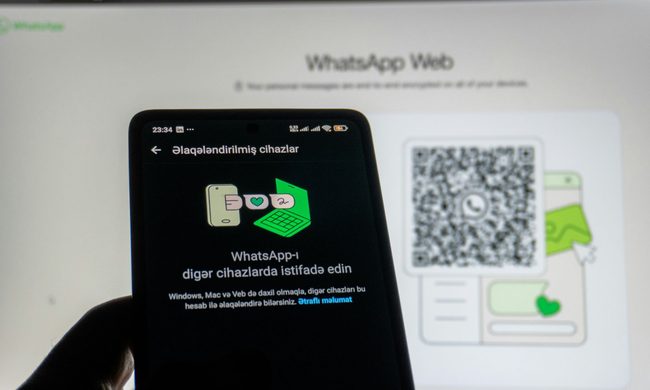
How to use WhatsApp Web
We'll show you how to use WhatsApp on your desktop or laptop
WhatsApp Web

As one of the most popular messaging services, you’ve already heard of WhatsApp. From its humble beginnings in 2009—two years before Apple introduced iMessage—to its acquisition by Facebook (now Meta) in 2014, WhatsApp has become the dominant messaging platform around the globe.

In recent years, it's grown even more potent with new features like video messages, self-destructing voice messages, the ability to edit sent messages, and more. We even finally got an WhatsApp iPad app in May 2025.

Read more
What is WhatsApp? How to use the app, tips, tricks, and more
From setting it up to mastering hidden features, here is your complete guide to WhatsApp.
Electronics, Phone, Mobile Phone

There's no shortage of messaging apps out there. The past decade has given us more options than we know what to do with, largely because smartphones demanded something better than plain old SMS.

Both the App Store and the Play Store are packed with apps that promise to revolutionize the way we communicate. Most of them didn't make it. The truth is, a messaging app is only as good as the number of people using it, and most apps never cross that threshold.

Read more
How to restore deleted or missing contacts on your iPhone
Lost your iPhone contacts? Here's how to get them back in minutes!
iPhone in hand showing restore contacts page

At some point, we all stopped memorizing phone numbers. It happened gradually, and now most of us can barely recall two or three phone numbers off the top of our heads. So when your iPhone contacts vanish, whether after a software update or an accidental delete, it can feel like a minor crisis.

Thankfully, if you act fast, you can easily restore deleted contacts on your iPhone. So, before you start texting people asking for their numbers again, try these methods to get your contacts back. These methods will work on all latest iPhone models.

Read more