
  1. Home
  2. Mobile
  3. Legacy Archives

Kyocera Echo brings first dual-screen design to Sprint

Add as a preferred source on Google
Sprint CEO Dan Hesse and Kyocera executive Junzo Katsuki present the dual-screen Android 2.2 ECHO at an event in NYC, Feb. 7, 2011 Image used with permission by copyright holder

Photo credit: Tyler Weggel

Ever wanted to use a fully-loaded smartphone that has a screen big enough not to need a magnifying glass, but are not quite ready to upgrade to a tablet that can’t fit into your vest pocket? Sprint may have you covered. On Monday, Sprint debuted a dual-screen touchphone that actually flips out and syncs into larger 4.7 inch screen, but can fold into half the size.

Recommended Videos

The key, from a hardware perspective, is a liquid metal pivot hinge designed by Kyocera, that allows users to have a single-pane device, which fits into a coat pocket. Flip it open and around, and the device expands to much larger real estate with two 3.5-inch screens that snap together into a continuous screen – not unlike the way heavy PC users add a second monitor to expand their workspace. Apps that have been customized for the Echo can make use of both screens. For instance, Amazon’s Kindle e-reader app (downloadable on Android), allows you to scroll through e-books on both screens, without having to squint at the 8-point font.  In Google maps, you can see twice the geographic area.

The Echo offers two subtle but distinct variations on multi-tasking. One allows users to simultaneously view any single app with complementary and enhanced capability. For example, you can have a close-up of a selected photo on one screen, while viewing thumbnails of the corresponding photo gallery on another screen, allowing you to preview what’s coming without having to lose the original photo. Similarly, you can watch a YouTube video on one screen, while queuing up another 4 to play in sequence on the second screen (an app called “VueQue”). Most compelling, the device allows you to see your e-mail inbox screen with a list of preview headers on one side, while the other side acts as a reading pane, with the selected e-mail shown in its entirety – exactly as you would in a desktop environment.

The second allows users to have two separate applications running concurrently. Hyperactive teens can go wild with Twitter and Facebook at the same time, or pair up any of seven functions: Web browsing, text messaging, e-mail, voice talk, photo gallery, video watching, or contacts. Want to view two websites side by side without having to tab through them? Check. Want to see your contacts list, or an e-mail sent from one of your contacts, while dialing your phone? Check.

DT Staff
Digital Trends has a simple mission: to help readers easily understand how tech affects the way they live. We are your…
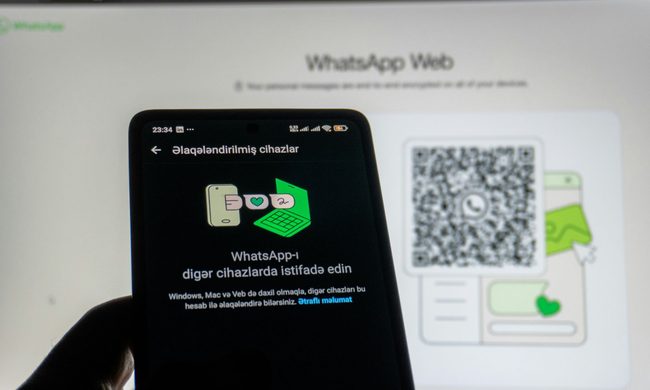
How to use WhatsApp Web
We'll show you how to use WhatsApp on your desktop or laptop
WhatsApp Web

As one of the most popular messaging services, you’ve already heard of WhatsApp. From its humble beginnings in 2009—two years before Apple introduced iMessage—to its acquisition by Facebook (now Meta) in 2014, WhatsApp has become the dominant messaging platform around the globe.

In recent years, it's grown even more potent with new features like video messages, self-destructing voice messages, the ability to edit sent messages, and more. We even finally got an WhatsApp iPad app in May 2025.

Read more
What is WhatsApp? How to use the app, tips, tricks, and more
From setting it up to mastering hidden features, here is your complete guide to WhatsApp.
Electronics, Phone, Mobile Phone

There's no shortage of messaging apps out there. The past decade has given us more options than we know what to do with, largely because smartphones demanded something better than plain old SMS.

Both the App Store and the Play Store are packed with apps that promise to revolutionize the way we communicate. Most of them didn't make it. The truth is, a messaging app is only as good as the number of people using it, and most apps never cross that threshold.

Read more
How to restore deleted or missing contacts on your iPhone
Lost your iPhone contacts? Here's how to get them back in minutes!
iPhone in hand showing restore contacts page

At some point, we all stopped memorizing phone numbers. It happened gradually, and now most of us can barely recall two or three phone numbers off the top of our heads. So when your iPhone contacts vanish, whether after a software update or an accidental delete, it can feel like a minor crisis.

Thankfully, if you act fast, you can easily restore deleted contacts on your iPhone. So, before you start texting people asking for their numbers again, try these methods to get your contacts back. These methods will work on all latest iPhone models.

Read more