When first confronted by the dual-screen Sprint Echo, my first thought was that in its effort to compete with the Verizon iPhone 4 and all the 4G phones suddenly about to flood the market, Sprint had jumped the shark.
(See Five Pitfalls of the new Sprint Echo)
After handling the phone for nearly an hour at the introductory event last night, I’m rethinking my skepticism. It might be a brilliant idea.
But throughout the demos and hands-on, I kept thinking about the Scarecrow in The Wizard of Oz (the movie, not the book). First he indicated to Dorothy that going one way was a good idea. But, he pondered, perhaps the other way had its advantages. Then, he finally admitted some people liked going both ways.
Echo is for this final simultasking group.
It’s Three, Three, Three Phones in One
As you likely already know, the Echo has two 3.5-inch screens pancaked on atop each other. Unfolded and snapped together, you get a single 4.7-inch diagonally-measured square with an eighth-of-an-inch bezel screen between them. This is not the first dual-screen phone, however; Fujitsu unveiled one for the Japanese market late last year.
The Echo’s Android 2.2 OS has been optimized to operate three ways.
You can run a single app across the one large screen and scroll around as if it were one screen.
You can run a single app divided logically in half – the e-mail app, for instance, has your inbox displayed on the left screen while holding Echo with the seam running vertically, and an open e-mail on the right screen. Reply to an e-mail, turn the phone so the seam runs horizontally, and the top displays the blank message screen, the bottom the QWERTY keyboard. In Gallery, you get thumbnails on the bottom screen (holding the phone with the seam running horizontally) and a full photo on the top screen. You can surf the Web, with one site occupying both screens or two different sites, each on its own screen.
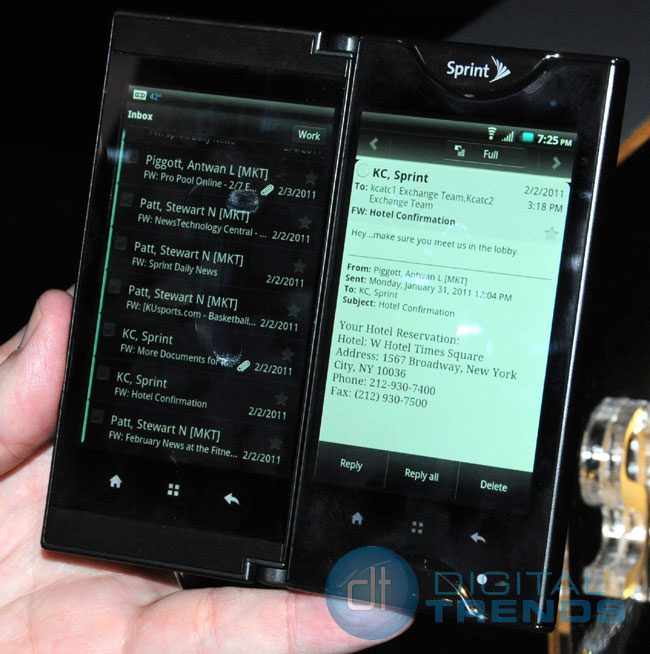
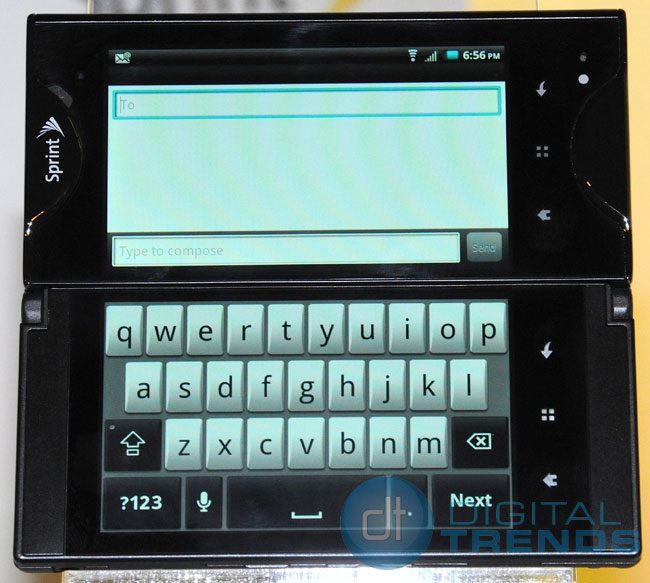
And, of course, you can run two apps simultaneously. For instance, You can be e-mailing on one half of the screen, map on the other; Facebooking on one screen, surf the Web on the other; Twitter on one screen, watch a YouTube video on the other. You also can swap the screens on which the apps are displayed.
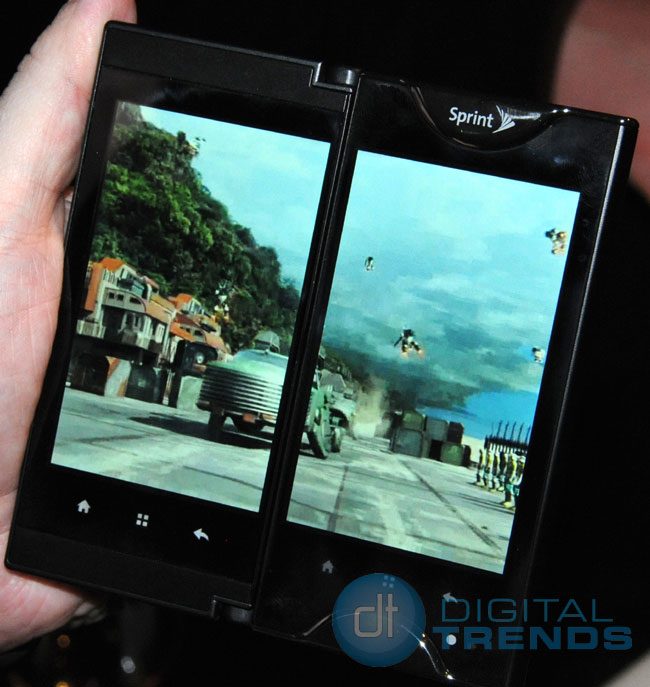
You’ll have to learn some new gestures, primarily the double-tap – form an upside-down U with your index finger and your thumb and touch both screens simultaneously to make the “dual app” menu pop-up. Initially there are seven multi-apps, but Sprint will release a kit for developers to make more. Kindle on the Echo, for instance, gives you twice as much reading room, which means you can increase the text size, but still not have to turn the page as often as you would on one of those suddenly old-fashioned single-screen phones. You can tell which apps are optimized for dual screen by the icons, which have a tiny dual-striped bug on them.
Do Two Screens Work?
Echo is definitely a concept one has to get used to. Sure, some of us have two PC screens side-by-side at work. Many of us (Sprint insisted 70 percent, but I find that figure absurd) watch TV and futz with some other gadget at the same time.
But two screens side-by-side running different apps doesn’t mean we’re doing two things at once, and the TV example is a false equivalent, because we’re talking about two devices – the true analogy would be do we watch two shows at the same time, each on the same-sized window. We don’t.
A cellphone is an in-your-face device while your side-by-side screen or HDTV are more impersonally removed. Faced with simultaneous activities, both myself and my Echo demonstrator had trouble putting our thumbs down on the right screen on the right spot to perform the desired function, as if our brains were caught in some kind of weird logic loop, a rub-your-head and pat-your-stomach brain-extremity confusion, freezing us from doing anything. I kept slapping his hand away saying childishly, “No, I want to do it!”
I suspect most users – especially those over 30 – will take advantage of the two screens for single apps, such as Gallery thumbnails on the bottom screen and a full-size photo on the top screen, or the aforementioned email side-by-side array. This split screen approach is easy to grok and the best Echo idea. Sprint is making the dual screen API available for developers.
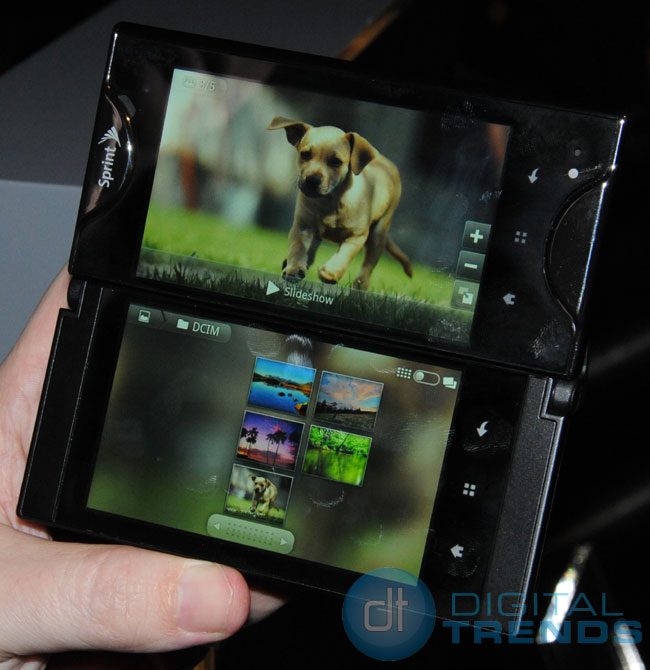
Running simultaneous apps on two screens also seemed to tax the processor. The Echo’s screens re-oriented themselves a bit more slowly than your average accelerometer-configured smartphone, and only in two directions (you had to hold the whole phone with the below-the-screen controls on the bottom or on the right). Only the touch controls that are active are backlit, reducing operational confusion a bit.
While Web surfing seemed swift – Echo is a 3G, not a WiMAX 4G phone (Sprint executives hinted a 4G version was somewhere down the road) – the 5-megapixel camera shutter took a lo-o-o-ng time to snap.
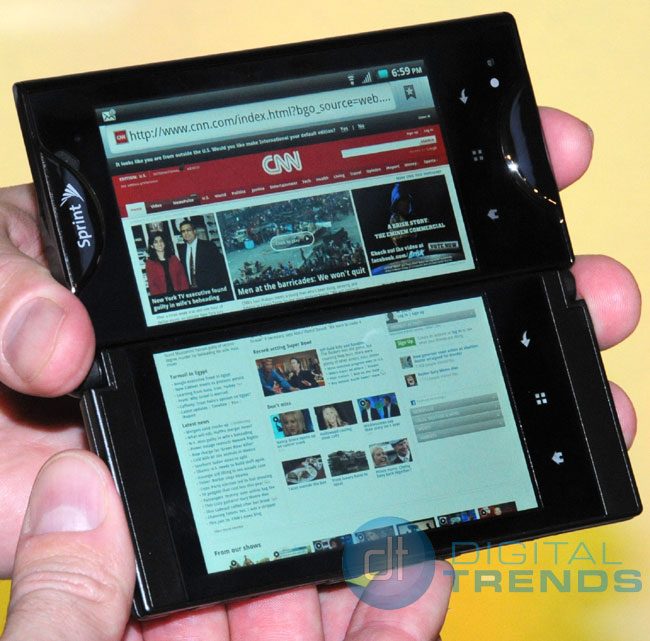
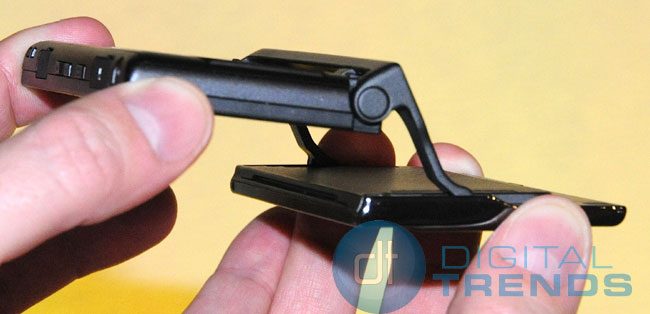
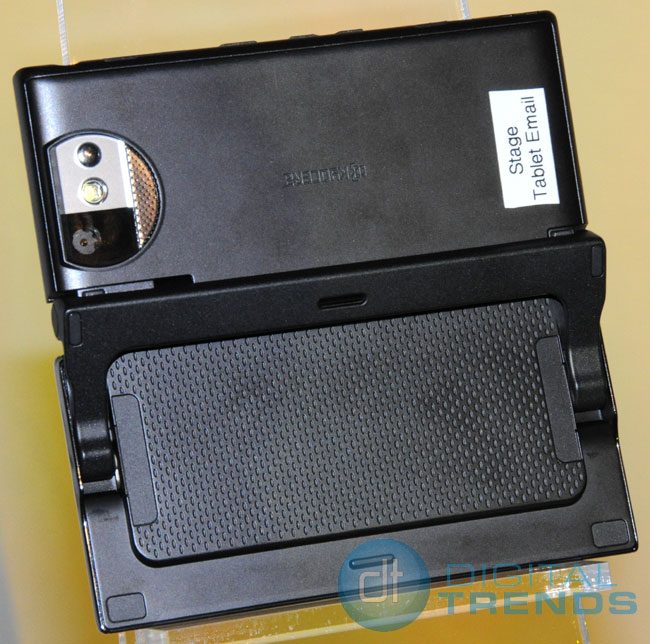
Physically manipulating the screens feels a bit Rube Goldberg clunky, although the patent-pending steel hinge assembly feels sturdy enough. I was constantly rotating Echo to figure out if the bezel seam should run vertically or horizontally (it depends on the app). The top screen also didn’t click into a tilted position; a slight touch and it would swivel unnecessarily on its pivot.
But these quibbles are sideshows. The question is, is Echo a great idea or completely absurd? We’ll have to wait to get our hands on one for a little longer than an hour to answer that.
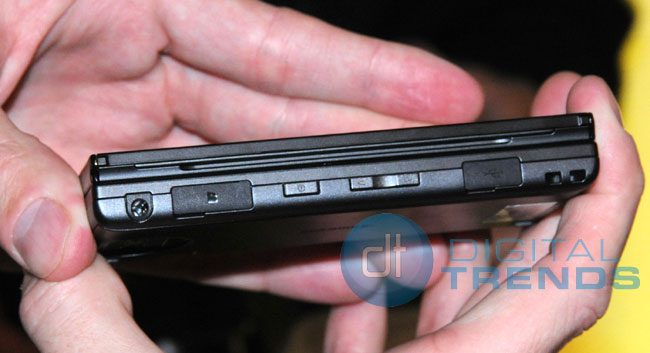
Here are some more pictures of what the phone looks like: