
Makers of highly protective smartphone cases faced something of a challenge with the launch of the iPhone 5S.
The inclusion of its new and much-trumpeted Touch ID sensor meant they had to find a way to keep out water and grime while retaining access to the sensor.
The folks at LifeProof, a company already well established in the field of rugged case design, appears to have come up with the goods, this week launching a new version of its nüüd case, complete with full Touch ID compatibility.
The original nüüd case has proved popular with users not only because of its ultra-slim profile, but also because it has no screen cover, leaving you with “a touchscreen you can actually touch,” as LifeProof puts it.
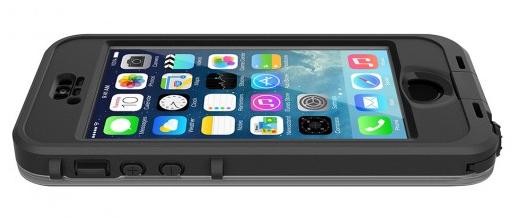 The case’s unique sealed design keeps the iPhone’s vital areas fully protected from water, dust, mud, and [enter nasty substance of your choice here], while giving you full access to the Touch ID sensor and display – although if you do find yourself in such a messy situation, you’ll need to make sure your Touch ID finger is as clean as a whistle before making contact with the sensor or else your print won’t be recognized.
LifeProof says its case can protect your phone in water up to 6.6 feet deep, so if you need to send a tweet or check your mails while on a relatively shallow scuba diving mission, you’re sorted.
The case can also protect your Apple handset from drops of up to 6.6 feet, while wobbles, knocks, shakes, and shimmies should really present no challenge at all to your iPhone’s innards.
LifeProof’s Touch ID compatible nüüd case is available in either black or white for $90.



