  1. Home
  2. Mobile
  3. Legacy Archives

Nook Ereader Application Lands on Android

Add as a preferred source on Google

Bookseller Barnes & Noble has launched Nook for Android, bringing its ereader platform to Android-based smartphones and devices. Using the Nook applications, readers can not only tap into their Nook titles on the go, they can also share ebooks with friends via Barnes & Noble’s LendMe technology: users can push eligible ebooks to friends for their use for up to 14 days, where they can access them via a Nook reader, or a PC with Barnes & Noble eReader software.

Image used with permission by copyright holder

“Nook for Android is customizable, fun, and easy to use, and we’re excited to deliver the most-requested version of our free ereading software to the growing number of mobile customers using Android-based devices,” said Barnes & Noble digital products VP Douglas Gottlieb, in a statement. “Android customers can enjoy the great Nook ereading experience on their mobile device, including access to our vast digital catalog and their personal B&N digital library at their finger tips. And, of course, Android users can now enjoy Barnes & Noble’s unique ebook lending feature to share their favorite ebooks with friends.”

Recommended Videos

Nook for Android requires Android 1.6 or newer, and for now only applies to ebooks: magazines and newspapers aren’t supported. However, users will be able to browse and buy from Barnes & Noble’s online ebook store, tap into their library of B&N ebooks they’ve purchased, and sync their reading across multiple devices. Users can also customize the Nook reading experience with different fonts, the ability to switch between portrait and landscape mode, and read ePub titles.

The Android version of the Nook app is Barnes & Noble’s first foray into smartphones, although the company has announced plans to bring the Nook ereader to BlackBerries as well as Apple’s iPhone/iPod touch and iPad devices “in the coming months.”

Barnes & Noble’s move into mobile platforms mirror’s Amazon.com’s strategy with its Kindle platform: offer physical ereader devices, but also let customers tap into the content using computers and mobile devices. Although Amazon is currently ahead in terms of the number of mobile platforms it supports, Barnes & Noble’s LendMe feature—if supported by enough popular titles—could be a deciding factor for some customers—after all, fourteen days is more than enough time for most people to read a book.

Geoff Duncan
Former Contributor
Geoff Duncan writes, programs, edits, plays music, and delights in making software misbehave. He's probably the only member…
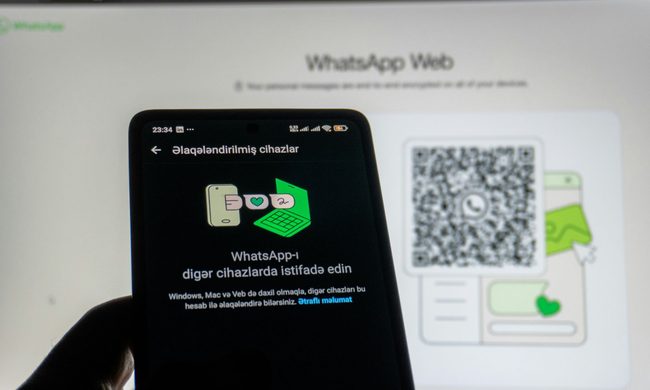
How to use WhatsApp Web
We'll show you how to use WhatsApp on your desktop or laptop
WhatsApp Web

As one of the most popular messaging services, you’ve already heard of WhatsApp. From its humble beginnings in 2009—two years before Apple introduced iMessage—to its acquisition by Facebook (now Meta) in 2014, WhatsApp has become the dominant messaging platform around the globe.

In recent years, it's grown even more potent with new features like video messages, self-destructing voice messages, the ability to edit sent messages, and more. We even finally got an WhatsApp iPad app in May 2025.

Read more
What is WhatsApp? How to use the app, tips, tricks, and more
From setting it up to mastering hidden features, here is your complete guide to WhatsApp.
Electronics, Phone, Mobile Phone

There's no shortage of messaging apps out there. The past decade has given us more options than we know what to do with, largely because smartphones demanded something better than plain old SMS.

Both the App Store and the Play Store are packed with apps that promise to revolutionize the way we communicate. Most of them didn't make it. The truth is, a messaging app is only as good as the number of people using it, and most apps never cross that threshold.

Read more
How to restore deleted or missing contacts on your iPhone
Lost your iPhone contacts? Here's how to get them back in minutes!
iPhone in hand showing restore contacts page

At some point, we all stopped memorizing phone numbers. It happened gradually, and now most of us can barely recall two or three phone numbers off the top of our heads. So when your iPhone contacts vanish, whether after a software update or an accidental delete, it can feel like a minor crisis.

Thankfully, if you act fast, you can easily restore deleted contacts on your iPhone. So, before you start texting people asking for their numbers again, try these methods to get your contacts back. These methods will work on all latest iPhone models.

Read more