
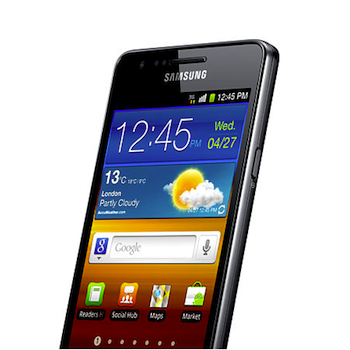
 Back in September last year, Samsung announced it would be updating the Galaxy S2 smartphone, along with several other devices including the Galaxy S3, to Android 4.1 Jelly Bean. Since then the S3 has received its various updates, but nothing more has been heard on the subject of the Galaxy S2. Most of us know by now that OS updates can take a while to sort out, but we also know that despite manufacturers best efforts, they can be cancelled at the last minute too. Has this happened to the S2?
Although Samsung hasn’t confirmed it, the discovery of a webpage detailing Android 4.1 for the S2 seems to indicate the update is almost complete and will be coming soon. Additionally, the now-aging Galaxy S2 will also get some of the cool new software features seen on the S3, Note 2 and other new Galaxy handsets. The Samsung page has subsequently been replaced with details on the S2’s Android 4.0 update, but SamMobile.com managed to take a sneaky screenshot beforehand.
Here’s the good news first. All the improvements seen with Project Butter – smoother scrolling and faster overall performance – will come to the S2, as will Android’s Easy mode for new users and a Google+ app as standard. Samsung will also squeeze in its Pop-up Play feature, where videos can be watched in a smaller, independent window while doing something else on the phone, plus its Smart Stay feature too. This uses the forward facing video call camera to check when you’re looking at the screen, and keeps it from going to sleep while you are. It’s handy when you’re reading long-form articles or eBooks.
Now for the bad news. According to the page, the update is only going to be available through Samsung’s Kies management software, primarily because it’s estimated to take at least an hour to perform the changeover. Plus, it’s going to eat up an entire gigabyte of internal memory, dropping it from 12GB to 11GB once it’s all done. Ultimately, the pain of having to endure Kies and a little less memory will probably be worthwhile.
Sadly, Samsung hasn’t provided a release date for Android 4.1 on the Galaxy S2, but the appearance of the explanatory webpage could indicate it’s close to release. As usual, when it does arrive it’ll probably be a staggered release beginning with unlocked phones in a few countries, before it eventually makes it onto phones locked to a particular network.



