
Apple’s iOS 14 is here, bringing with it a series of awesome new features that should make using the iPhone an even better experience than it already is. The new operating system is available to all iPhones from the iPhone 6s, plus its accompanying iPad operating system, iPadOS, is available to a range of iPad models.
Of course, now that iOS 14 is available to the public, you probably already have that little red bubble on the Settings icon telling you to upgrade. But you don’t necessarily have to press the update button. You could just…not.
Still on the fence? Here are five reasons to upgrade — and two reasons not to.
Five reasons to upgrade to iOS 14
The App Library

The App Library is arguably iOS 14’s most useful feature. Gone are the days when having lots of apps meant either meticulously organizing them into folders or dealing with lots of home screens — with the App Library, you can keep your most-used apps on the home screen, and have Apple automatically sort them into folders in the App Library. It makes keeping organized on iOS a whole lot easier, and while it’s perhaps still not as easy as Android’s app drawer, and you still can’t create custom folders in the App Library, most will appreciate the feature.
Home screen widgets

We’re going to talk about widgets in the next section too, because they’re far from perfect — but for most, Apple’s revamp of widgets will be helpful. In iOS 14, you can add widgets to the home screen, meaning they no longer have to be tucked away in the Today view. Widgets can be added in three different sizes, and there’s even a smart stack widget that intelligently serves up apps you might want to open, news you might want to see, and so on.
Picture-in-picture
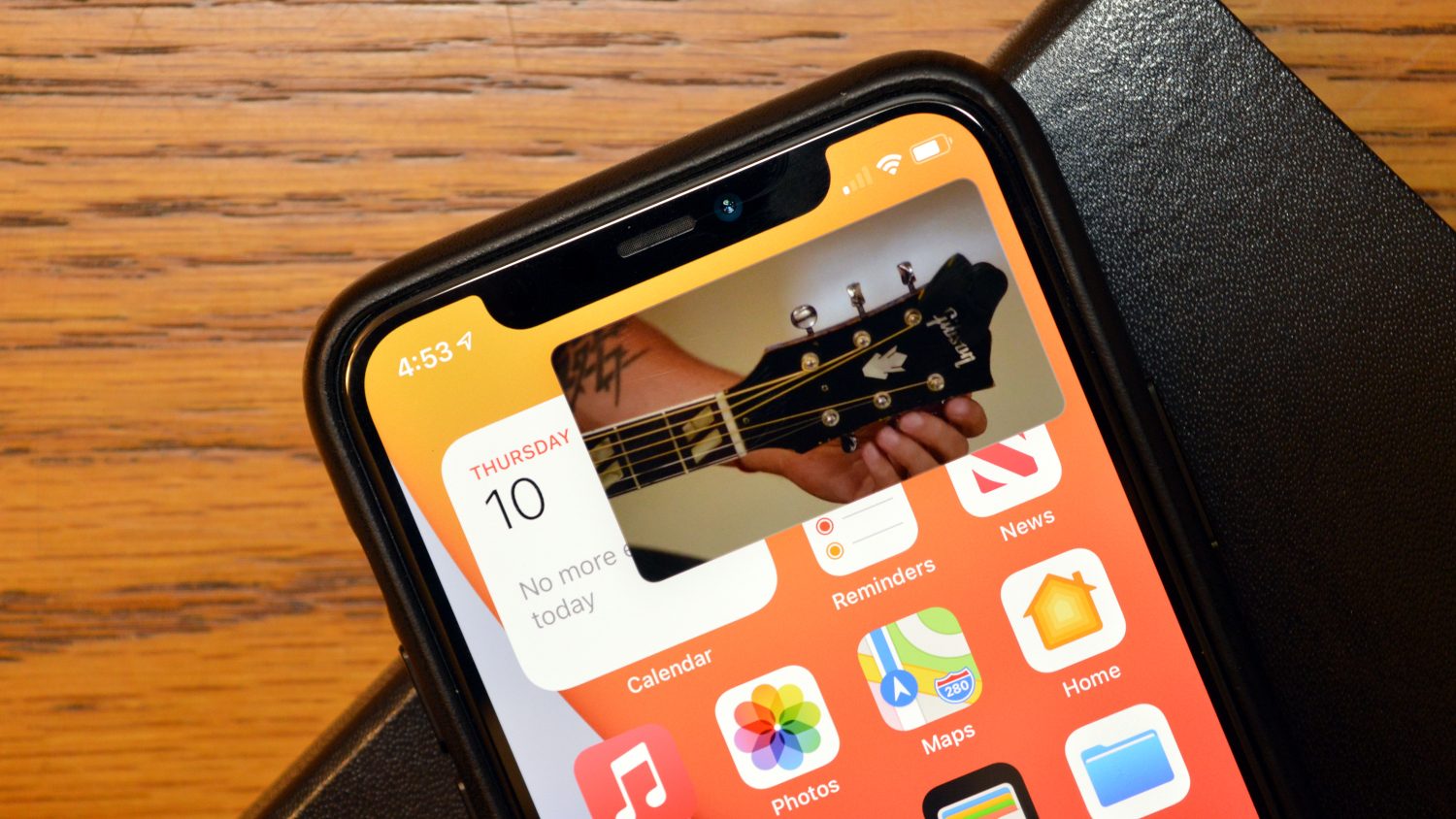
Android has had picture-in-picture mode for some time now, but it’s now finally making its way to iOS. No matter who had it first though, the feature is a welcome one. With picture-in-picture, you can continue to watch a video while doing other things in the background. It’s a nice touch, and makes multitasking on iOS that extra bit better.
Full screen takeover is gone

There’s nothing worse than getting a call while you’re in the middle of something, and losing your train of thought or forgetting what you were doing. In iOS 14, however, calls, Siri, and other notifications taking over the whole screen, are gone. Instead, Siri exists in a small bubble at the bottom of the display when triggered, while calls pop up in a banner if you’re using your phone. It may sound like a small change, but it’s definitely a helpful one.
Other default apps

Don’t want to use Apple’s Mail app? Or perhaps you’d prefer to use Chrome than Safari. While you can’t change default message apps, in iOS 14 you can finally change default mail and browser apps, meaning that you don’t have to constantly switch between the Apple-built app and your preferred option.
Two reasons not to upgrade to iOS 14
Widgets in general
As mentioned, iOS 14 widgets look great, exist in different sizes, and offer some smart features. But they’re far from perfect. The biggest issue with widgets in iOS 14 is that they’re not interactive — so you can’t do things like check off reminders, and the calculator widget is gone. This is by design — Apple even directs developers who use WidgetKit to offer glanceable information that links into an app, rather than offering full functionality in the widget itself. Hopefully, this will change over time, but in the meantime, we’re stuck with widgets that aren’t all that functional.
You’re worried about bugs
We get it — iOS 13 was pretty buggy. If you’d prefer to wait until there are really no bugs, it may be worth updating once iOS 14.1 or iOS 14.2 rolls around. As someone who has been using the iOS 14 beta for a while now, I can safely say that it’s much less buggy than previous betas — but if a stable experience is of utmost importance to you, then there’s no harm in waiting a little.


