
Android 17 is fixing one of the most irritating parts of using your phone, its internet controls. If you’ve ever tried to switch off Wi-Fi quickly and got pulled into an extra menu instead, this update is aimed right at that moment.
In Android 17 Beta 3, Google is changing how those toggles work in Quick Settings. Instead of grouping everything under a single tile, the system now separates Wi-Fi and mobile data, so you can manage each one without going through another screen.
It’s a small interface tweak, but it clears up a long-standing usability issue that’s been slowing people down for years.
A small change with real impact
This update reverses the combined “Internet” tile introduced a few Android versions ago. That design forced an extra step every time you wanted to toggle Wi-Fi or mobile data, even for routine actions.
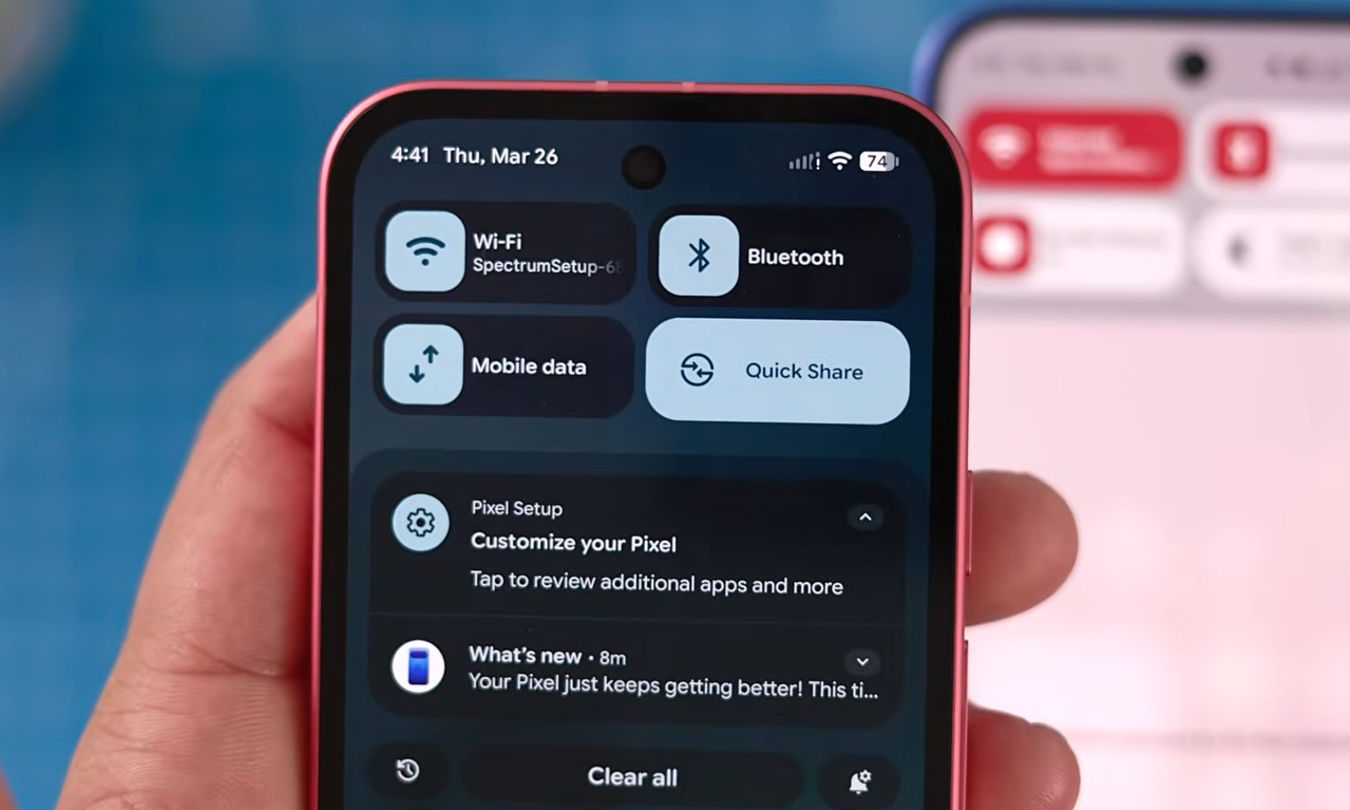
With Android 17 Beta 3, both options return as separate tiles. You can switch off Wi-Fi directly from Quick Settings without touching mobile data, or turn off mobile data without opening a second panel.
The result feels more straightforward, especially for something users interact with multiple times a day.
Why this matters day to day
This adjustment lands in a place where small delays add up quickly. Whether you’re trying to conserve battery, troubleshoot a connection, or jump between networks, that extra layer made simple actions feel unnecessarily drawn out.
The previous setup interrupted quick decisions by adding a pause and an extra tap. Even something as basic as turning Wi-Fi off before heading out required more effort than it should have.
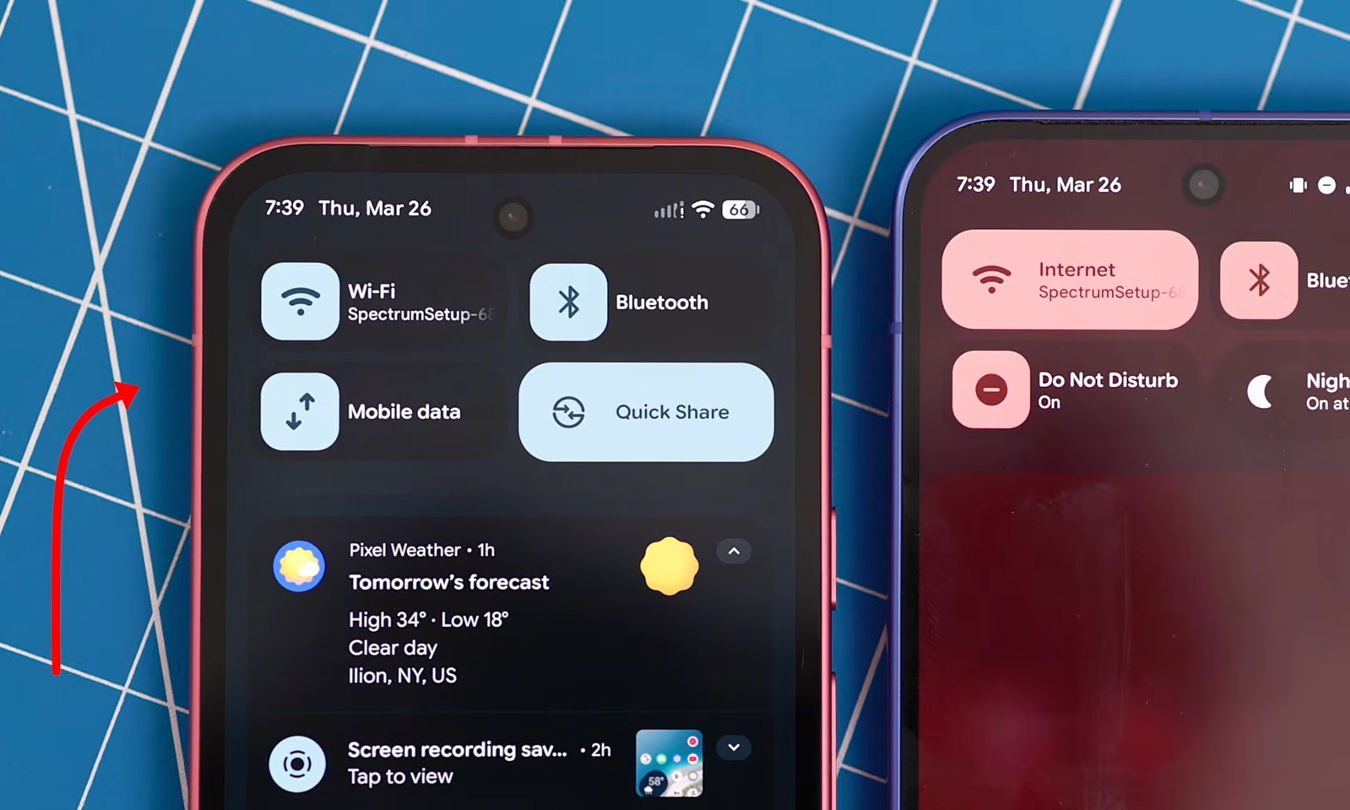
By separating the controls again, Android 17 brings Quick Settings closer to what it’s supposed to be, a fast, reliable control panel you can act on instantly without thinking twice.
When you can expect it
Right now, this change is part of Android 17 Beta 3, so it’s still limited to supported devices in testing. Wider availability will depend on when manufacturers roll out the final version.
Still, changes like this usually stick once they appear in later beta builds. That makes it likely you’ll see this layout in the full release.
When Android 17 arrives on your device, managing Wi-Fi and mobile data should feel simpler again, with fewer interruptions between you and the setting you want.