
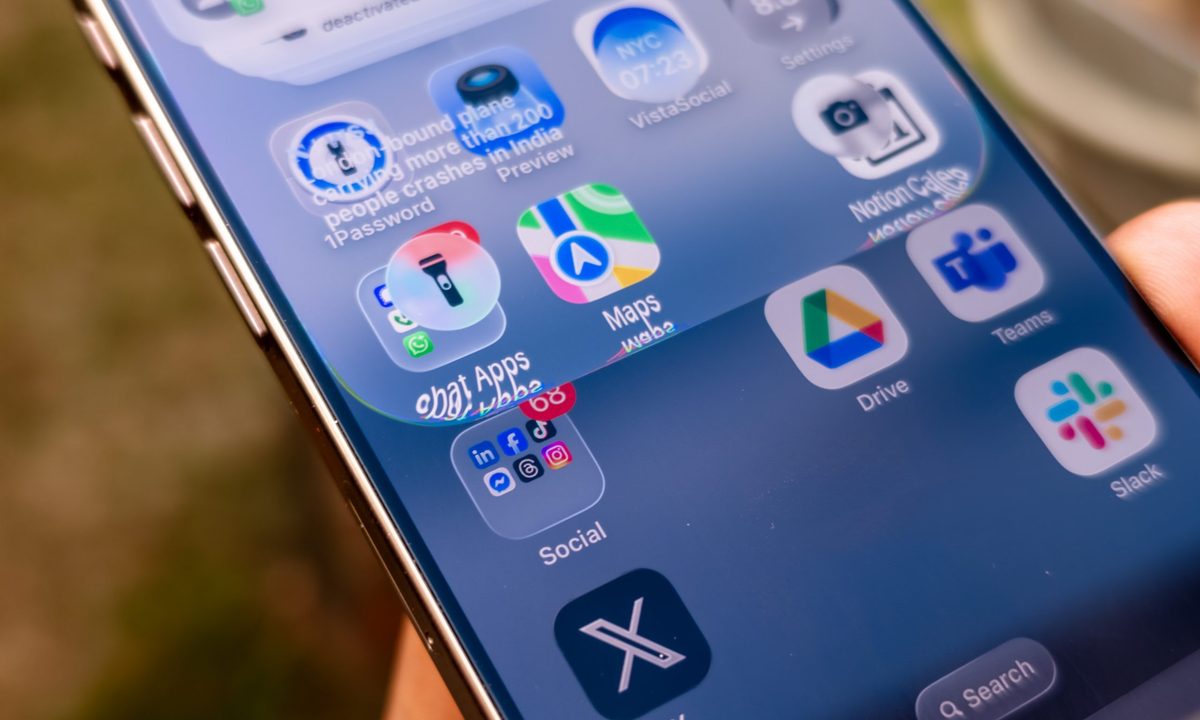
What happened: You know that see-through, “Liquid Glass” look on your iPhone and Mac, where you can kind of see your wallpaper behind all your menus? Well, Apple looks likely to give you more control over it in the next update (iOS 26.1 and macOS Tahoe 26.1).
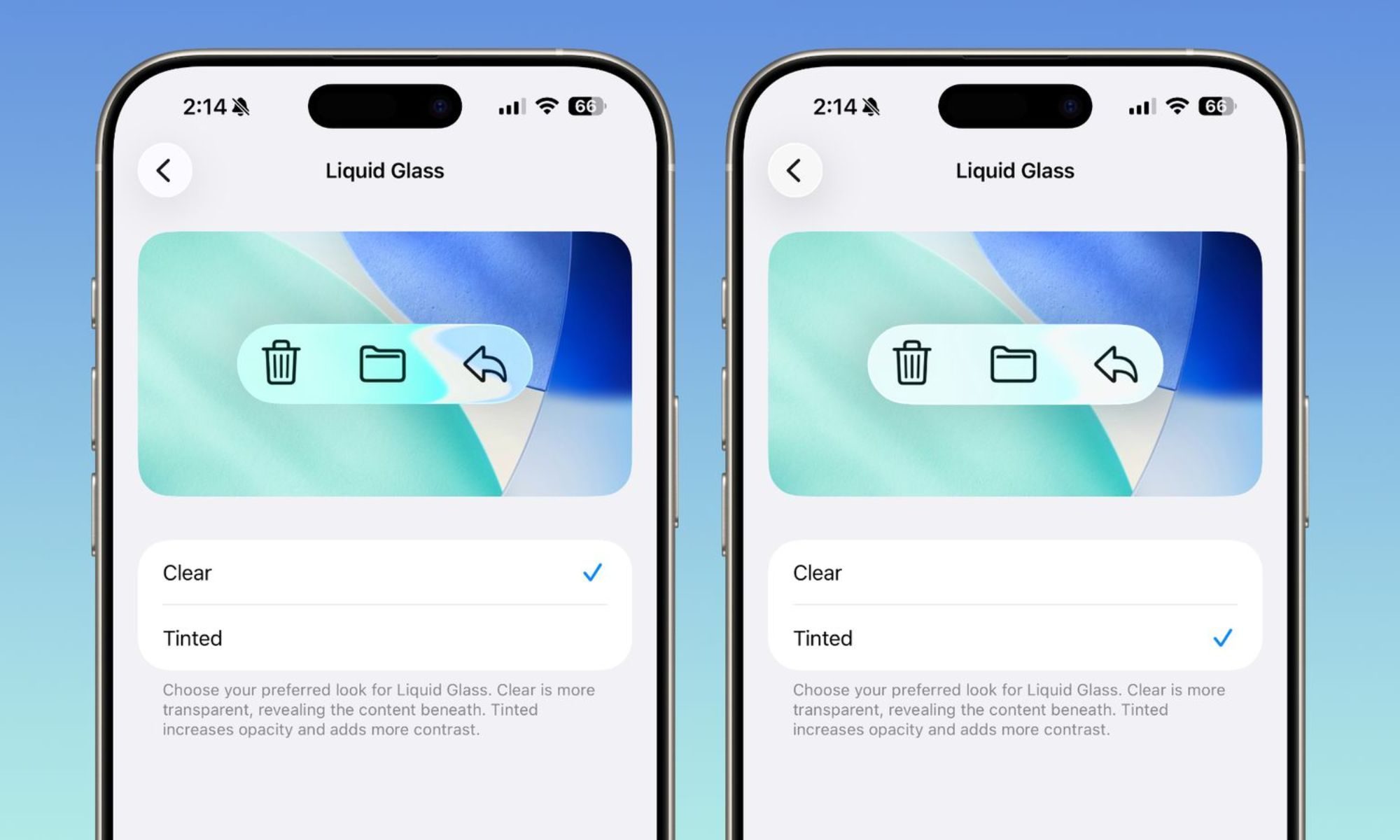
- It’s adding a new toggle that lets you pick between “clear” or “tinted” in the iOS 26 beta software.
- “Clear” is the same glassy, transparent style we have right now. But the new “tinted” option makes everything more solid and adds a bunch of contrast.
- It’s a lot less see-through and makes all the buttons and text really pop. Apparently, a lot of people testing the new software told Apple they wanted a high-contrast option, so Apple listened.
Why this is important: This is a bigger deal than it sounds. It’s really about making the interface easier for everyone to use.
- That new “tinted” look is a huge win for accessibility, making everything much easier to read, especially for people with visual sensitivities or even just when you’re trying to use your phone in bright sunlight.
- Plus, it’s just nice to have more say in how your expensive gadgets look and feel.
Why should I care: So, what does this mean for you? It’s simple. If you love that sleek, futuristic transparent look, you can keep it.
- But if you’re someone who just wants to see your buttons clearly without any background distraction, you can now switch to a bolder, more readable style.
- And this isn’t just a tiny change – it affects your whole device, from the apps to your lock screen, so everything will look consistent.
What’s next: Of course, as this is a beta release, it may not make it to the final launch. However, it seems this update is pretty popular, so it seems unlikely to disappear.
This new “Liquid Glass” toggle is just one of several new goodies coming in the update. Apple is also trialling a new “slide to stop” feature for alarms and timers, adding more languages to Apple Intelligence, and even changing the Apple TV app icon. It seems like it’s really focused on making a bunch of these small, user-friendly tweaks this time around.


