
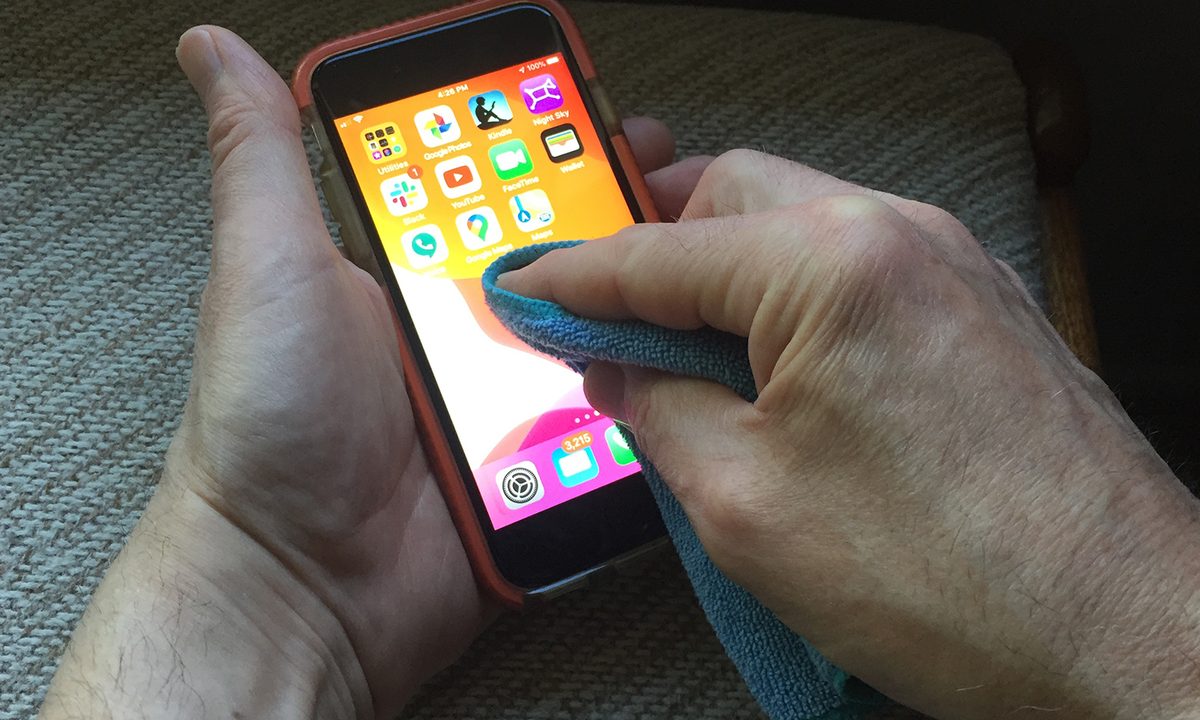

Your smartphone screen is a teeming cauldron of germs, and you don’t clean it nearly as often as you should — a minor chore you often overlook. This small screen is easy to clean, and disinfecting the device you constantly hold in your hand can take less than a minute. Cleaning your smartphone screen can protect you against nasty germs — including those that cause the coronavirus — which can last as long as nine days sitting comfortably on your smartphone’s glass, according to a study published in the Journal of Hospital Infection. It also helps your phone to achieve top-notch performance, as cleaning makes it less likely to experience the build-up of oils and grime that damage your screen’s special coatings.
How to clean your phone safely
Your expensive handset is delicate, so you want to safely clean it without damaging the glass. Make sure to clean your phone if it touches ink, dye, makeup, dirt, food, oils, or lotions. First, turn off your phone and unplug all cables. Then, with a soft, damp, lint-free cloth, wipe the surface down. Do not use commercial household cleaners or abrasive materials like rubbing alcohol or disinfectants, as they will damage the protective coatings built into the glass.
The best way to clean your electronics is with a slightly moistened microfiber cloth. Microfiber cleaning cloths are soft, washable, reusable, and especially effective in cleaning hard surfaces like your smartphone and oleophobic (oil repellent) iPhone screens. The cloths, made from extremely thin, highly absorbent, synthetic fibers, can be used both damp or dry and with or without a mild specialty cleaning solution made for electronic screens.
How to care for your cloths
You should care for your cloths properly, too. Microfiber cloths can absorb lint from other fabrics, and thus lose their absorbent qualities. To maintain their performance, wash them separately and dry them at low heat. Avoid using fabric softener, which can block the spaces between the fibers and ruin absorbency. Consider washing the cloths before you use them, as well, though we realize that may be a challenge.
Here are some of the most highly rated microfiber cloths available to help you disinfect your smartphone while protecting it and you from harm.
Vincent Van Gogh Painting Art Microfiber Cleaning Cloth

If you crave the artistry of Vincent Van Gogh, you can enjoy the Starry Night or Sunflower as you clean your phone. The Van Gogh microfiber cleaning cloth is admittedly a novelty, but a premium quality, soft microfiber one that absorbs and removes dust, fingerprints, and dirt without a trace. You can use it for cleaning any delicate surfaces including eyeglasses, sunglasses, smartphones, camera lenses, tablets, and LCD screens. The 6 x 7-inch cloths come in a five-pack, each with a different famous scene — Starry Night, Almond Blossom, Sunflower, Van Gogh Portrait, and Cafe Terrace at night — in vivid colors.
Whoosh! Screen Cleaner Kit

Whoosh! offers a full cleaner kit with a screen planer spray that’s designed for smartphones and other electronics — not exactly necessary, but very handy for a full cleaning and totally odorless (including no ammonia or alcohol). The box also contains two high-quality 6 x 6-inch clothes with hemmed borders for greater durability, and they’re designed to be machine washed up to 50 times to make sure they stay free of dirt and oils as you keep your phone polished and shiny.
Spudz Classic Microfiber Cloth

Spudz has an innovative idea for anyone who wants to become a frequent screen cleaner: This microfiber cloth is designed to be pulled out of a neoprene pouch for a quick clean, then pulled back in with a loop on the other side, much like a never-ending box of super-soft tissues. The loop on the back also makes this 6 x 6-inch cloth easy to attach to your backpack, laptop case, or wherever you may need it when on the go. It’s also available in a variety of different patterns, which makes it easy to customize to match your current accessories.
AmazonBasics Microfiber Cleaning Cloth for Electronics

The Amazon Basics six-pack of microfiber cloths offers a great way to safely clean your smartphone and tablet screens. Designed to wipe away oil, smudges, fingerprints, dust, and dirt, these ultrasoft cloths are made of tightly woven microfiber, and each comes with its own plastic envelope to store it and keep it clean. Use them for your TV, computer monitor, laptop, and non-coated or multi-coated camera lenses, as well as your phone. A sawtooth pattern on the edges prevents fraying or scratches on your phone’s surface. The five black and one gray 6-by-7-inch cloths are machine washable and reusable.
HTTX Microfiber Screen Cleaning Cloths

These gentle, silky, lint-free microfiber cleaning cloths come in a variety pack with four pleasing pastel colors (blue, yellow, pink, and green), and work hard to keep your devices free from dust, smudges, fingerprints, and dirt without leaving scratches or streaks. The cloth lifts and traps dust from the screen. The cloths can be washed and used repeatedly. Each 6-by-7-inch cloth is packed in a polyurethane plastic bag for toting around. You can also use them on eyeglasses, camera lenses, jewelry, computer monitors, TVs, LCD screens, and car interiors.
Progo Microfiber Cleaning Cloth

The versatile Progo Premium Microfiber cloth is a safe and effective cleaning tool that can clean oil and dirt off your smartphone and tablet displays, as well as camera lenses, glasses, laptops, and TV screens. At just 6×7 inches, this black cloth may not seem like much, but it does its job. Each cloth in the six-pack ships in a polyurethane bag.
Fintie Screen Cleaning Pad

When it comes to keeping your touchscreen clear of dirt, fingerprints, and smudges, you don’t need to be stuck with a boring cleaning product. Fintie’s screen-cleaning pad is vegan leather on one side and microfiber fabric on the other. You can use this soft tool on most electronic devices, like your smartphone, computer monitor, camera lens, and more. The pad comes with an elastic strap on one side that helps keep the pad attached to you even when throwing a bit of elbow grease into your cleaning efforts. It’s flexible enough to fit around any sized hand. The pad comes in a four-pack of brightly colored patterns, and you can mist it with a bit of water to work through even stubborn smudge spots.
ProCase Screen Cleaning Pad Cloth Wipes

The flexible, scratch-resistant, vegan-suede Screen Cleaning Pad Cloth Wipes from ProCase thoroughly clean your smartphones, tablets, computer monitors, TVs, and more. This reusable 3-by-3-inch pad is chemical-free and incredibly durable. It will help you get rid of dust, dirt, fingerprints, and residue. The PU leather-back handle makes this product even more simple to use and control.




