
Charging your phone was once as simple as plugging it into the supplied charging block, then into the wall socket, and waiting until it was finished. Not any more. Whether it’s varying charging speeds, wireless charging, proprietary charging systems, or no charger being included with the phone at all, it has become considerably more complicated, especially if you want to get the fastest speeds.
I’ve already written about this problem, so now it’s time to advise on how to choose the best charger for your phone today. Sounds like it should be simple, but it’s definitely not.
What if the charger comes in the box?
Aren’t you the lucky one! There’s every chance that if the charger comes with your phone, it will be your best bet for getting the fastest, most reliable charging speeds. If your next phone is a OnePlus phone, or an Oppo, Huawei, Asus, or a Motorola phone, then a charger and cable are included in the box, because each uses a proprietary charging technology. To not include it would be particularly unfair.
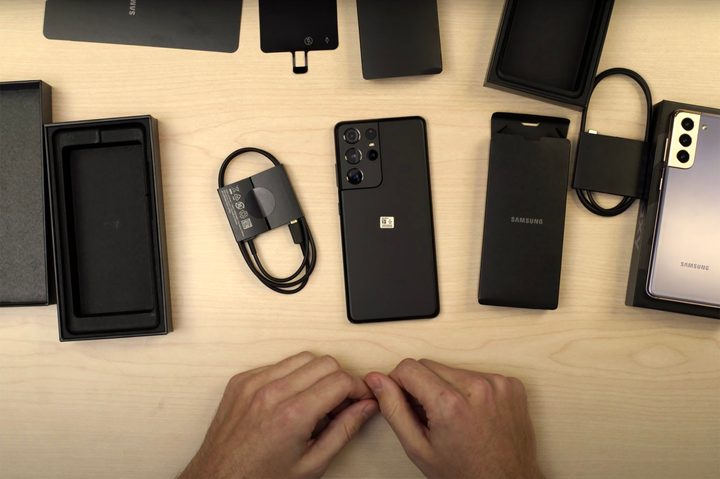
Take OnePlus as an example. The OnePlus 9 Pro uses Warp Charge 65T charging technology to fast charge the battery to full in about 30 minutes, but to get this you must use the included charging block and cable. Use any other kind, and it will charge at a slower speed. It also supports fast wireless charging with Warp Charge Wireless 50, which requires OnePlus’s own special wireless charger to operate.
What if a charger hasn’t been included in the box? The Apple iPhone 12 range and Samsung Galaxy S21 range do not come with a charger in the box, so you either have to use a random old charger and risk low speeds or buy a new one. Here’s where things get more tricky.
Charging your iPhone 12
To fast charge your iPhone 12 (or technically, any iPhone since the iPhone 8) with a wired Apple charger, it must deliver 20 watts or more, while a third-party charger must also have a USB Type-C connector and USB Power Delivery (USB-PD) technology. Visit the Apple Store and pick up the $19 20W USB Type-C power adaptor, and you’ll be set.
Alternatively, visit Amazon and look for chargers from recognized brands like Anker, RavPower, Belkin, and Aukey, which list USB-PD compatibility. These will usually provide more functionality with additional ports, or more power to charge different devices. For example, this Anker PowerPort III Duo 40W charger is $26 and supports USB-PD, and comes with a second USB Type-C socket built in too. It’ll work fine with your new iPhone 12.
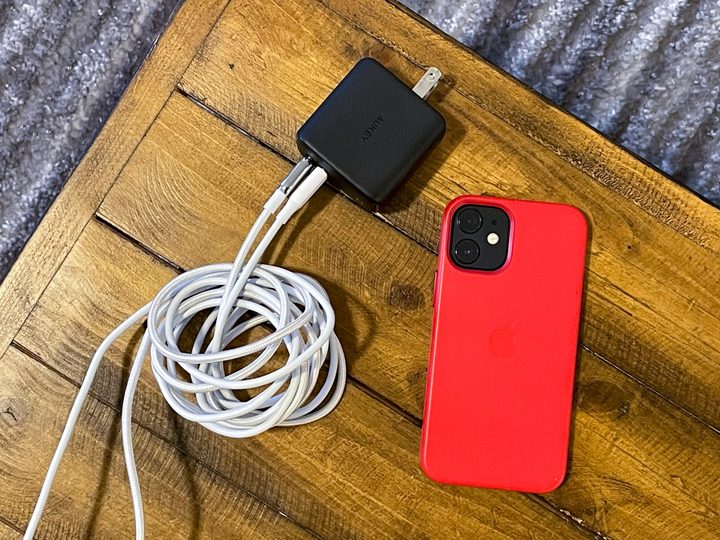
It’s still only half the battle though, as you may need a USB Type-C to Lightning cable to complete your fast charging mission. Apple sells this short USB Type-C to Lightning cable, if you don’t have the one that came with your phone, for $19. However, we recommend choosing a braided or nylon-covered cable for durability, and if possible pick one that has been certified by Apple’s Made for iPhone (MFI) program. This $18 Anker version fast charges the iPhone 12, is made from nylon, and is MFI certified.
If you have a MagSafe wireless charger, it also requires a specific charging block, and Apple recommends using the same 20W USB Type-C power adaptor, but it will also operate at full speed with a similar USB Type-C wall charger.
Charging your Samsung Galaxy S21
Samsung’s charging system for the new Galaxy S21, Galaxy S21+, or Galaxy S21 Ultra isn’t as simple as it may first seem. There are two options, Fast Charge and Super Fast Charge, and you actually have to activate them in the phone’s Settings/Battery/More Battery Settings menu. Yes, really. Once you’ve done this, you need the right plug to get started.
Samsung’s PD 25W Wall Charger is the one you want for Super Fast Charging, as it supports the required USB PD 3.0 standard. If you choose to buy a third-party charger, Samsung indicates it will need to deliver 25W or 45W of power and support USB PD PPS. Programmable Power Supply (PPS) is a recent addition to the USB PD 3.0 standard, and just to be awkward, it is not found on all USB PD 3.0 chargers.
Finding chargers that list USB PD 3.0 PPS is a challenge. The $33 Anker PowerPort III 65W charger states it does, and also specifically mentions Samsung Super Fast Charging as a supported feature. If you want a cheaper option, Samsung’s normal Fast Charge works with any USB 2.0 PD charger, or with any charger that supports Qualcomm’s Quick Charge 2.0 and above technology.
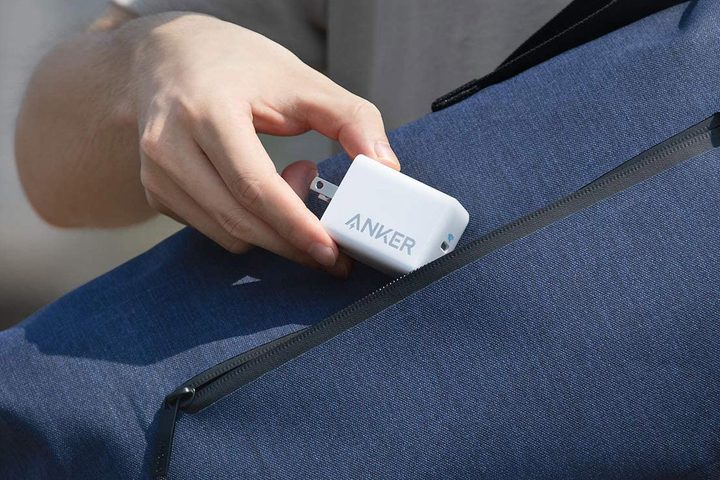
If you want to wirelessly charge, the Galaxy S21 supports up to 15W of wireless power. You can choose a Qi-certified pad, such as the Belkin Boost Charge 15W pad, which can be purchased with a 24W Quick Charge 3.0 rated wall adaptor for more versatility.
What if you have another phone?
That’s all fine if you own a new Apple or Samsung phone, or have purchased a phone with its own fast-charging system like OnePlus. But what if you own an older phone, and are simply unsure what the fastest charging method will be? This will take some research, as there isn’t a simple one-size-fits-all answer.
If you’re not sure what charging system your phone uses, our phone reviews include sections on charging and the type of charger included, or visit the manufacturer’s website to check the specifications of your device. Motorola, for example, states the Moto Edge Plus uses its 18W TurboPower system, and that it includes a TurboPower charger in the box.
A pretty safe bet if you own an older Motorola, Samsung, LG, BlackBerry, or Sony Xperia phone, or numerous HTC and Xiaomi phones, is to opt for a charger that complies with Qualcomm Quick Charge 3.0 technology. Like OnePlus’s Warp Charge, Quick Charge is a proprietary charging technology, but it can be found on a wide variety of devices powered by Qualcomm chipsets from different manufacturers. Motorola and Samsung even base the proprietary Adaptive Fast Charge and TurboPower systems on it.
To ensure the charger remains useful for the future, this Aukey dual-port wall charger has a USB Type-A port along with a USB Type-C port, which is important if you have an older phone. Alternatively, if you only want USB Type-A ports and guaranteed Quick Charge 2.0 and 3.0 support, this Aukey charger may be for you.
Anything else to consider?
Just like every piece of technology you buy, make sure the charger you end up purchasing has some longevity built in. Whether that’s choosing a charging block with multiple ports, a longer or tougher cable, or a higher power charger with scope to charge laptops or tablets should it be needed, it’ll stop you from having to go through the pain of buying a charger again too soon.
Charging your smartphone was never this awkward, or ever required so much technical knowledge, but times have changed. However, once you have purchased the right charger, and have given yourself some room for device upgrades and additions in the future, it shouldn’t be one you have to make often.



