
The GoPro Hero 10 Black is the company’s most recent addition to its action camera lineup. I’ve had a chance to spend almost eight weeks with the camera to find out if the on-page specs translate to real-world usage? Here’s what I loved about the Hero 10 while using it in my day-to-day life and short travels.
Seven things I loved
More responsive
The GoPro Hero 10 is much more responsive than the previous iterations of the camera. When I reviewed the Hero 8 and Hero 9, one of my biggest concerns was usability. While the functionality was amazing, the usability was not. Well, no more.
Thanks to the new processor, the GoPro Hero 10’s usability is as good as its functionality. GoPro has finally done justice to its camera. Navigating through the interface feels on par with my iPhone’s camera app. The new camera was a joy to use, thanks to a more responsive interface.
Amazing photos and slow-mo
You might judge me for this, but I captured more photos with my Hero 10 than videos. As a challenge, I used only the GoPro device (and not my iPhone 12) when I went on a short trip to a craft bazaar called Delhi Haat in New Delhi.
The GoPro Hero 10 can shoot full 23-megapixel still photos, and the results are impressive. In broad daylight, the Hero 10 captures bright and detailed shots with good dynamic range and great contrast. I loved using it as my main camera for photos. The super-duper slow-mo 240fps videos at 2.7K are also stunning.
Speedier transfers
“GP2 was specifically created to level up GoPro camera performance and cloud connectivity,” says GoPro. And it translates to real-life usage. I was able to transfer the 200-plus images that I had shot before I finished lunch – that’s a much better speed than the Hero 9. For the first time ever, you can also plug your GoPro directly into your phone for 50% faster uploads to your device.
HyperSmooth 4.0
“[Hypersmooth 4.0 is] by far the best digital image stabilization I’ve ever used, and it truly did deliver results comparable to a mechanical gimbal in many circumstances,” reads our Hero 10 review. And, it is definitely the best in the business, in my opinion.
Hypersmooth 4.0 allowed my footage to appear stabilized when I was running or even riding onmy back – holding the camera in my hands. You get no noticeable jitters, and the footage is usable for fun Instagram content.
Moreover, you can use Hypersmooth 4.0 in 5.3K30 and 4K60. as well as 2.7K120. Plus, GoPro has worked on the Horizon Level tilt limit to increase it from 27 degrees to 45 degrees. It allows you to keep the horizon level till your camera turns more than 45 degrees.
New hydrophobic lens cover
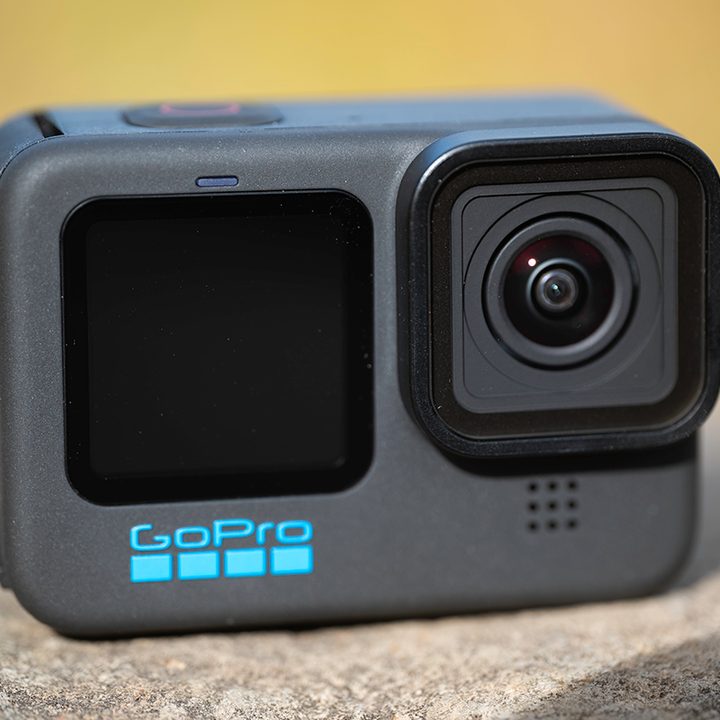
At the time of reviewing the GoPro Hero 9, I went on a trip to Mulki, India, near Mangalore, to surf. While surfing, you need to mount your camera at the front of the surfboard to capture unreal shots – waves forming over you, that superhero-landing pose on your board, and more. When I transferred the video to the Quick app on my phone, I noticed that the exact frame when I had my “unreal shot” was tainted by a drop of water.
I haven’t gotten a chance to go surfing again, but I’m thankful for the new hydrophobic lens. It is going to get you those shots without any hiccups. And you won’t need to worry about a water droplet spoiling your shot.
Backward compatibility with Hero 9 accessories
One of the best parts of the GoPro Hero 10 is that it carries the same design as the Hero 9, despite the improvements. This translates to backward compatibility with Hero 9 accessories, especially the battery. On that Delhi Haat trip, I was in luck that I had my Hero 9 with me, so I was able to swap batteries when my Hero 10’s charge had run out. You can use all the Hero 9 accessories with your Hero 10.
Quik app
To make the most of your new GoPro, you need the Quick app, which ought to be your private content feed. It lets you use 25 filters and 18 royalty-free music tracks as standard. You can subscribe for more content with unlimited access (the subscription is worth it).
Two things I hated
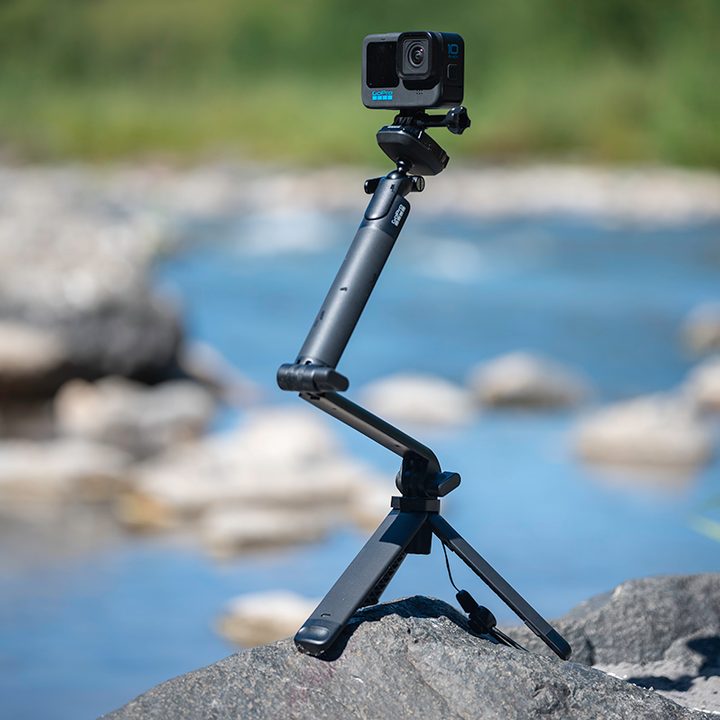
The GoPro Hero 10 is the best camera yet from GoPro. But not all things will leave you satisfied. Here’s what I didn’t like about GoPro’s latest offering.
Battery life
One of the issues I’ve had with GoPro cameras is with their battery life. The camera doesn’t last the desired amount of time on a single charge. While this makes sense for GoPro from a business perspective — sell more batteries alongside the camera and thus, earn more money — it leaves the consumer frustrated.
In my usage, when I was clicking pictures, it lasted me around four hours, despite me turning it off when it wasn’t in use. If you are recording videos, especially when shooting in 5.3K, you will require more than a single cell to get things done.
Lowlight photos
GoPro claims to have improved lowlight images with the help of the new GP2 processor, and the results are indeed better than onthe Hero 9. Theoretically, the new processor equips the sensor for local tone mapping and 3D noise reduction in its video algorithms.
However, the results aren’t comparable to the lowlight photography of a modern-day smartphone. The images shot in low light are grainy with unwanted noise, and there’s a lot of smoothing.
Nevertheless, the GoPro Hero 10 Black is an excellent action camera for $499 (with the subscription included, the total cost is just $399). The Hero 10 is a benchmark for versatility matched with ruggedness.


