
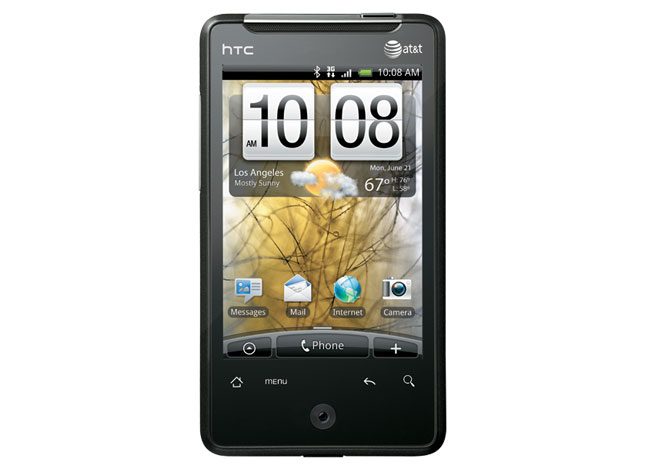

“HTC shuns Y chromosomes with its female-centric Aria, a pint-sized Android smartphone that’s perfect for purses.”
- Slim, compact design
- Excellent 5-megapixel stills
- FriendStream social network update aggregator app
- Pre-installed 2GB card
- Low ringer, voice and multimedia volume
- No camera flash
- Fuzzy Web text
- Slower-than-average Web browsing
“Why you can trust Digital Trends – We have a 20-year history of testing, reviewing, and rating products, services and apps to help you make a sound buying decision. Find out more about how we test and score products.“
 Introduction
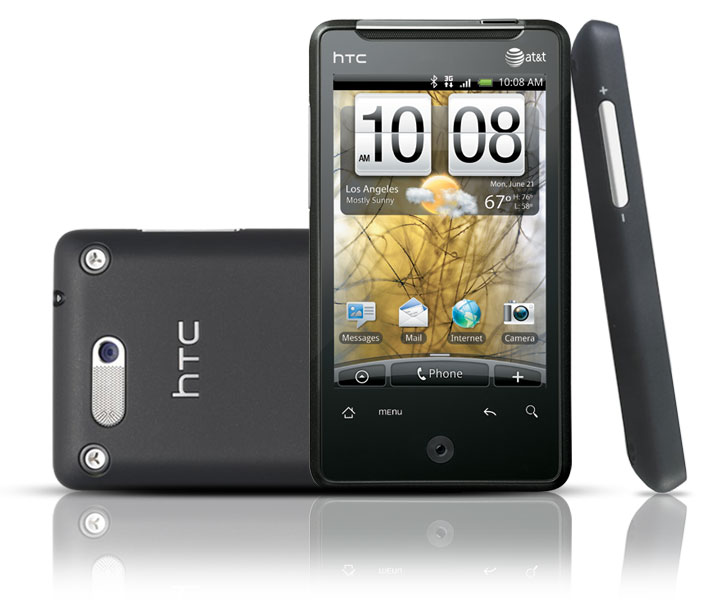
Oh, it’s adorable! HTC’s new 3G Aria from AT&T is as cute as a button – a dainty version of an Android 2.1 superphone. While its size presents some problems, the Aria is nonetheless an otherwise fully-featured cell phone, perfect for those who carry clutch purses or those who wish to be relatively unencumbered by gadgets.
Features and Design
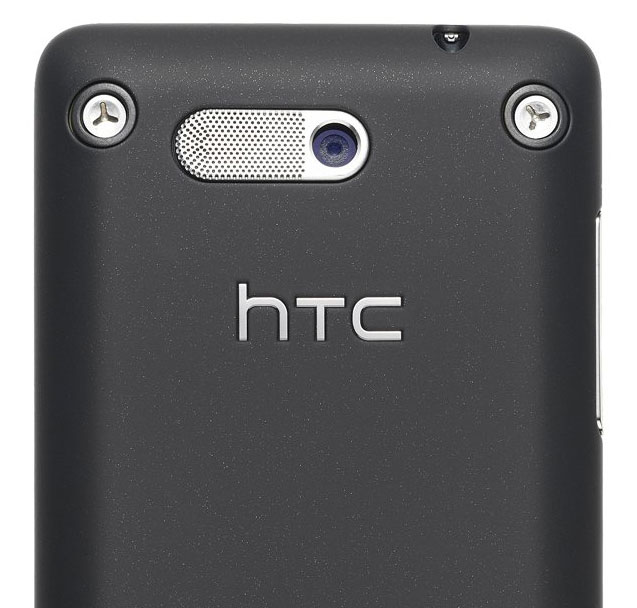
Curiously, HTC didn’t go all the way to appealing to Aria’s natural constituency – women. Aria is a non-descript black slab with silver highlights and exposed screw heads; a more industrial functionality look than casual or nightclub style. Its rubberized case gives Aria a protective “sure grip.”
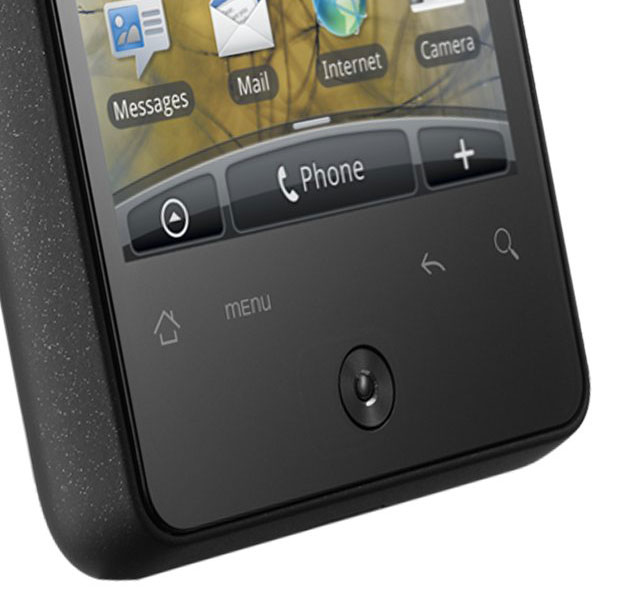 The Aria is fronted by a bright 3.2-inch, 320 x 480 display. On the rear is a 5-megapixel camera that doubles as a VGA video recorder and speaker. Up top is the power button and a 3.5mm headphone jack. On the bottom is a microUSB jack. Its only other physical features are a tiny action button (which also acts as a camera shutter button) beneath four touch controls, and the volume toggle on the left perimeter – so flush to the surface as to make it impossible to control by feel with the phone to your ear.
With Android 2.1 you get seven home screens, which turns out to be more necessary than usual considering the Aria’s smallish screen. For the socially inclined, HTC includes FriendStream, which is an app that aggregates your Facebook, Twitter and Flickr updates.
Inside is barely 100MB of user memory and a (thankfully) pre-installed 2GB microSD card. Thankfully because, if you want to expand, you’ll have a devil of a time trying to pry off the back cover to swap out the card.
Multimedia
With its small, low-resolution screen, the Aria really isn’t designed as a serious video viewer. It’s adequate for viewing HD YouTube or MMS videos, and MobiTV and AT&T’s home grown Mobile Video app (both subscription-based) are included, but you’ll have to bring the screen up to about six inches of your nose, soon be squinting, after watching for around five minutes.
Audio-wise, the Aria includes an FM radio app and, as per usual, Android’s music playing app. But sound from the rear speaker is as dainty as the Aria’s looks – barely discernable even at the aforementioned six inches from your nose in a quiet room. In any other ambient conditions, you’ll have to hold the speaker to your ear to hear anything.
Phone Functionality
Dainty fingers are helpful for navigating around the smaller icons on the Aria. Phone dial pad buttons are large enough for all but the fattest of fingertips, but don’t react to fingernail touches.
Many of the functions, the camera primarily, flash helpful on-screen usage instructions for the casual user.
Along with low volume for voice and multimedia is a low volume ringer, so you’ll need to keep the Aria close to your ear to hear it sing out. And as with the rear speaker, sound from the narrow earpiece is as delicate as the phone’s physicality – thin and light with not a whole lot of volume.
Web
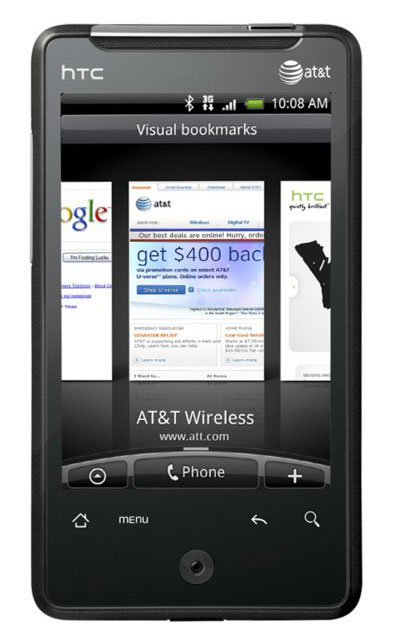
Surfing is the Aria’s major low-resolution deficiency. Tiny text, especially on Web pages (not so much on e-mail) is often heavily pixelated and difficult to read quickly.
With its 600MHz processor (and perhaps because of AT&T’s New York 3G network), Web pages don’t load nearly as quickly as they do on competing devices, including the iPhone. Mobile optimized pages take around five to six seconds to load, around twice as slow as other recent phones, and non-mobile optimized pages in 15 to 25 seconds.
Camera
Size doesn’t impact the quality of the Aria’s photos. Snaps are large, colorful and, in bright sunshine. While long-distance images aren’t as sharp as the iPhone’s, they do avoid most of the usual off-center fuzziness. Indoor shots suffer from a lack of flash, producing images that look blurry and dark even in well-lit environments.
The Aria’s camera app has an on-screen vertical sliding zoom on the left, which we found awkward since it requires you to use your left thumb while holding onto the phone with two hands.
Size shouldn’t have impacted video recording, but for some reason the Aria has only a VGA recorder instead of an HD recorder. While suffering some interpolation fuzziness, 30 fps VGA videos are nonetheless free of pixelization, if tending toward the dark side.

Battery Life
Since there’s not a whole lot of room for a large battery, it’s surprising the Aria offers up to six hours of talk time. In actual full-day usage, we usually had plenty of juice left by bedtime.
Conclusion
We can’t imagine a tech dude choosing an Aria over a more amply endowed Android model. Aria is too small, too cute (although its industrial design could use a Queer Eye for the Straight Guy makeover) and missing too many new normal attributes (camera flash, HD video recorder, high-resolution screen) for the usual male geek consumer. But Aria is perfect for distaff cellphone buyers looking for basic cell functionality in a clutch purse perfect size.
Highs:
- Slim, compact design
- Excellent 5-megapixel stills
- FriendStream social network update aggregator app
- Pre-installed 2GB card
Lows:
- Low ringer, voice and multimedia volume
- No camera flash
- Fuzzy Web text
- Slower-than-average Web browsing


