
Earlier this year, Mark Gurman at Bloomberg reported that iOS 17 may not be a big update, and would instead focus on fixing bugs and improving overall performance, as the company is shifting most gears toward the release of its augmented reality headset instead. However, now Gurman seems to have backtracked on that, saying in a recent Power On newsletter that iOS 17 may actually bring several of the “most requested features” to iOS.
That’s a very vague and general statement. But what could those highly requested features be? Here’s what we think could be added, based on feature requests over the years from the community.
Multiple timers
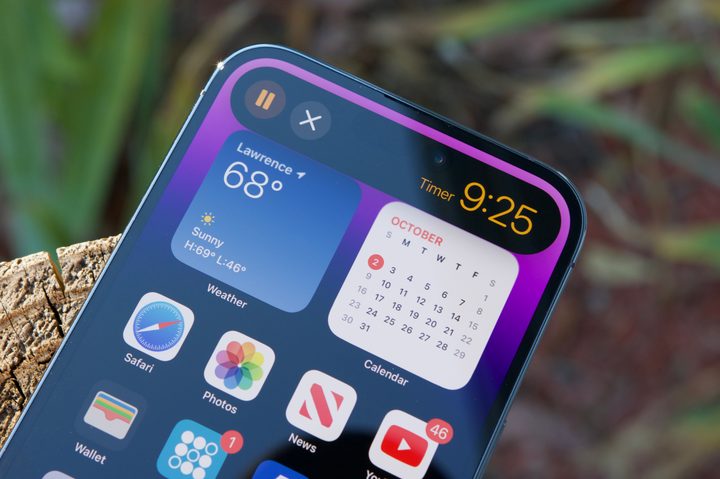
Have you ever used the timer function in the Clock app on your iPhone? Chances are you have, and you might also have noticed that you can literally only have one timer going on the iPhone at once.
In watchOS 8, one of the biggest and most surprising features was multiple timer support. With this, you could have one timer for five minutes and another for 30 minutes, or whatever you need. However, even with iOS 16, you can only have one timer on the iPhone.
This limitation on iOS makes no sense, especially since even the Apple Watch has multiple timer support. Users have been clamoring for multiple timers for years, so if Apple really is going to add some of the “most requested features,” then this had better be one of them.
Individual volume control settings
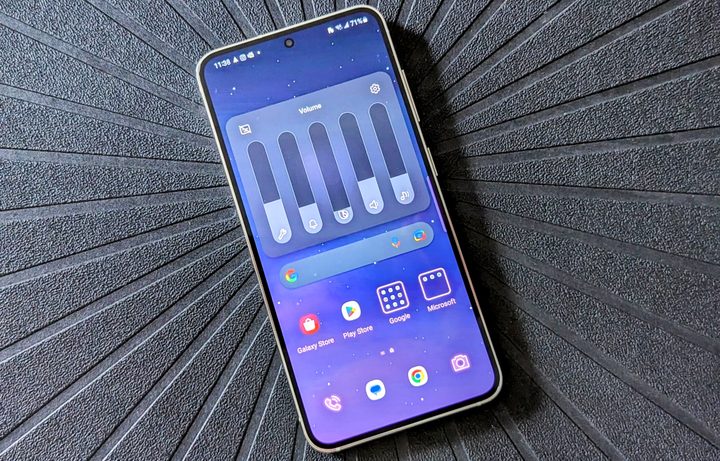
Since I’ve been trying out Android phones here at Digital Trends, I’ve learned that Android has been doing many things better than iOS, including volume controls. For example, when you activate the volume rocker on a device like the Samsung Galaxy S23, you can tap the volume slider to expand it into individual sliders for system, alerts, Bixby Voice, ringtone, and media.
However, on iOS, when you press the volume buttons, it basically only adjusts the overall volume. You can change the ringtone and alert volume independently, but only by going into Sound & Haptics in the Settings app. But the volume buttons will change overall volume levels if there is no active audio — if there is some audio going on, the volume buttons will change that particular audio, like media or Siri. It’s confusing and, honestly, stupid.
At this point, Apple should just copy Android and show a button when adjusting the volume to expand into individual volume controls. It would make every iOS user’s life much easier because the current method is cumbersome garbage.
Better notification management

Another thing that I’ve learned since dipping my toes into Android is how much better notifications are handled versus iOS.
With iOS, it’s pretty much an all-or-nothing approach. Basically, if you allow notifications on iOS, you get notifications for everything in an app, unless the app has settings for what kind of notifications you receive. But that’s dependent on the developer. On Android, you get much more granular control over the kind of notifications you get from an app.
Apple’s method of notifications involves banners, banners, and more banners. Sure, you can group all notification banners together on the lock screen and Notification Center, which is a “stack,” but when you expand it, all those banners take up space. If you have a ton of notifications, that is an annoyingly long list of banners to go through.
Again, Android does this better by having each app’s notifications presented in an agenda-like list view, which is to the point and saves space. It’s also much easier to clear out notifications on Android, whereas iOS needs multiple taps. And if you dismiss a notification, you can’t view it again, while Android has a Notification History feature.
While notifications have gotten slightly better on iOS, it’s still a mess compared to Android. Hopefully, Apple gives notifications a major overhaul to be more efficient and streamlined in iOS 17.
Sideloading apps outside of the App Store

I’m not sure this is something I personally care for, but it’s been a common request from a lot of people. And with Apple being in some hot water with European antitrust laws, iOS 17 may be when Apple allows sideloading apps from other digital storefronts besides its own App Store.
With Europe’s Digital Markets Act (DMA) taking effect soon, companies have until 2024 to comply with new rules. Essentially, companies in big tech will need to allow alternative app stores on their platforms, giving users more choices.
There have been rumors that the iPhone 15 will finally move to USB-C based on EU regulations, which require a common charger for all electronics. The DMA is another law that Apple needs to comply with, and it could mean the first time we are able to get apps on the iPhone through alternative app stores, and not just Apple’s.
If developers choose to go that route, they wouldn’t need to pay a 15% to 30% fee to Apple for in-app purchases, and users could also have an alternative way to pay without going through Apple. For many, it would be a win-win.
Allow placing app icons anywhere
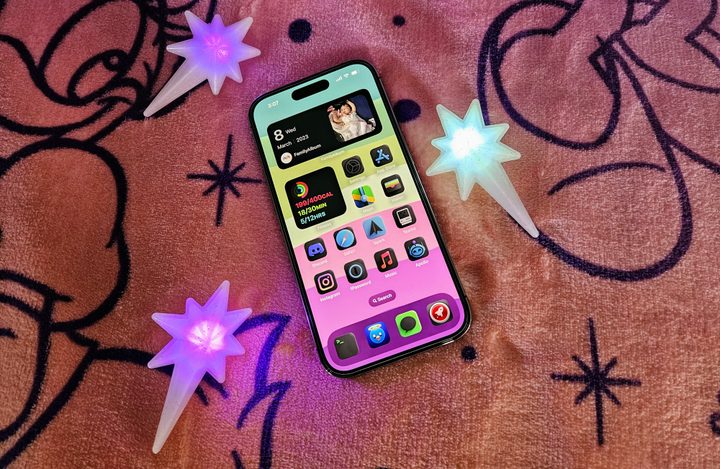
Apple made some progress in iOS 14 by allowing users to customize their home screens without the need for jailbreaking. However, we still can’t place app icons anywhere we’d like on the home screen. Sure, you could use one of those widget apps that puts a transparent space, but that’s a workaround that shouldn’t need to exist.
On Android, you can place your apps anywhere you’d like on the grid, like on the bottom, where it’s easier to access one-handed. Yet, if you’re creating a home screen on iOS, the first app you put on a new page must go in the upper-left corner, which is one of the most unreachable spots for me.
It’s about time Apple just let us put our apps wherever we please on the home screen, without forcing us to go from left to right, top to bottom. Give us that home screen freedom!
We’re excited to see what iOS 17 has in store
This is all speculation, but I believe these have all been some of the most common user requests for iOS features over the past few years. Again, Gurman made it pretty vague and even backtracked on what he said just a few months ago. Still, we’re excited to see what iOS 17 will bring to our iPhone 14 and iPhone 14 Pro this year (and not to mention older devices that should receive it, like the iPhone 11).
With WWDC just around the corner, we hopefully won’t have to wait too much longer to find out.


