  1. Home
  2. Phones
  3. Apple
  4. Mobile
  5. News

Google’s Gboard for iOS update includes YouTube, Maps, and doodling

Add as a preferred source on Google

Google rolled out an update on Monday for its Gboard app on iOS, adding more features to the keyboard. The latest additions include the integration of the YouTube and Maps app, along with a drawing tool.

Released last May for iOS, Gboard is a third-party keyboard app that replaces your default keyboard allowing you to run Google searches. It looks identical to the iOS keyboard, but when downloading Gboard, you see a G button at the top left of the screen. By tapping on it, a Google search bar opens up and results show up underneath the search bar.

Recommended Videos

In the most recent update, Gboard gives users the option to share more information within messages such as location. With Maps now integrated into the keyboard, you can easily send your current address or a local address around you. By tapping on the G button, a variety of places will come up such as where you are located along with businesses or other addresses. Once you choose the preferred one, it will instantly send it within the message window with a link to Maps for others to access.

Next to the Maps button is also a YouTube tab for you to send videos without having to exit the messaging window. While on the tab, you can search for any video through the search bar and results will appear. By swiping to the left, you can pick which video you would like to send by tapping on it and the other person will receive a link to the video in the conversation.

Another feature Google rolled out with the new update is a drawing tool — known as Ink — that lets users doodle straight from the keyboard. By tapping on the emoji button and then the pen icon, a blank canvas will appear along with an array of colors. Tapping on any color and then on the blank screen, you can draw anything you like and then send the work of art through the message window.

In February, Google added 15 new languages such as Croatian, Czech, and Danish, giving users more options to search and share messages. With this new update, Arabic, Farsi, and Hebrew have also been added to the list of languages now supported within the keyboard.

Among the list of Gboard features, the keyboard also offers a one-handed mode, predictive typing, and a gallery of emojis and GIFs to search for. While the current Gboard update only applies to the iPhone, the third-party keyboard app is available for download on both iOS and Android.

Brenda Stolyar
Former Staff Writer, Mobile
Brenda became obsessed with technology after receiving her first Dell computer from her grandpa in the second grade. While…
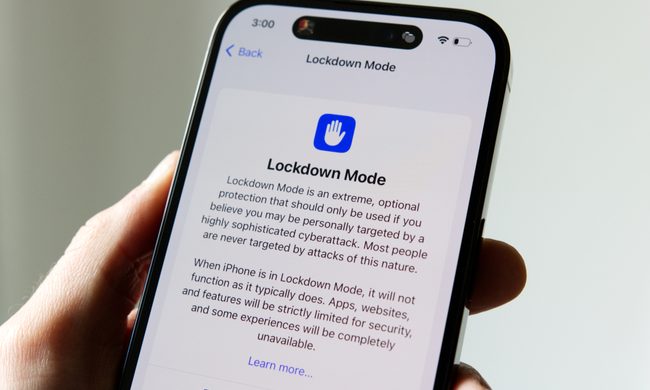
Apple says Lockdown Mode thwarted spyware attacks with a clean slate
Apple’s strongest defense is actually holding up
Lockdown Mode information page on an iPhone 14 Pro.

Apple says it has not seen a successful spyware attack on any iPhone with Lockdown Mode enabled, a claim it shared with TechCrunch.

Lockdown Mode arrived in 2022 as an opt-in feature for iPhone, iPad, and Mac. It was introduced as a stricter security mode for people at high risk of targeted attacks, such as journalists, activists, and government officials.

Read more
The Dynamic Island could shrink on the iPhone 18 series, and not just on the Pro models
One leaker, one claim, and a big question: is Apple genuinely ready to give every iPhone buyer the same design treatment as Pro owners this cycle?
Apple iPhone 17 Pro in Cosmic Orange leaning on a gray wall.

Apple’s Dynamic Island has been around long enough that most people have made their peace with it or forgotten it’s there. In fact, I’ve seen people associating the pill-shaped notch with newer iPhone models (released in the last 3 years). Now, a fresh leak suggests that the notch replacement is about to shrink, not just on the expensive models. 

What did the leaker actually say?

Read more
Apple Podcasts finally gets serious about video, adds multiple YouTube-inspired features
With offline downloads, Picture-in-Picture, and a dedicated video hub, iOS 26.4 turns Apple Podcasts into a platform creators can no longer afford to ignore.
Electronics, Phone, Mobile Phone

For years, the Apple Podcasts app supported video, at least it did technically, but nobody used it. Creators ignored it, while listeners forgot it. Meanwhile, other platforms like YouTube and Spotify quietly built empires on video podcasting. However, that changes with the iOS 26.4 update, or at least that is what Apple hopes for. 

Video podcasting exploded in popularity in recent years, with audiences gravitating toward platforms that treated the format well (as already mentioned above). Despite being an iPhone user, I personally consume podcasts on YouTube (I briefly paid for the Premium membership as well). 

Read more