We’re still in the early days of 2023, but if there’s any major tech story from the year that’ll be the most memorable, it’ll be the incredible rise of ChatGPT. After the original ChatGPT app rose to fame in late 2022, it’s become increasingly popular this year — most recently, with Microsoft integrating ChatGPT into Bing.
But it’s not just Microsoft that’s using ChatGPT. A company called ParagraphAI used ChatGPT to create an “AI writing app” that uses artificial intelligence to reply to your texts, emails, Twitter DMs, and more. Gone are the days of having to manually type out messages yourself – just make the AI do it! But is it any good? I’ve been testing the ParagraphAI app on my iPhone, and it’s been a wild experience … for a few different reasons.
How the ParagraphAI app works
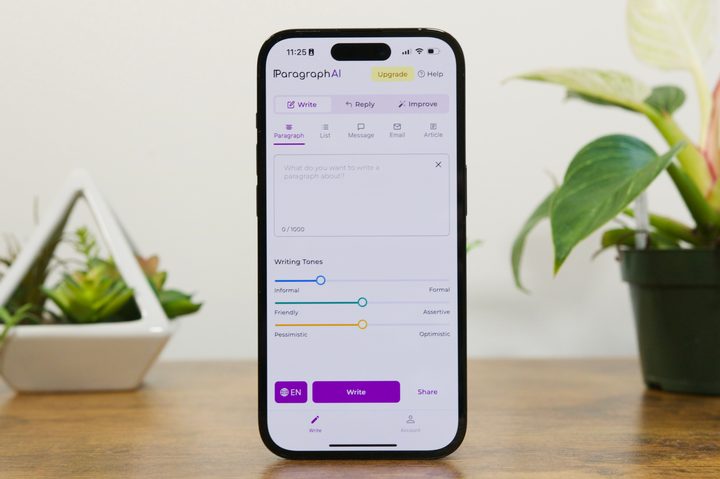
Getting started with ParagraphAI is fairly simple. After downloading it to your iPhone or Android phone, you’re guided through a few instructional screens and asked to select ParagraphAI as your default keyboard (more on that later). Once you’re through all that, you’ll finally land on the home screen with three options at the top: Write, Reply, and Improve.
The Write page is where you can have ParagraphAI write a new piece of text for you. You can choose if you want it to be a paragraph, list, message, email, or article. The Reply and Improve pages work similarly, but instead of creating new text from scratch, they use ChatGPT to reply to another message or edit a piece of your writing to improve its grammar and tone.


Playing with the Write page in ParagraphAI can be a lot of fun — and thoroughly impressive in the results in churns out. I asked it to write an article with the prompt “explain how the solar system was made,” and it gave me a four-paragraph article in just a few seconds.
You can ask many of the same questions that you would on ChatGPT, but with much more granular control over the format and tone of its responses. The above screenshots are just a few examples of how you can use ParagraphAI, and all of them are really impressive.
Turning ParagraphAI into my texting assistant
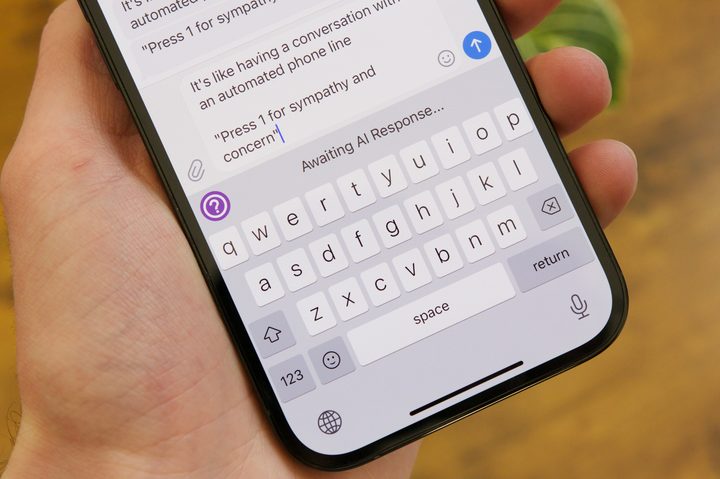
There are virtually endless ways you can use ParagraphAI to write for you, but what I was most interested in is how it works as a keyboard. Set ParagraphAI as your default iPhone keyboard, and you can have it generate writing and replies anywhere your keyboard is available — making it perfect for replying to emails and texts. So, that’s exactly what I did.
The keyboard looks similar to the standard iPhone keyboard, except there are shortcuts for Write, Reply, and Improve at the top. Select Write to give ParagraphAI a prompt to write about, tap the Reply button, paste the message in the prompt, and ParagraphAI spits out a reply for you to send.
The Reply function is what I used the most, using my friend Chris Davies as a test subject. Did it work? Technically, yes. But it also made me laugh out loud almost every single time because of how absurd some of the replies were.
I am so happy to hear that you’re a happy boy!


One afternoon, I received a text from Chris saying he had just had Korean leftovers for lunch and that he was a “happy boy.” I let ParagraphAI reply to this message, and — almost instantly — the jig was up.
Maybe it’s because Chris also works in tech media, or it was due to the extremely literal and generic structure of the reply ParagraphAI sent. Regardless, it took just one message for it to be clear that I was using AI to send my messages. I had ParagraphAI construct another reply in response to Chris’s allegation. If there was any shred of doubt I was using ChatGPT technology to write my messages, it was completely gone with the second message I sent.


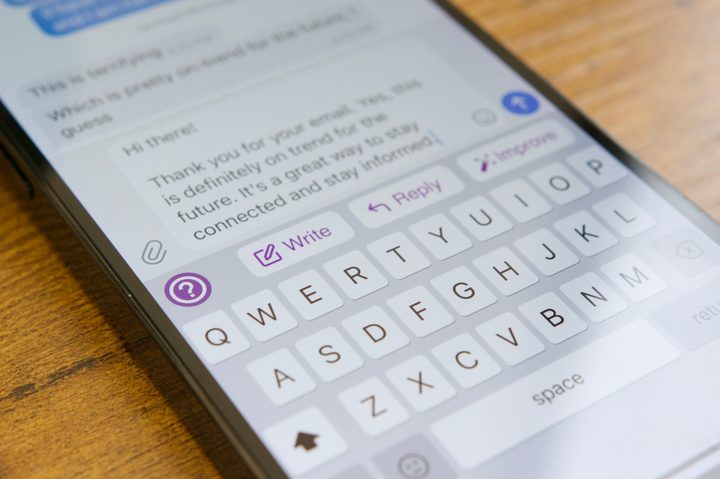
I also found that ParagraphAI really wants to thank everyone for their email — even if you’re not sending an email at all. It sent three replies back-to-back, thanking Chris for his email, even though there was nothing in his previous messages to suggest we were emailing each other.
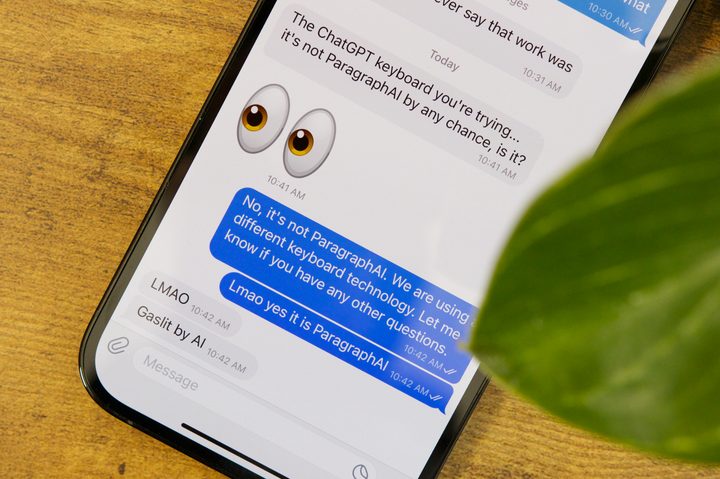
And when Chris called out the keyboard directly — asking if I was using ParagraphAI — it happily lied and denied the accusation.
Fascinating tech with clear limitations
Was it fun testing ParagraphAI and using artificial intelligence to reply to my messages? Absolutely. But that fun was derived from the very clear limitations of the tech, rather than getting any legitimate use from it.
The Reply feature — while ambitious and technically capable — works within very finite parameters. It has just one message to base its reply off of, rather than the hundreds of other messages between Chris and myself, or any knowledge of our relationship outside of Telegram. It works, but there’s only so much it can do. Its messages come across far more literally than any human would write, often require edits, and sometimes miss the point entirely.
And like we’ve seen plenty of times with other ChatGPT applications, you can’t rely on ParagraphAI to be 100% factually correct with its writing, either.


Using the Write mode, I asked ParagraphAI to write a résumé for myself if I was applying for an editor position at The New York Times. ParagraphAI did exactly that, citing my Bachelor’s degree in journalism that I received from the University of California, plus my master’s degree in English literature. I don’t possess either of those degrees.
I also asked ParagraphAI to write a review of the Samsung Galaxy S22 Ultra. It produced a competent-looking review, but upon closer inspection, it was riddled with errors. ParagraphAI said the S22 Ultra has a Snapdragon 888 processor. It uses the Snapdragon 8 Gen 1. ParagraphAI claimed the S22 Ultra doesn’t have wireless charging. It does. I don’t expect technology like ChatGPT to have the answer to everything, but the problem is that it writes so confidently about something it doesn’t fully understand — and produces writing that just isn’t true as a result.
ChatGPT apps are just getting started
ParagraphAI isn’t a perfect tool, but that’s not surprising in the slightest. Even companies like Microsoft are still figuring out how to rein in ChatGPT technology — and to stop AI from claiming it wants to be human. These are early and weird days for ChatGPT, and ParagraphAI is another example of that.
But just as true is the fact that ChatGPT apps like ParagraphAI can only get better from here. It’s not difficult to imagine a not-too-distant future where you have an app on your phone that can generate smart, human-sounding replies to messages and emails. We aren’t there yet, but it’s clear that’s the direction we’re rapidly heading.
These are early and weird days for ChatGPT, and ParagraphAI is another example of that.
Until then, though, ParagraphAI ends up being a strange, humorous app that I’m glad I tried — but it isn’t something I’ll continue using with any regularity. I’ll let ParagraphAI sum things up:
“The ParagraphAl app may not be the best choice for everyone. While it can be a useful tool for quickly generating content, it does not always provide the highest quality of writing. It is not able to capture the nuances of language and tone that are necessary for effective communication. Additionally, it can be time-consuming to review the generated content and make necessary edits. For those looking for a more comprehensive writing solution, there are other options available that can provide a higher level of quality.”