
Samsung has officially released the Galaxy Z Fold 4 and Galaxy Z Flip 4, its big phones for the second half of the year. The Galaxy Z Fold 4 will replace the Galaxy Z Fold 3 as the company’s premium foldable, but it’ll also be built off the 3 in that it remains very much an evolution, not a revolution.
The biggest changes you’ll see are the more advanced cameras and foldable optimized software, while the company smooths the creases on everything else. At this point, Samsung’s Z Fold is a known quantity. It does what it does, and it does it well. The Z Fold 4 just does everything the 3 does, but better.
Here’s everything you need to know about the Galaxy Z Fold 4.
Review
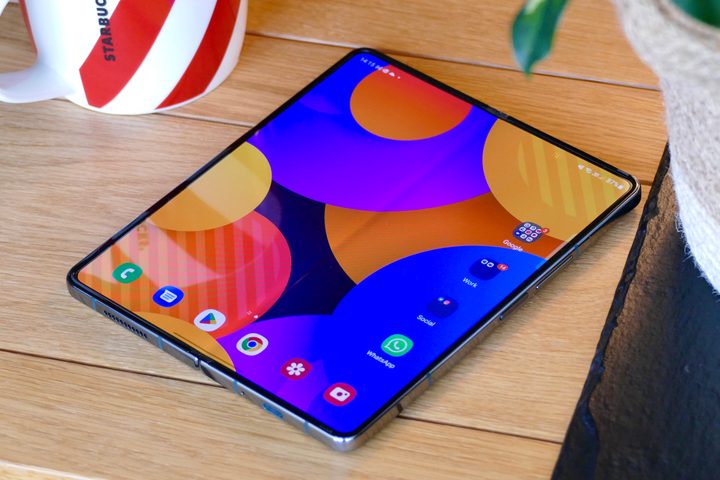
The best way to think about the Galaxy Z Fold 4 is like a tweaked, improved version of the Fold 3. There’s no major design overhaul like there was between the Fold 2 and Fold 3. The Z Fold 4 largely looks the same as its predecessor, but it makes a few important upgrades that result in a better overall device.
While the Fold 4 doesn’t look that much different, it feels noticeably better to hold, thanks to the subtle design changes that Samsung did make. It also has incredible performance with great efficiency, vastly better cameras, and enhanced software that makes multitasking easier than ever. Battery life and charging speeds could be better, but that’s all Samsung gave us to complain about this year.
For our full in-depth thoughts with additional testing notes, camera samples, and more, be sure to read our Samsung Galaxy Z Fold 4 review.
Design and display
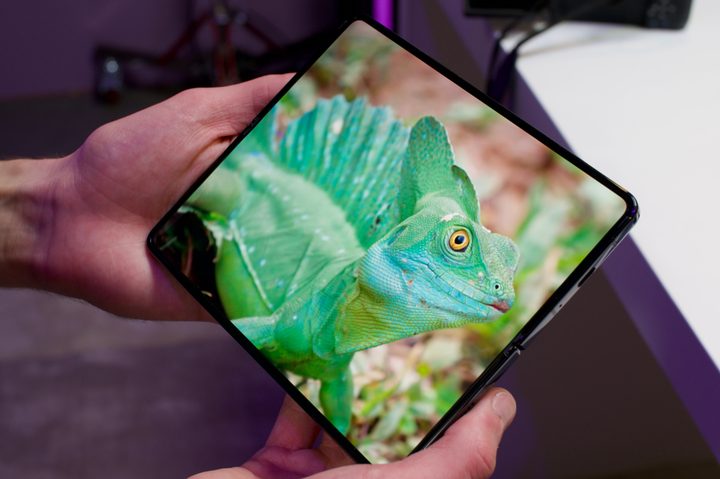
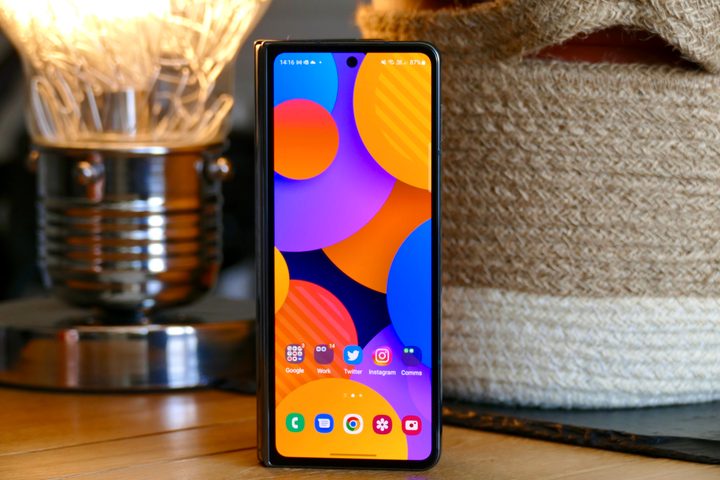
The Galaxy Fold 4 looks fairly similar to its predecessor, such that you may even confuse one for the other. It does, however, come with slightly different aspect ratios on both the cover display and the foldable screen so that you have a little more display area to work with than before. The cover display could go from 24.5:9 to 23:9, whereas the folding display gets a 6:5 screen instead of the 5:4 one found on the Galaxy Z Fold 3.
As for the display size, the Fold 4 has a 6.2-inch cover display and a 7.6-inch (7.4 if we account for rounded corners) main display. The foldable features an HD+ Dynamic AMOLED 2X panel on the outside with a resolution of 2316 x 904 pixels alongside 120Hz adaptive refresh rate support (between 48Hz and 120Hz). On the other hand, the internal screen has a QXGA+ Dynamic AMOLED 2X panel with a resolution of 2208 x 1786 pixels and up to a 120Hz refresh rate.
It was previously reported that the Samsung Galaxy Fold 4 will have an S Pen slot, but that didn’t happen. The foldable retains the support for S Pen with no built-in slot to house the accessory. As such, you will have to rely on a cover with an S Pen loop if you want to keep the S Pen with your Fold 4.
Processor and specs
The Snapdragon 8 Plus Gen 1 will power most (if not all) of the Android flagship smartphones launching later this year, and it was the obvious choice for the Galaxy Z Fold 4 and its flippable brother — where it could be paired with up to 512GB of storage alongside 12GB of RAM. Samsung thankfully forewent its Exynos processors, which have had heating problems for a while now, providing a more consistent processor experience with Qualcomm.
Samsung also debuted a more expensive, much larger storage option at 1TB. It’s not new for a phone now; Apple already opened that barn door. However, it makes the Fold 4 a lot better as an iPad replacement, especially if you’re making full use of its productivity capabilities introduced with Android 12L (more on that later).
Cameras
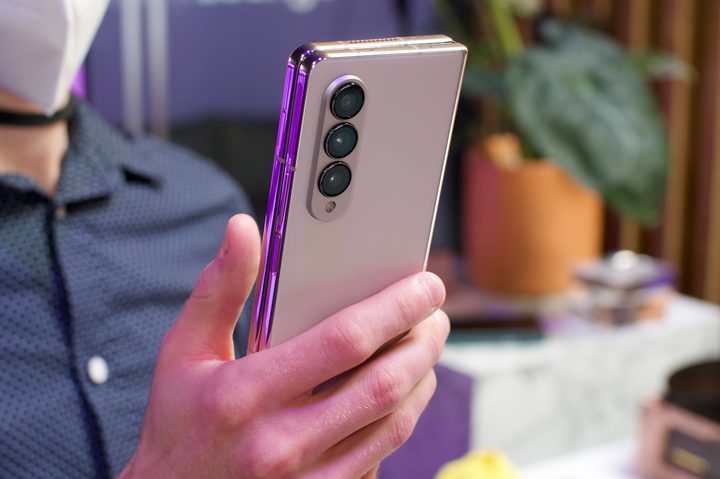
The Galaxy Z Fold 4 offers a camera setup that’ll be on par with its Galaxy S22 on paper, giving a flagship-class camera to one of its foldable for the first time. For the unaware, the Galaxy Z Fold 3’s cameras were criticized for not matching the performance of 2021’s Galaxy S flagship. The telephoto lens especially was a major letdown. But Samsung has done a good job with the zoom capabilities on the Galaxy S22, and the Galaxy Z Fold 4 features that same 10-megapixel telephoto lens with 3x optical zoom and 30X Space Zoom. Not only that, the same 50MP main camera and 12MP ultrawide as the S22 and S22 Plus make the jump.
By contrast, the Galaxy Z Fold 3 sports a 2x zoom with a 12MP telephoto lens. The foldable smartphone does retain the under-display selfie shooter on the main screen, but Samsung makes sure it’s less visible this time. That selfie shooter remains 4MP, though, so you’ll be better served using the 10MP camera on the cover screen for selfies while using the main one for video calls. The Z Fold 4’s cameras aren’t a massive jump over the Fold 3, but there are enough improvements to make you take notice.
Software
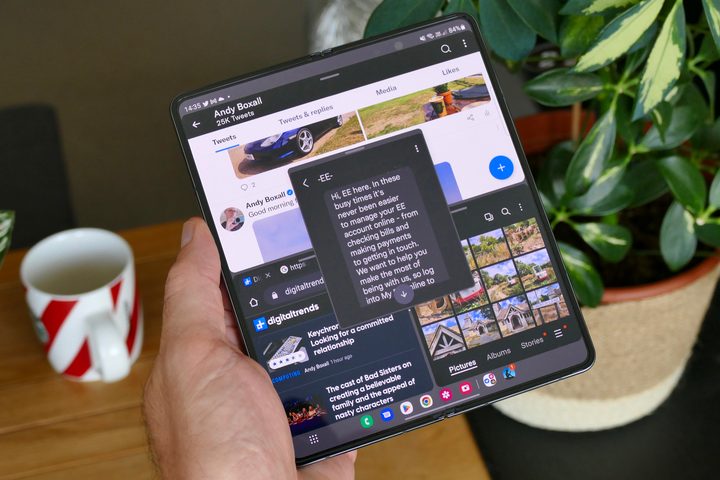
The Galaxy Fold 4 (but not the Galaxy Flip 4) comes with Android 12L and One UI 4.1. Aside from Google’s Pixel phones, it is currently the only Android phone to ship with 12L, a fact that Samsung touts somewhat erroneously (the Pixel 6a is the first phone to ship with the Android 12L).
Still, the Galaxy Z Fold 4 will see the most benefits from Android 12L as it’s an update that is targeted nigh exclusively at foldables and tablets. The Z Fold, in particular, gets the Android 12L taskbar that’s a lot like your PC (and your iPad), with more intuitive drag-and-drop support, as well as faster split screening and apps that take better advantage of your dual screen. Simply put, there are ample software features to help you get the most out of the Fold 4 and its unique design.
Price and availability
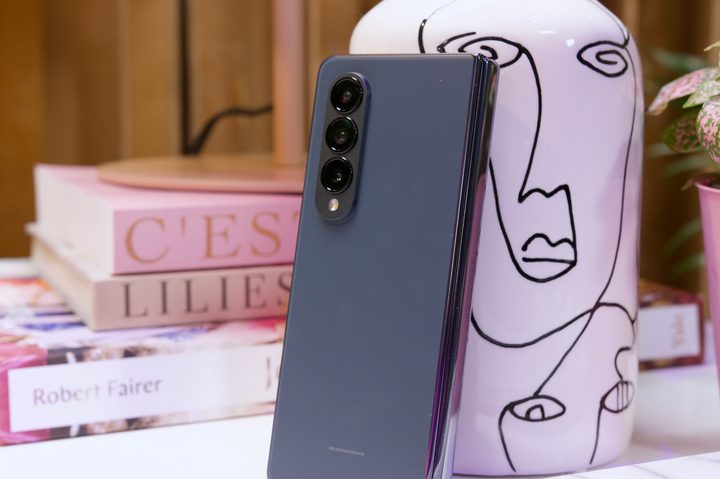
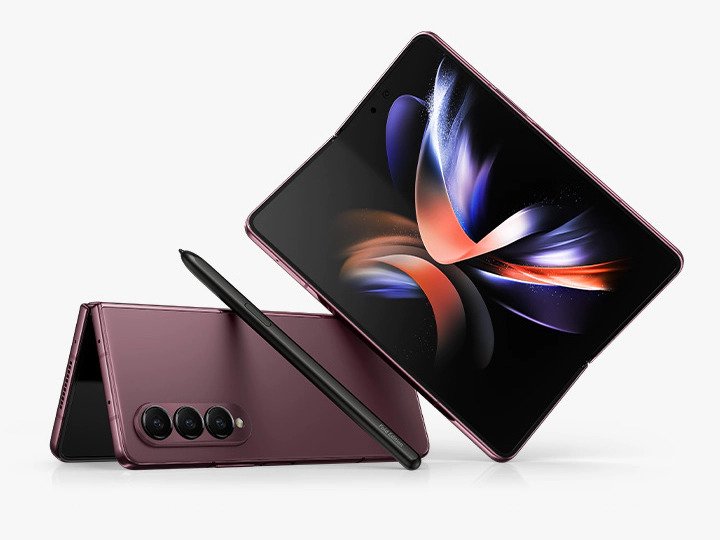
The Samsung Galaxy Fold 4 went on sale on August 26, with pre-orders arriving at around that time. It’s a pricey phone, one that’ll set you back $1,799 for the 256GB model, with a 512GB model available and an exclusive 1TB model sold only on Samsung’s website.
In addition to the standard gray, beige, and black colorways, Samsung also offers a burgundy option for the 512GB model. For those who pre-ordered, Samsung says you’ll get a complimentary memory upgrade to the next tier, so look out for that.
If you want to buy a different Android phone for whatever reason, take a look at our best Android smartphone recommendations.


