
The first generation Microsoft Surface Duo was released more than two years ago, and after a series of software updates, it’s become one of my favorite pocket-sized gadgets for fun and productivity.
Let’s be clear from the start: The Surface Duo is a miserable smartphone, despite the fact that it snappily runs a fairly recent version of Android. It’s awkward to make and receive calls. The camera is a blurry mess.
On the other hand, the Duo rocks for things like web browsing, emails, watching videos, and light gaming. In short, for anything that you might consider a small tablet for, the Duo does better.
Why the Surface Duo works so well in 2022
As its name suggests, the Duo is a device with two screens. While folding screens are all the rage at the moment with gadgets like the Galaxy Z Fold 4, I’m convinced that Microsoft is onto something with the double-trouble idea. For one thing, the Duo allows you to multitask like no other gadget I own.
It’s easy to launch two applications simultaneously on the Duo. While I’m working, for example, I can have Slack running on one screen and email on the other. Or, I can research an article with Chrome in the left-hand tab while taking notes in Word on the right-hand screen. For entertainment, it’s fun to watch a YouTube video on one screen while browsing eBay auctions on the other.
One huge point in the first-generation Duo model’s favor is the price. I picked up a brand new first-generation model recently Buy at Amazon . That’s a considerable savings over the approximately $1,500 price when the Duo was first released.
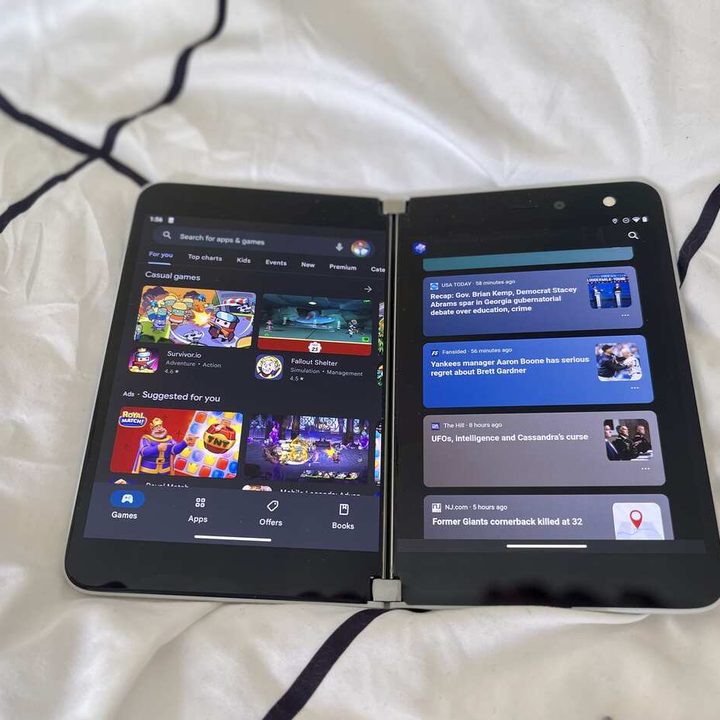
My favorite use for the Duo is reading books on Amazon’s Kindle app. Thanks to the app’s support of dual displays, it feels like reading more like reading a physical book than any other electronic device I’ve tried. I rediscovered how nice it is to see two pages at a time, and it’s replaced my dedicated Kindle device.
A design that still shines
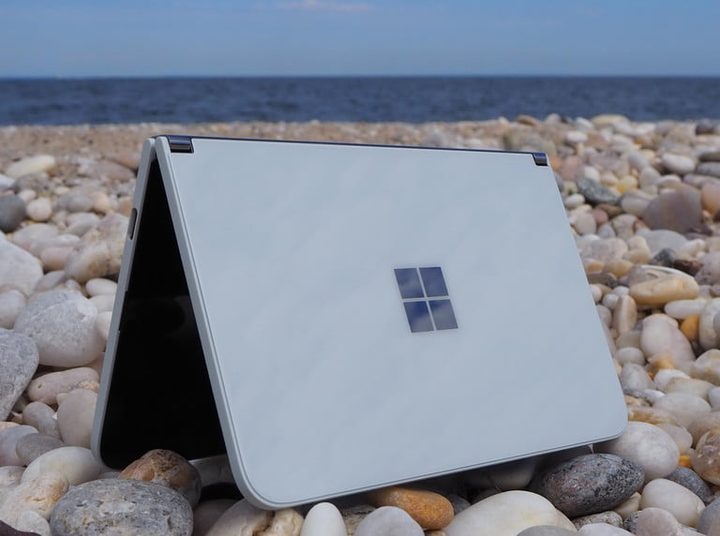
The design and ergonomics of the Duo are stunning and hard to capture in pictures. In your hand, it’s a slim and light device with a glass front and back. The 360-degree hinge is perfectly balanced and will keep the Duo open at any angle you choose.
I’m a big fan of the Microsoft hardware design aesthetic, and I was delighted to find that the Duo looks like a mini version of my Surface Pro. The Duo has two separate, conventional 5.6-inch Gorilla Glass-enclosed AMOLED panels that are bright and colorful. The exterior is made of white painted glass with a matte white frame that pairs nicely with the stainless-steel double-barrel hinge and Microsoft logo.
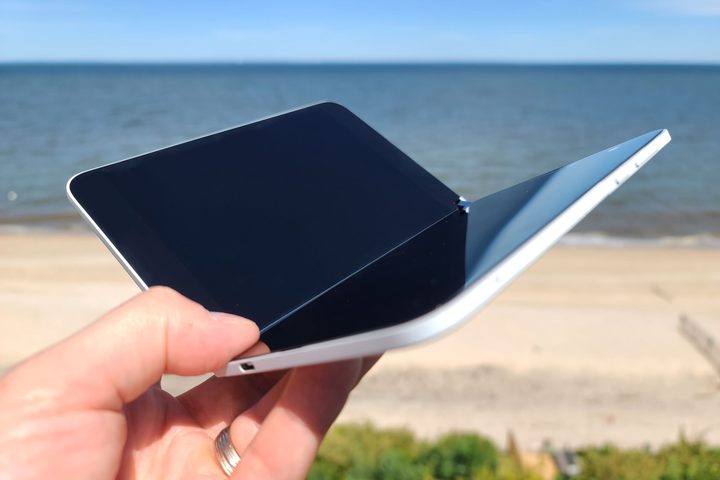
One problem with all that glass, though, is that the Duo is more fragile than I expected. Within hours of unboxing the gadget, I dropped it on the floor, and the glass casing cracked. It still works fine, but I should have installed the included rubber bumpers that detract from the sleek look but hopefully offer a little more protection.
The Duo is so thin at 4.8 millimeters that it’s hard to imagine where Microsoft squeezed in a battery. And unfortunately, battery life is lacking on this gadget. I didn’t do formal tests, but I’d estimate I get four to six hours of light web browsing and email before a low battery indication.
Super stylus
The best use I found for the Duo is taking notes. It works out of the box with Microsoft’s ubiquitous Surface stylus, one of which I happened to have around for use with my full-sized Surface Pro 7. In practice, it turns out that taking notes is a far better experience on the Duo than on a full-sized tablet or laptop. The smaller screen makes it very handy to jot notes that I might have on the go. Instead of hauling out a bigger machine, I can slip the Duo out of my pocket and take down my thoughts.
The double screens are also great for taking notes. For example, I can browse the web, and while reading an article, I can take notes on items of interest — ditto for times when I’m reading emails and there’s something I don’t want to forget.
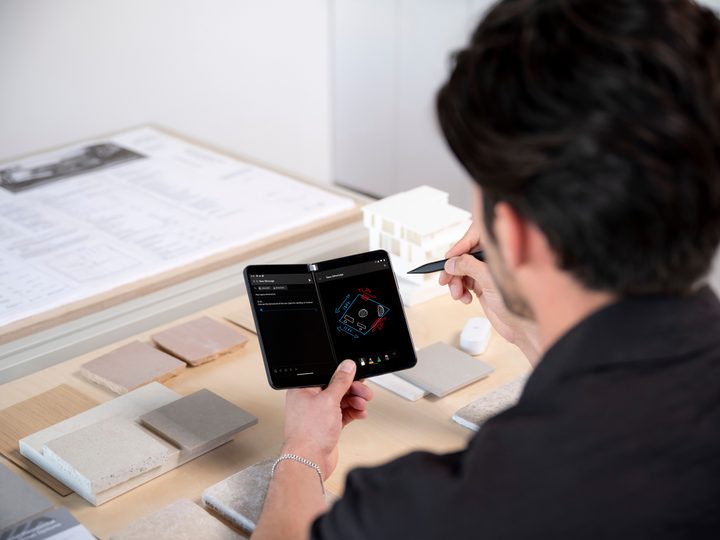
The Duo makes a superior digital notepad partly because it’s so handy. It’s a pocket-sized device with about the dimensions of a classic Moleskine notebook. I’ve used Microsoft OneNote, part of the Office Suite, for keeping track of everyday goings. OneNote is optimized for use with a stylus.
Remember that not every Android app will take advantage of dual screens. Fortunately, Microsoft has optimized its own Android apps, like Outlook, OneDrive, and OneNote. For example, If you flick your finger to extend Outlook across both of the Duo’s displays, it will show you your inbox on the left while allowing you to read one selected email on the right. This feature is genius-level multi-tasking that I wish other device manufacturers would adopt.
Performance on the device is more than acceptable, considering that the Duo uses a relatively antiquated Snapdragon 855 chip. I never felt like the system was bogged down, even when I was using two different apps simultaneously in separate windows.
Still a bad phone, but now a great companion gadget
Despite all its design perks, the Duo fits into an odd category of devices. I wouldn’t recommend it as a phone because having to unfold it for calls is awkward. It’s not a suitable tablet replacement either because the screens are too small for doing things like serious word processing.
Instead, it’s a fantastic third device for those who need to take notes or multitask while browsing the web. At its current low price, the Duo is a bargain. Just keep it on Wi-Fi.


