
I’ve been using an iPhone ever since 2008, starting with the original and then every generation since. For several years, the iPhone was only capable of SMS texting, with MMS support arriving with iOS 3 in 2009.
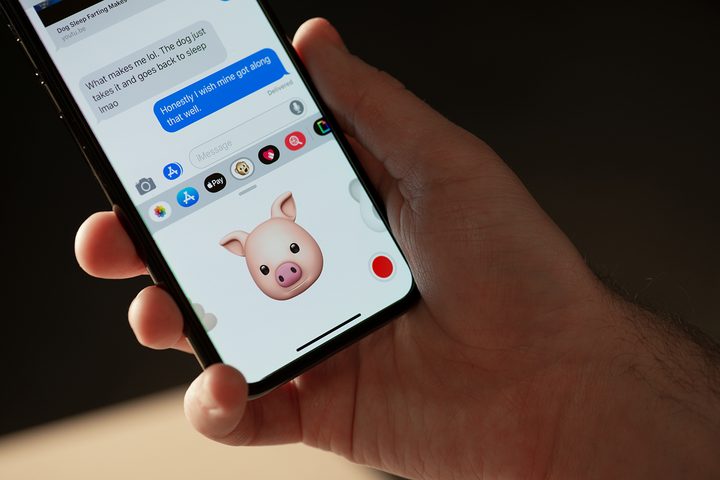
But in 2011, Apple created something new: iMessage. It first arrived on iOS and then went to the Mac in 2012 to replace iChat. iMessage is basically an instant messaging service that is exclusive to all Apple products: iPhone, iPad, Apple Watch, and Mac. You can send text, images and video, documents, rich preview links, stickers, and more between one another. You can also see if a message is delivered, send read receipts (if you want), and everything is encrypted. With iOS 16, you can even edit and unsend messages within a certain time frame.
iMessage is also used for sending text messages and multimedia messages to non-iMessage users — aka Android phones. However, much of the iMessage functionality you get with other iMessage users is impossible since the SMS/MMS protocol is older. But Android phones have moved over to rich communication services (RCS) for messages, and Google has repeatedly tried to shame and push Apple to open up iMessage to support it. Its latest efforts include getting regulators involved.
Though it feels like it’s only Google and Android fans pushing for Apple to support RCS, as a diehard iPhone user, I honestly would love to see RCS come to iPhone. Let me explain why.
The green bubble of shame
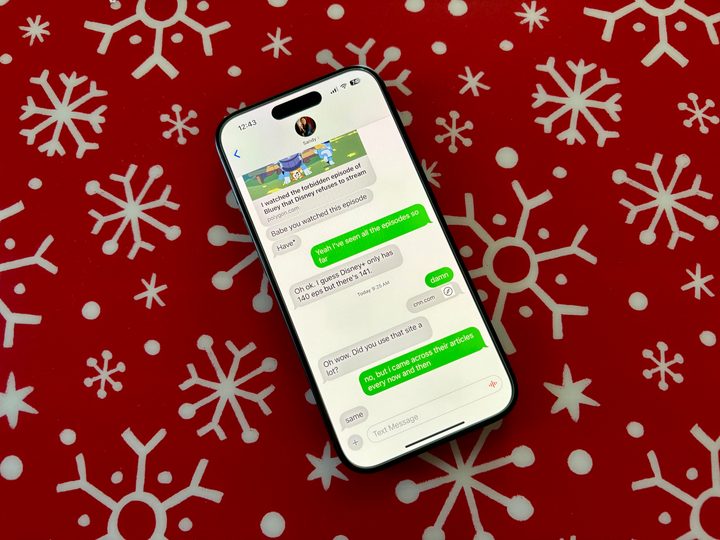
I consider myself a bit of an introvert, and sometimes I just find group chats exhausting. I’m not constantly juggling multiple group chats on my iPhone 15 Pro, but I do have some group chats with my immediate family. My mom and brother use iPhones, but my sister uses an Android phone. So, in our group chats, she’s the outlier with the green bubbles.
With an iMessage-only group chat, you’re able to leave if you’re just tired of the endless notifications and conversations. I often get overwhelmed by the back-and-forth between my siblings, and I really wish I could just take myself out of the chat. But since my sister uses an Android phone, I am unable to do that. I have permanently muted notifications on that group conversation because I don’t want to be bombarded daily.
Another annoying aspect I have to deal with due to my sister not using an iPhone is the fact that I can’t send long videos to everyone in a group chat. I take a lot of photos and videos of my daughter to share with family, and most times, I just want to send them through iMessage. But if I do that with a group chat with my sister, it will end up compressed and pixelated to the point where it’s pretty much unwatchable. It’s the same when she sends videos of her dogs. To avoid this hassle, I just ended up using one of those apps where multiple people can upload and view photos and videos instead when I want to share my daughter’s antics.
These may just be minor inconveniences, but it really makes me wish Apple would just get on board with RCS.
What is RCS, exactly?

There’s a lot of history and context behind RCS and how it is (slowly) growing to become the standard replacement for SMS. With Google’s efforts with carriers to adopt RCS, the result is “Chat,” which is a protocol based on the RCS Universal Profile. This is the global standard for implementing RCS on different carriers and countries that would let everyone communicate with each other.
Chat is available on two apps: Google’s Messages and Samsung Messages. Though that sounds limiting, most Android phones come with Google’s Messages app pre-installed. It’s basically like iMessage, where you can send messages and high-resolution photos and videos to each other. It also supports typing status, read receipts, delivery status, tapbacks, and more. For those worried about security, Google has enabled end-to-end encryption for RCS messages, giving it an advantage over SMS.
It may not offer all of the features that Apple currently has for iMessage, such as editing and unsending messages, but it has been evolving over time — just at a slower pace.
It’s time for Apple’s iMessage to open up
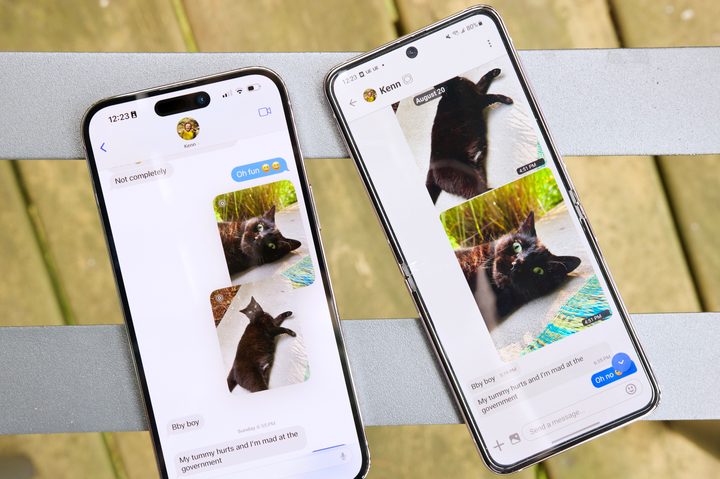
Though Google has made numerous attempts to push Apple towards adopting RCS, Apple has continued to just leave Google on “read” status. Apple feels that most of its customer base doesn’t care about RCS, and while that may be true, there are some of us who actually do care and want to see RCS adopted in iMessage.
Personally, the biggest reason I want RCS adoption is so that I can send high-resolution photos and videos in my group chats without having to rely on another app or service. I also like knowing that my messages were actually delivered or that I am getting a response. It would also be great if I could just leave a group chat if I wanted to rather than be forced to stay in that chat like I am now.
RCS, despite its slow growth and adoption as the SMS replacement, has a lot of potential. I think it would be amazing to have implemented in iMessage, even if it was just the ability to send high-res media. Why am I still seeing pixelated videos in 2023? Why is texting still so complicated? I wouldn’t have to keep asking these questions if Apple would just swallow its pride and stop being so stingy with iMessage.


