
How do you simulate a FaceTime video but maintain the level of control and quality necessary for a Netflix feature film? For Face 2 Face, that meant using GoPro cameras. The recent Netflix addition joins the video-streaming service’s list of lesser-known gems, and along with the witty, poignant story of a growing friendship between two teenagers, each hiding their own secret, the independent film has an equally intriguing behind-the-scenes story. Shot solely on GoPros, the actors did much of the camera work, and the frequent movement of the cameras meant the scene had to be prepped from every direction.
Face 2 Face follows Madison (Daniela Bodadilla, Anger Management) and Teal (Daniel Amerman, Arrested Development, Office, and Glee), two former childhood friends that reconnect as teenagers via video chat from halfway across the country. The film consists entirely of the views from the teenagers’ laptops and smartphones as the two grow closer together, sharing inside jokes and subtle hints that each character is facing more than they let on.
The GoPro was rigged with a small display and mic so the actors could hold the camera much like a smartphone.
Using a GoPro during filming isn’t unique, but as the primary camera and with the requirements involved, Face 2 Face’s production stands out. Director Matt Toronto had the idea for the film while directing an out-of-state play and FaceTiming with his wife and kids every night. He started exploring the ways that the video chat medium could be used to tell the story, and, writing with his brother Aaron Toronto, created the script for Face 2 Face.
Knowing the movie would be made up of a series of video chats, the team started experimenting with different camera options that would maintain that wide-screen, bumpy video chat look, while keeping quality high. After experimenting with both iPhones and GoPros, the director and cinematographer Kristoffer Carrillo opted to go with a GoPro Hero4 because of the additional controls mixed in with that widescreen action camera view.
For chats between the two characters from their laptops, the GoPro was mounted with a microphone at the top of the laptop screen. The camera assistant would press record, then quickly leave the room — because many of the scenes included a full 360 of the room. The actors themselves did most of the camera work to keep that video chat feel, including moving around the room, intentional camera bumps, and even one scene where the actor was chatting while spinning around on a desk chair.


When the conversation left the character’s bedrooms, the GoPro was rigged with a small display and mic so the actors could hold the camera much like a smartphone. The setup was used for both the horizontal and vertical shots, with a spin effect added in post production when the orientation changed mid-recording.
“The way [the actors] married their performance with the camera work made it really exciting to work on.”
“[The GoPro] was actually a great camera to work with,” Toronto said. “You don’t have the same kind of flexibility in terms of changing lenses, so there are a lot of choices that aren’t available to you. But because we were shooting something that was all one look, there was no need to change the lenses, so that was kind of an advantage. The GoPro worked brilliantly for a project like this.”
The GoPro rigs were mixed with post production effects, including animating the computer screens and social media profiles and tweaking the camera movement. The characters, for example, couldn’t close the laptop all the way without damaging the camera rig, so to simulate ending the conversation with a shut of the laptop, the actors closed the screen partially and a fade finished the effect in post. Visual effects were done by Mathew Gilmore, with Justine Gendron as the film’s editor and Ian Michaels as producer.
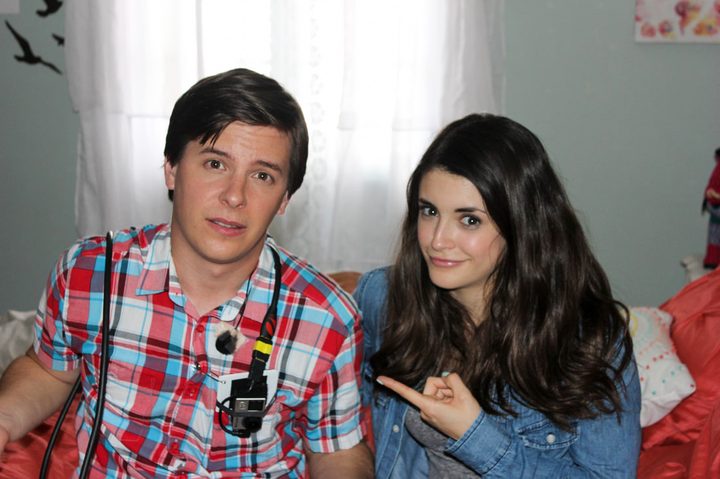
Ironically, the characters were actually on a real FaceTime conversation during the shoot. To keep the shooting costs down, rather than record simultaneously with twice as much gear and people, the crew filmed each character separately. To get a more genuine reaction and to time the lines, the other actor would run through his or her side of the conversation using FaceTime. Both sides were then mixed together in post, and while Toronto wanted some static connections for aesthetics, some were also added in to get perfect timing when mixing the two chats together.
“While in some respects, it was a low-budget film, in another sense it was largely organic because the actors did the camera work,” Toronto said. “The way they married their performance with the camera work made it really exciting to work on.”
The film was finished in 2016, made the film festival rounds in 2017, and arrived on Netflix last month.


