
Google has finally released Android 12L, an operating system aimed at building out the Android 12 experience for large-screen devices, including foldables and tablets. Even Chromebook users will also benefit from the update, though Google isn’t clear on how.
Up until now, Android tablets have just run an overblown version of the mobile OS on a larger screen. Whether it be an 8-inch tablet or a 12-inch slate, there have been no optimizations for larger screens in Android other than that made manually by the likes of Samsung and Huawei. All of it is set to change with Android 12L. It will finally bring features to take full advantage of a larger display. Here’s what to expect from the update.
L stands for larger screens
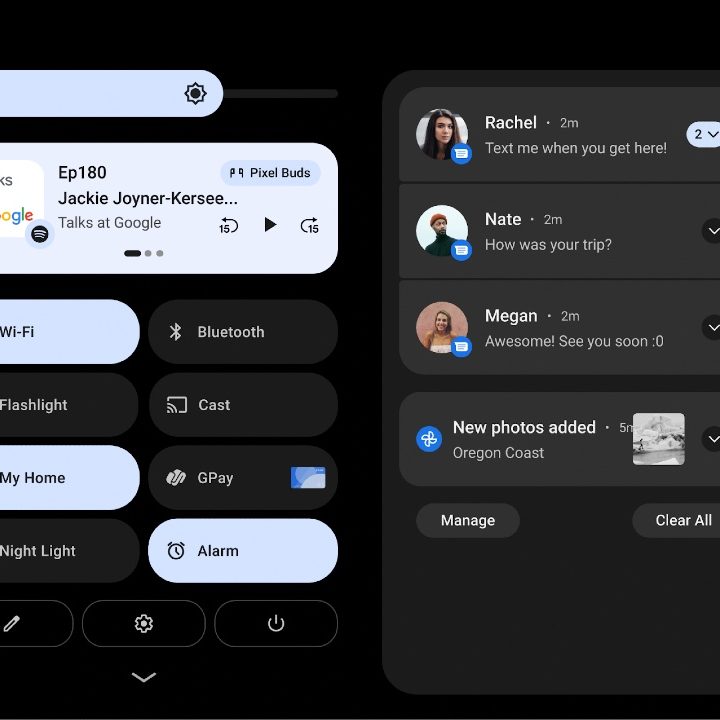
Android 12L refines the system UI to take advantage of the additional space on a tablet. It makes it easier to use a large screen for tasks such as notifications, quick settings, lock screen, overview, the home screen, and more. Instead of a space-wasting single-panel notification center, Google adds a new dual-panel notification center on foldables and tablets. It allows users to see and interact with their notifications while also looking at Quick Settings simultaneously.
The lock screen will now use a larger two-column layout to highlight notifications and the clock. Other apps including Settings are also optimized. Google is also making it easier to interact with its OS on larger screens. For instance, the lock screen pattern and PIN controls on tablets are now displayed at the side of the screen for easier access. You can tap the other side of the screen to bring the PIN/pattern controls over to that side.
There are also some changes for foldables as well. The company is optimizing the home screen grid and polishing the fold-unfold transition in a bid to allow users to move seamlessly from a single exterior screen to the larger unfolded screen.
Intuitive multitasking and more productivity
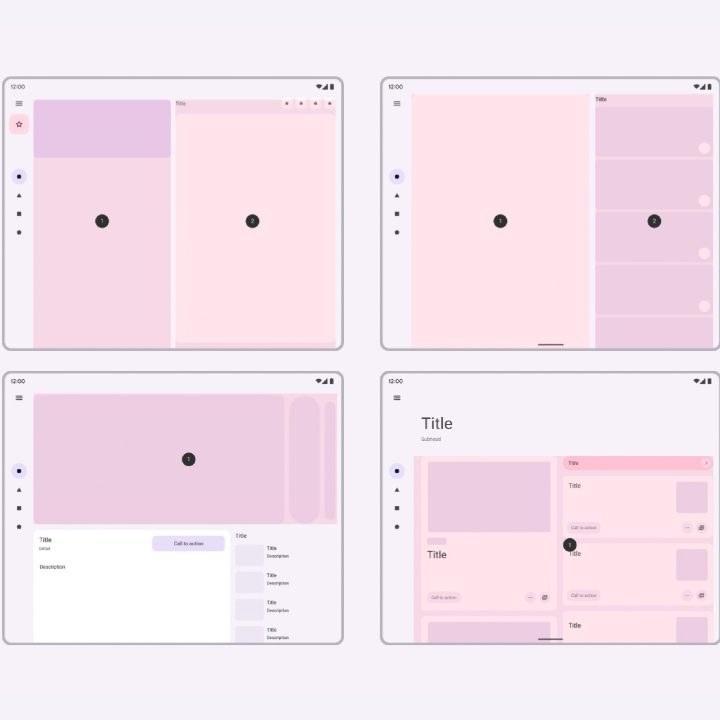
Larger screens mean more room for multitasking, allowing you to be more productive. For years, Android tablets have lacked the productivity chops available on the iPad. Android 12L allows you to be more productive on foldables and tablets, with features that make multitasking powerful and intuitive.
The update snags Chrome OS’s taskbar to make things easier to navigate. Google is also adding support for gestures on the taskbar to do things like drag and drop to enter split-screen mode and swipe up to go home. You also get a quick-switch gesture that lets you flip through recent apps, and you can hide or unhide the taskbar at any time with a long press.
With Android 12L, it is easier than ever to run two apps simultaneously on a single screen. You can drag and drop your favorite apps into split-screen directly from the taskbar. If that’s not your style, you can use a new Split action in the overview to start split-screen mode with a tap. Google says it will allow all apps to enter multi-window mode, regardless of whether they are resizable.
Compatibility improvements
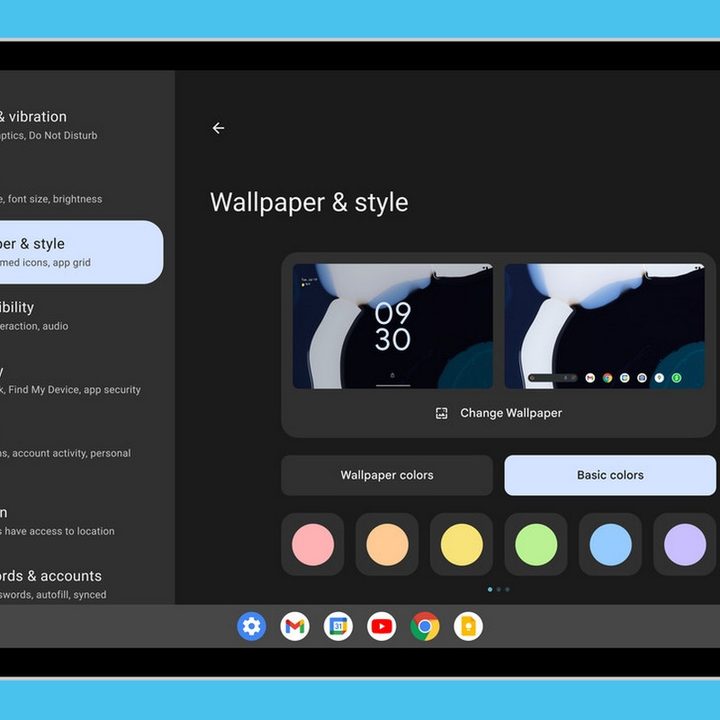
Whatever Google might say, Android apps have never been quite optimized for larger screens. Sure, there have been a few outliers here and there, but the vast majority aren’t as optimized as an equivalent iOS app would be. This isn’t necessarily a bad thing — Google has done a lot of work to make sure that even if a developer doesn’t build a tablet app, it still looks pretty good anyway. While it can’t force developers to build better apps, it can make those apps that already exist easier to use on large-screen scenarios.
There’s newfound support for multi-window mode, continuity across screen size and device posture changes, and more. Google’s even going to force apps to make use of these scenarios by default with a new compatibility mode, whether the developers want to or not. It’s gotten quite a bit of experience doing this with Android apps on Chrome OS, after all.
As with all things Android, it will let device manufacturers make their own changes, including configuring the default app aspect ratio, apply rounded corners to the app window, and set the status bar transparency. It’s likely to appease big companies like Samsung and Xiaomi who have their own One UI Tab 4 and MiUI 13 Pad operating systems based on Android already.
Android 12L release date
Android 12L was released to the Pixel 3a, Pixel 4, Pixel 4a, Pixel 5, and Pixel 6 series of devices alongside the March 2022 Pixel Feature Drop as Android 12.1. Without tablet hardware, we can’t quite test out Android 12L’s killer features, but Google promises it’ll be coming to devices from Lenovo, Samsung, and Microsoft in the future. Samsung, for its part, has already confirmed that it would be bringing Android 12L to the Samsung Galaxy Tab S8, S8 Plus, and S8 Ultra, though it is unclear what changes — if any — the update will add to One UI’s already robust tablet interface.


