
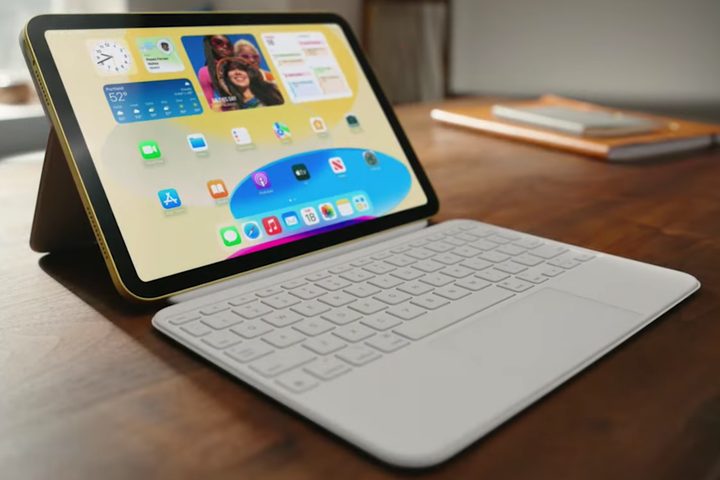
Apple has launched iPadOS 16 for everyone. This software update is available for free to folks with a compatible iPad model and it brings some big changes to the Messages app, has new smart tools for collaboration, a fresh new iCloud Shared Photo Library, Stage Manager, a Weather app (gasp!), and more. On top of that, Apple is also launching iOS 16.1 for all compatible iPhone models as well, like the iPhone 14 and iPhone 14 Pro.
In the Messages app, the big changes include the ability to edit, undo send, and mark entire conversations as unread. While the first two may not have been a universal must-have, marking conversations as unread has been something many people have clamored about for many years. Other new additions in Messages include SharePlay and collaboration on shared documents.
Mail also received some big upgrades, similar to the Messages app. Now you’ll be able to set a reminder to come back to certain messages later (essentially a snooze functionality) and even unsend an email, which is more like delaying the actual sending in the first place by 30 seconds. The Mail app will also suggest following up on emails to which you have yet to receive a response.
iCloud Shared Photo Library is a brand-new way to share photos together with family. It’s a separate Photo Library in iCloud that up to six people (with Family Sharing) can collaborate on, contribute to, and simply enjoy. Users in an iCloud Shared Photo Library can contribute photos and videos from personal libraries, start sharing based on a start date, or even share photos with certain people in them. New photos can automatically be added to the shared photo library as well, making it even easier.

One of the biggest features in iPadOS 16, though not met without criticism from the community, is Stage Manager. This is a new way to multitask on the iPad, and it will automatically organize your apps and windows, which theoretically should make it quick and easy to switch between everything. Windows can overlap and be different sizes, be dragged and dropped, and the active app window is prominently displayed in the center, with other windows showing up on the left-hand side by order of recency.
Originally, Apple limited Stage Manager to iPad models with an M1 or M2 chip, but now Apple has made it so Stage Manager can work on older iPad models, but without support for external displays. For that, you’ll still need an M1 or M2 iPad.
However, Stage Manager has been met with a lot of criticism from the tech community. During the iPadOS 16 beta stages, it appeared to be buggy and consistently crashing. Others may not see it as more useful than Slideover and Split View. This is very subjective, though, so your mileage may vary.

Other iPadOS 16 features include Freeform, a new productivity app that features a flexible canvas in which you can collaborate with others. It will have full support for Apple Pencil, and users are able to see, share, and make real-time changes in a single space without the worry about layouts or page sizes. Freeform will also support various file types like images, audio, PDFs, documents, web links, and more. Though this is part of iPadOS 16, it will be coming in a future update, so it is not currently available immediately.
While these are the major changes in iPadOS 16, there are plenty of other smaller features as well, like improvements to Live Text and Visual Lookup, a Weather app, and more. Apple also launched iOS 16.1 to compatible iPhone models, which brings the much-anticipated iCloud Shared Photo Library.


