
Do you need something to keep yourself occupied while self-isolating? Perhaps you’d like to take on digital drawing? Not only is it therapeutic but it could also be a nice little addition to your ever-growing repertoire of skills. You’d need a drawing tablet and stylus first, and what better place to start than Apple? We’ve scoured Amazon and found these excellent deals on the Apple Pencil 1st Gen and iPad 10.2 that let you in on up to $50 worth of savings. Discounts on the Apple Pencil are few and far between so these deals are not to be missed. It may only be a few dollars, but that’s better than nothing on a product that rarely dips below its retail price, so now is definitely the time to buy.
Apple Pencil – $95, was $100

The first Apple Pencil helped propel the popularity of the digital stylus into the mainstream market, becoming the preferred device of doodlers, note-takers, and creatives alike. Although it’s been eclipsed by the more convenient Apple Pencil 2, it remains a fantastic product worth getting. Besides, the second iteration of the Apple Pencil is only compatible with the latest 11- and 12.9-inch iPad Pro, while the original works with the sixth-generation iPad, the iPad Mini 5, the iPad Air 3, and the latest iPad 10.2-inch. Right now, you can get it at Amazon for the affordable price of $95 upon checkout instead of the usual $100.
The Apple Pencil first-generation measures 6.875 inches long and weighs a measly 0.64-ounce. It’s a white plastic cylinder with a matte gray plastic nib that screws off in case it needs to be replaced, with a removable rear cap that houses the Lightning jack underneath it. The box includes the Pencil itself, an adapter that lets you charge it from a standard Lightning cable (or directly through your iPad if you want), and a replacement tip.
For the Pencil to work, it needs to be paired first with a compatible iPad. Thankfully, it’s very easy to do. Just plug the Pencil briefly into the iPad’s Lightning port and it should be able to work immediately. Unfortunately, this stylus has no battery-life indicators. This information will be displayed only on your iPad’s screen. Charging the Pencil on the bottom of your iPad is very awkward as well since it sticks out at a right angle. You also need to be careful where you place the cap as there’s no way to store it. Apple has fixed this issue with the Apple Pencil 2, which magnetically attaches to the iPad Pro while it charges. But, as mentioned earlier, it only works with the very expensive iPad Pro.
The Pencil is capable of producing incredibly fine lines with pressure-based variations. The side of the tip creates wider strokes, which is great for shading, and the tip can also offer a fine point when you need it. What’s more, it’s pretty much compatible with every major creative and note-taking app for the iPad, including Procreate, Evernote, and Sketches.
The Apple Pencil first-gen remains one of the most precise and accurate tablet styluses available, a no-brainer purchase for digital artists who own an iPad. Get it for $95 at Amazon today.
iPad 10.2 – $279, was $329
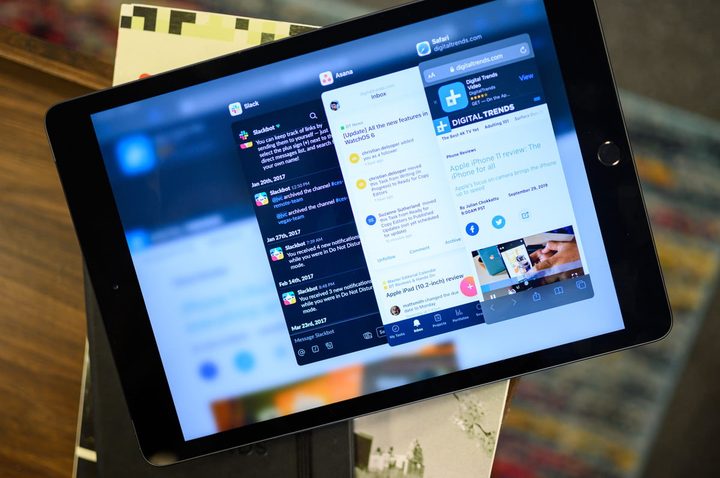
The standard iPad’s bezels are still obscenely large (slimming them down would have made it look a bit more contemporary), but this tablet now boasts a bigger 10.2-inch screen compared to the previous model’s 9.7-inch display. In comparison, Samsung’s Galaxy Tab S6’s trimmed bezels look fetchingly modern, and so do those of the iPad Pro. None of this means that the iPad feels cheap, though. It has a nice substantial weight to it, plus it sports a 100% recycled aluminum enclosure, which is good for the environment. Instead of Face ID, which remains exclusive to the iPad Pro and the latest iPhones, you get Touch ID, although that’s not exactly a deal-breaker for most users. What sets this apart from the older iPad 9.7 is support for the Smart Connector so you can use it with Apple’s Smart Keyboard (sold separately).
As mentioned earlier, this device offers a slight increase in screen size. The LCD panel’s pixel density is the same at 264 pixels per inch, although it looks sharp, and is colorful and very bright. And thankfully the headphone jack has not been removed, unlike the iPad Pro. You don’t have to go hunting for a 3.5mm-to-Lightning jack once your Bluetooth headphones lose power.
Strangely, the iPad 10.2 didn’t get a processor upgrade, unlike the rest of the iPad lineup, which now boasts the A12 Bionic chipset. However, this tablet’s A10 Fusion processor still packs plenty of power. Multitasking with several apps open won’t be an issue, and navigating the new iPadOS is buttery smooth. The previous iPads ran with just a slightly altered version of the iOS, but the iPadOS is an entirely different beast. You have the ability to use multiple apps in the Slide Over menu, a revamped home screen layout that includes the Today View widgets, desktop-grade Safari, and multi-window apps. You can now even use Split View on the same app, like having two Google Docs open side by side.
The first-gen Apple Pencil is compatible with this iPad, and it remains an excellent and responsive tool. There’s still no way of storing it, though, unlike the second-gen Apple Pencil which magnetically attaches to the iPad Pro, and it’s still in danger of snapping in half every time you charge it through the Lightning port. Finally, the battery life was pretty good. You’ll be able to use the iPad for a maximum of three days with intermittent use, or a full workday if you’re going to use it as your primary device.
Despite its shortcomings, the iPad 10.2 is the best tablet that you can buy on a limited budget. It is powerful, has a fantastic operating system, and serves up solid battery life. You can get it with 32GB of memory at Amazon for just $279 instead of $329, a cool $50 worth of savings. What’s more, you can get an additional $50 off instantly upon approval for the Amazon Rewards Visa Card, bringing the price even lower to $229.
Looking for more? Head over to our Deals Hub for more awesome deals on Apple products, including iPad deals, MacBook deals, iPhone deals, Apple Watch deals, and AirPods deals.


