

Now that you’ve got your iPad, you may want to add a few accessories to get the most out of it. If you’re willing to spend a minimum of $500 on the tablet, why not deck it out a little bit to protect your investment and to unleash its full potential? We’ve rounded up our favorite iPad accessories. These each give the tablet more functionality and some needed protection from the elements.
Also check out our recommendations for the Best iPad cases.
Wacom Bamboo Stylus ($30)Not everyone is going to see the need for a stylus, but if you like to write or sketch on your iPad then you know how essential a good stylus is to the process. Wacom has been in the digital pen and tablet market for years and it knows how to create a product that just feels right. The Wacom Bamboo Stylus comes in a range of six colors and it is weighted to feel like a real pen. They look good and they feel good to use. If you’re willing to shell out an additional ten bucks, you can get the Duo version which also has a traditional pen tip for a really authentic pen feel. |
 |
 |
Gripdaddy Headrest Mounts ($60)Kids don’t like to sit still and car journeys can be pretty grueling if you don’t have something prepared to amuse them. How about using your iPad? Gripdaddy offers two mounts. One is the traditional back of the headrest mount, the V2 HDR. For those of us with multiple kids, there’s the V2 ARM which cleverly slides the screen out from the headrest so it can be situated in the middle of the two front seats. That makes for perfect viewing for the whole backseat. Since the mounts are adjustable you’ll find you can usually leave your iPad case on as well, which is extra convenient. |
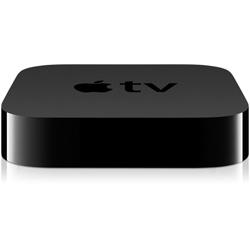
Apple TV ($100)If you want to take full advantage of the AirPlay feature in iOS and stream content from your iPad to your main screen, then Apple TV is by far the simplest way to do it. Wireless screen mirroring allows you to bring up your iPad screen on your HDTV screen. You can watch movies, play games, run a photo slideshow, or simply blow up any app you happen to be using. It may be lacking in other departments (see our Apple TV review), but for screen mirroring from your iPad, AirPlay with Apple TV is unbeatable. |
 |
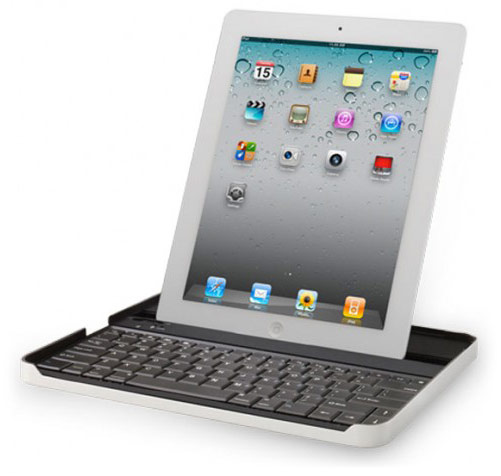 |
Logitech Keyboard Case ($100)This keyboard and case combination is the perfect accessory for the iPad fan who is also a traveler or businessperson. The Bluetooth keyboard easily pairs with your iPad to allow for comfortable typing should you need to write some speedy emails or work on documents. The iPad fits neatly into a designated slot in either portrait or landscape mode and, even better, the keyboard acts as a cushioned case if you snap your iPad into it when you’re done typing. |
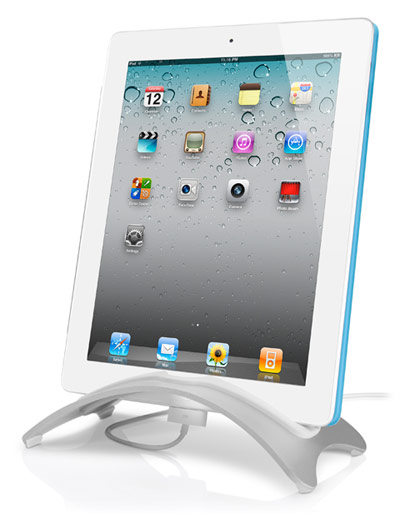
BookArc Stand ($30)This helpful stand is perfect for keeping your iPad propped up at home, in the office, or in the kitchen. The sleek aluminum BookArc stand matches the iPad perfectly and offers tilted (work mode) and upright (storage mode) positions and arcs upward to allow just enough room for your charging cable. Pair it with a wireless keyboard and you’ve got a perfect computer-replacement set up for your device. |
 |
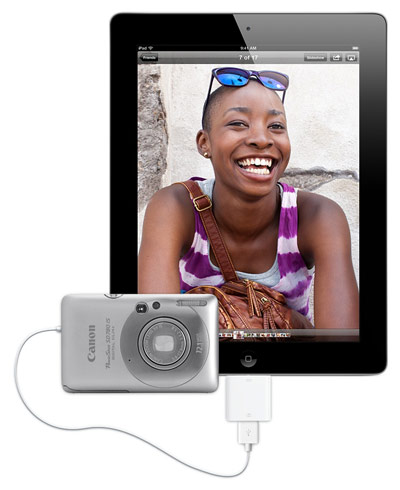 |
Apple Camera Connector Kit ($30)This affordable kit is perfect for photographers who love to show off photos (or edit them) on their iPads. It gives users two different ways to quickly get photos from your camera onto your device – with a small USB adapter or a small SD card reader. The kit supports standard photo and HD video formats so you’ll always be able to view your creations. |
Apple Wireless Keyboard ($70)No list of the best iPad accessories would be complete without a wireless keyboard. If you need a keyboard for your iPad either at work or at home, you might as well go for the Apple version, which works like a charm and keeps with the sleek aluminum aesthetic of your iPad. The super-thin keyboard connects to your iPad via Bluetooth, uses no cables and runs on AA batteries. |
 |
 |
Bluelounge Kicks ($12)This smart and inexpensive accessory will give your iPad extra protection if you like to carry it sans-case or prefer to only use the Smart Cover for your iPad 2. Either way, stick some of these rubber bumpers onto the back of your iPad and you’ll get extra protection from scratches and will be able to rest it on any surface without worrying. |
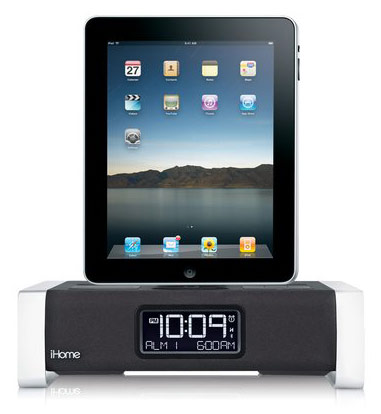
iHome iA100 iPad Dock ($200)This all-in-one iPad dock gives your device a place to rest and recharge and lets you play tunes via Bluetooth and set dual alarms to wake up to. This model works with free iHome apps to make an even better experience, and sound is enhanced with Bongiovi Acoustics and an adjustable EQ. Keep it at your bedside as a charging station, set of speakers, and alarm clock, or move it into the kitchen or living room to get music flowing wherever you are in the house. |
 |
 |
iBend XL Stand ($10)This smart stand for your iPad is perfect when you need to prop up your pad on the go. The slim, bendable stand curves around to hold your iPad in place while you type on a keyboard, watch a movie, or play a game with the kids. The best part – it lies down completely flat so you can easily keep it in a bag or purse at all times. |
What do you think of our list of the best iPad accessories? Did we miss something? Let us know in the comments below.


