Picture this: You're going on a nine-hour flight from Miami to Paris for a family vacation to Europe. The plane you boarded either doesn't have in-flight entertainment or, if it does, the movie and show options flashing on your headrest screen don't interest you. Even worse, the flight attendants choose a movie to play on the TV set hanging overhead that not every passenger likes. What do you do? You dig through your backpack and take out your tablet and choose from a wide variety of movies to watch on Netflix, Prime Video, Hulu, Disney+, Max, or even Apple TV+.
Your tablet is your best friend in fighting boredom during long trips. In addition to catching up on TV shows and movies, you can play games on it with a wireless controller and complete your work tasks on your way to your final destination. If you're on the market for a new tablet, we created a list of tablets we think are more suited for your travel needs. Here are the five best tablets for you to take on your next trip.



Best overall tablet for travel
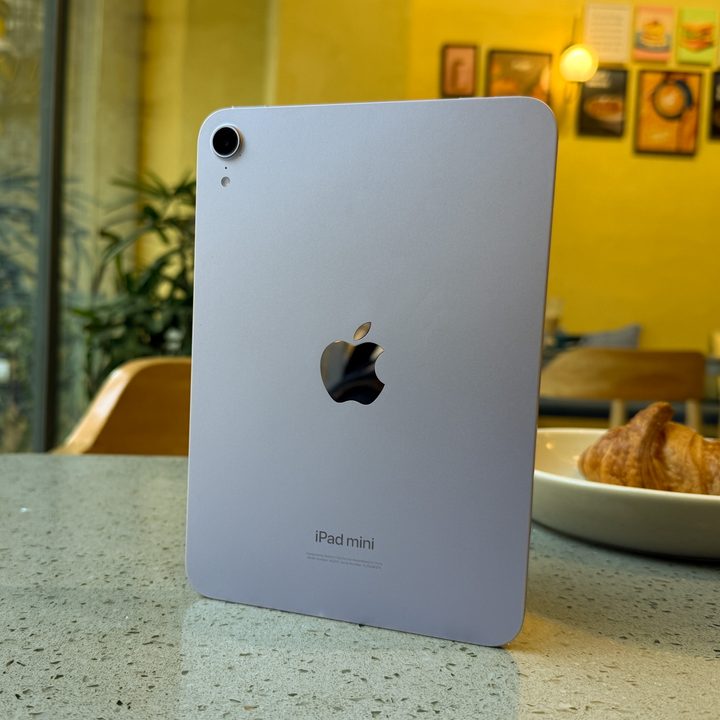
iPad mini (2024)
- Pocketable size and gleefully light
- Better aspect ratio than other iPads
- Sharp and colorful display
- A17 Pro silicon is plenty powerful
- Battery life doesn't disappoint
- Screen should be brighter
- Apple Intelligence is still half-baked
Love watching movies, playing games and reading e-books while traveling but don't want to do it on a bigger screen? The iPad mini (2024) has your back. Its 4:3 aspect ratio makes visuals brighter than the iPad Pro does, which is especially good if you're planning on doing work on it throughout your flight or train ride to your business trip destination. It can also run games like Zenless Zone Zero and Dragon Age: The Veilguard at a smooth 60 frames per second (fps) without running into performance issues.
The iPad mini (2024) weighs up to 297 grams (0.66 pounds), making it light as a feather and slim enough to fit in your coat jacket pocket and your cargo pants pocket without weighing you down. TSA agents will thank you for lightening your carry-on load.

Best value tablet for travel
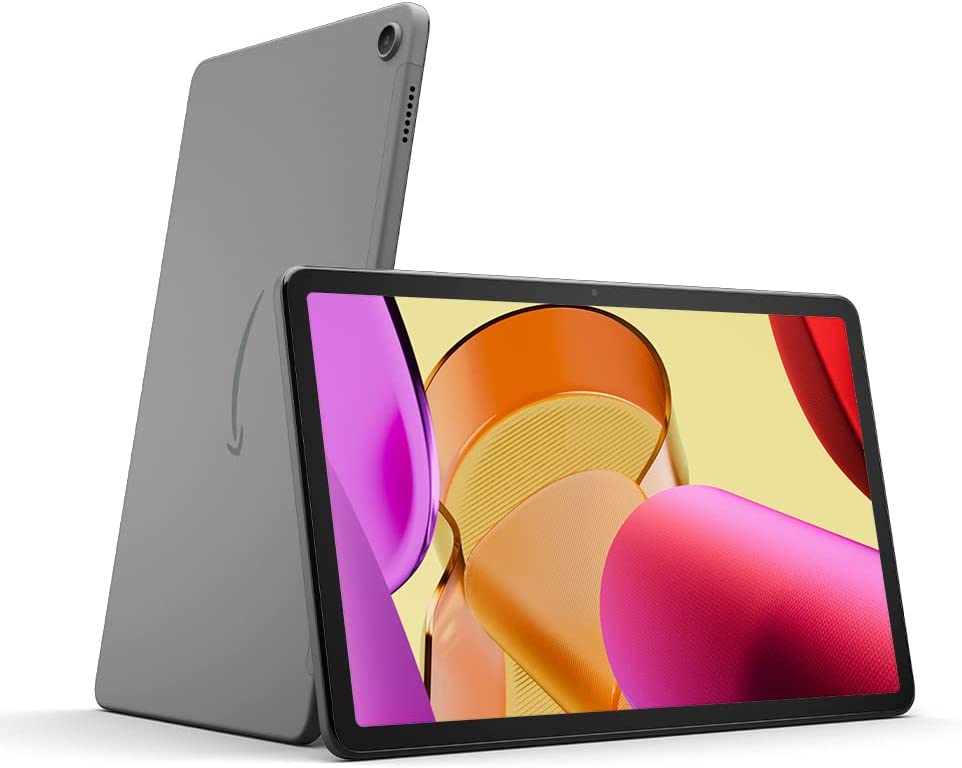
Amazon Fire Max 11
- Great screen for video
- Keyboard feels good to type on
- 10-hour-plus battery life
- Useful kickstand case
- Sparse app store
- Slow charging
The Amazon Fire Max 11 is the best tablet for media consumption than productivity and social media scrolling, especially when you're travelling. You get to catch up on your favorite shows and movies on Amazon Prime, Netflix, Disney+, Hulu, and Crunchyroll on the 11-inch 2000 x 1200-pixel display, which brightens up the colors of the media's environment. Just make sure you wear headphones to enhance your audio experience -- and not disturb other travelers in your vicinity.
The tablet's battery lasts for a good 10 hours, so you'll be able to maximize your travel time by binging your favorite content. Unfortunately, you'll have to access YouTube through its web browser, which is not ideal but it's something. If you watch movies more than work while traveling to begin with, the Amazon Fire Max 11 is well worth the money.
Best Android tablet for travel
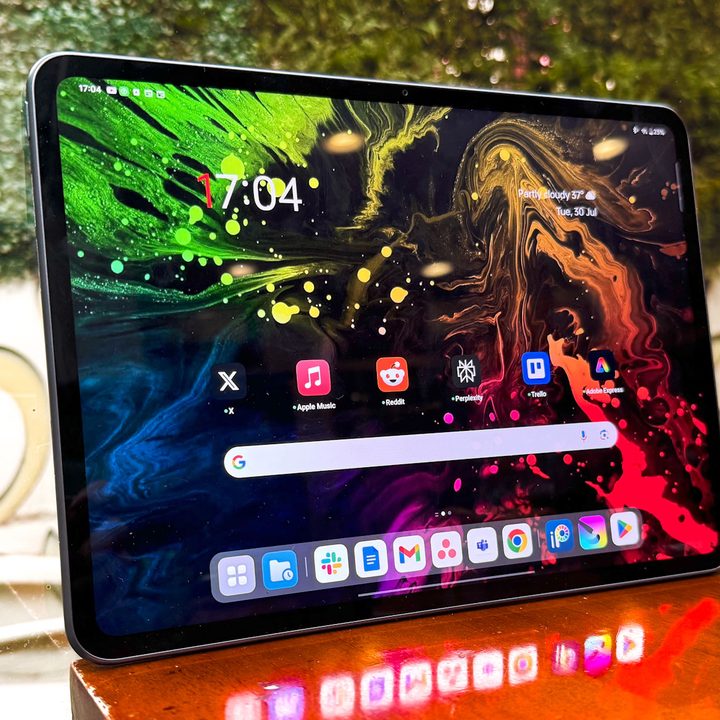
OnePlus Pad 2
- Beautiful build and light form factor
- Reliable stylus and keyboard
- Great six-speaker setup
- 67W fast charging
- Plenty of silicon firepower
- Beautiful 144Hz display
- Feature-rich OxygenOS experience
- Lack of dust and water resistance
- No cellular connectivity support
- OxygenOS could use some refinement
There are other good Android tablets out there, like the Samsung Galaxy Tab S10, but when it comes to travel, none of them hold a candle to the OnePlus Pad 2. It runs Android 14 out of the box (it can be upgraded to the latest software), and has a 12.1-inch display with a 144Hz refresh rate, making it nearly three times as responsive as the screens on other tablets.
Because of the high refresh rate, the OnePlus Pad 2 is an excellent tablet for playing video games, drawing, editing videos while on the go. The Stylo Pen can be a great help with the last two tasks, as it has excellent pressure-sensitivity and no latency for pen strokes whatsoever. If you're a video editor and you need to edit videos for your media team or other entity before you arrive at an event where those videos are needed, the OnePlus Pad 2 is your best bet.

Best work tablet for travel
Microsoft Surface Pro 11
- Gorgeous OLED screen
- Keyboard now works disconnected
- Upgradable storage
- Excellent trackpad and keyboard
- Spectacular webcam
- Great performance and battery life
- Not a great tablet without the keyboard
- Lacks a headphone jack
The Microsoft Surface Pro 11 is perfect for busybodies who need to meet deadlines and host video conferences while they're flying for business or pleasure. The resolution on the 12-megapixel wide-angle lens is just as good as the resolution glowing across the screen, as it's an OLED display with a 120Hz refresh rate (if you get the OLED model).
This tablet's high refresh rate and resolution is helped by the fact that it comes with the Snapdragon X Elite chip, which helps ramp up its performance. The best part is you can work on the Surface Pro 11 with the keyboard either attached or detached and still get things done. It's perfect for train rides and long flights -- especially with the 14-hour battery life to help keep the workflow going.
What to consider
Traveling with a tablet is the smartest thing to do if you need to catch up on work or lose yourself in your entertainment undisturbed by others -- except by flight attendants telling you to put it away minutes before landing. However, there are things to get in order before you cross the tablet off your travel checklist and pack it in your bag.
What size should my tablet be?
There's really no limit to how big your tablet should be if you decide to take it somewhere, but what size you think it should be depends on the purpose. If you're traveling for work, you may want to opt for a tablet that's 10 to 12 inches in length. The bigger your screen, the more you're able to get your tasks done. If you're just taking a vacation, you're better off with an 8-inch tablet, perfect for watching movies and reading e-books.
Do I need a keyboard?
If you're traveling for a business trip or you're a digital nomad, then you need a keyboard to get everything done quicker. Otherwise, leave the keyboard at home. Or keep it in a secret compartment in your carry-on just in case.
How we tested
We reviewed the tablets sent to us by reputable companies, such as Amazon, Apple, Microsoft, and OnePlus. They have a track record of producing high quality electronics, and that helps to inform our decision to add their products to this list.
Why trust us
Digital Trends has been reporting on the latest tech products since 2006. Our writers and editors travel abroad frequently for technology showcases and use some of the tablets mentioned on this list for ease of carriage, storage, and coverage.