
Universal Control was first announced during last year’s W0rldwide Developers Conference keynote covering MacOS Monterey. However, the feature didn’t appear at Monterey’s launch last fall. Now, several months later, it is finally available in the newest beta versions of MacOS Monterey (12.3) and iPadOS (15.4).
Universal Control allows you control your iPad and Mac setups with the same keyboard and mouse, seamlessly moving between them as if they were separate displays on the desktop. You can also drag and drop content such as photos and documents between the devices. All of this is supposed to work intuitively and with no setup.
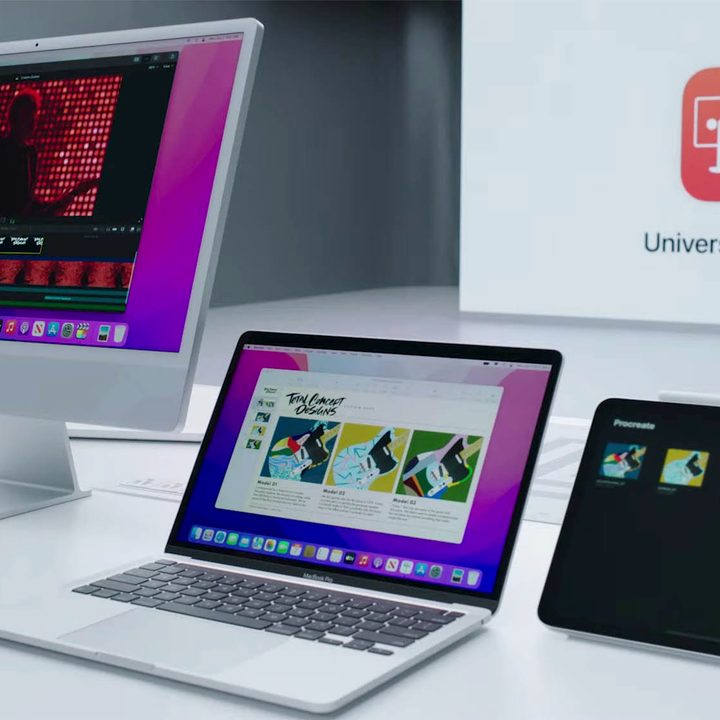
Well, there is a little bit of setup, but it isn’t too complex. To connect an iPad and Mac, just move your cursor to the edge of the display, and the compatible device should appear. Note that you will need the latest versions of MacOS and iPadOS to do this. You will also need to reconnect the iPad any time it leaves the range of the Mac.
For managing multiple Macs and MacBooks, you can toggle the Universal Control settings from the display menu. You can also manage the display arrangement for iPads in this menu as well.
All things considered, Universal Control is pretty cool, and it’s an excellent extension of Apple’s continuity system. By all accounts, it works pretty well. Here’s an early demonstration of the feature in action, as shared by MacStories.
Holy wow Universal Control is incredible.
This is me moving between a MacBook Pro, an iPad mini, and an iPad Pro using just the MacBook trackpad and keyboard. It's aware of position, lets you drag files, and supports iPadOS gestures.
The hype was real and it all just works 🤯 pic.twitter.com/PWUTLYZtkW
— Federico Viticci (@viticci) January 27, 2022
Universal Control is yet another example of Apple flexing the strength of its product ecosystem. The tight integration between all of its devices is a major selling point, and it gets more robust every year.
Despite the implementation of Universal Control, Apple still seems resistant to the idea of merging its operating systems into a universal platform. Even when the latest iPad Pro runs an M1 chip and MacOS natively runs iOS apps, the company still sees the two systems as independent.
Apple will likely continue to want to sell each of its products in separate lines, but if Universal Control proves popular, that attitude may start to shift. For more on the Mac, check out our review for the latest MacBook Pro, which we think is the best MacBook in years.


