Amazon Alexa is one of the world’s most popular voice assistants, found on more than 600 million devices worldwide. Since its launch in November 2014, it’s helped millions of people with everything from weather forecasts and playing music, to letting them control their smart thermostats and smart lights.
Today, it’s evolved into a full AI companion with the launch of Alexa+ – a smarter, more conversational upgrade that’s free with Amazon Prime and rolling out now across Echo, Fire TV, Ring, and Kindle devices.
You can still find Alexa on familiar devices like the Echo Pop and Echo Show 8, as well as through the Alexa app for iOS and Android. But with Alexa+, Amazon’s assistant is now more proactive, more personal, and able to handle complex tasks in natural conversation.
In short, when it comes to smart home platforms, few are as popular as Alexa. Google Home and Apple Home are its two biggest competitors — and all three are great options for running your smart home. But what exactly is Amazon Alexa? And how can it help you streamline your life? From how to use Alexa and why you would choose Alexa for your smart home, here’s a closer look at this innovative assistant.
Who/what is Alexa?

For most people, all you really have to know about Alexa is that it’s the name of the voice that comes out of Alexa-enabled speakers. Basically, Alexa is to Amazon what Siri is to Apple. Alexa is a voice that you can ask questions to and get answers, such as “What is the weather today in Chicago?” Alexa has been integrated into many of Amazon’s services and can be used with products such as the original Amazon Echo, Echo Dot, Echo Spot, Echo Show, or Amazon Fire TV.
But really, what exactly is Alexa? When you ask Alexa a question, what you’re doing is communicating with a cloud-based service. Amazon has designed the Alexa Voice Service (AVS) to mimic real conversations, but you’re actually using intuitive voice commands to get this service to perform specific tasks. “Alexa” is simply the “wake word” that alerts the service to start listening to your voice. For most devices, you just have to say the wake word to get a response.
According to Amazon’s Developer site, the Alexa Voice Service (AVS) lives in the cloud. Amazon’s AVS is an intelligent voice recognition and natural language understanding service. The service can be used to voice-enable any connected device that has a microphone and speaker. That’s why you’re starting to see Alexa in headphones and other devices. “Alexa is always getting smarter with new capabilities through machine learning,” Amazon’s Developer site reads.
While Alexa is the official name for Amazon’s voice assistant, you can change this wake word to “Amazon,” “Computer,” or “Echo.” That’s a useful feature, especially if your name or your partner’s or roommate’s name happens to be Alexa or something that sounds similar.
It’s also worth noting that in 2025, Amazon introduced Alexa+, powered by generative AI (more on that in a sec). This next-generation version promises to better understand natural speech, remembers context from previous interactions, and can carry out multi-step tasks without constant prompting – a major step forward for voice assistants.
Why Alexa?

Apple has Siri. Google Home has the Google Assistant, which comes alive when you say “OK, Google.” Amazon has Alexa. But why? According to David Limp, the Amazon executive who oversaw the development of the service, the name “Alexa” was chosen for a few reasons. First, the name “Alexa” harks back to the Library of Alexandria, which attempted to collect all of the world’s knowledge. Amazon is attempting to do the same thing. Alexa is always learning but, in theory, it should be a seamless source of information.
More practically, the service was named Alexa because it contains the uncommon “X” sound. Since this service is voice-activated, Amazon wanted to choose a name that wouldn’t get confused with other words that could accidentally awaken the device:
“We did go through a number of names and the name is important as much for the personality that it creates around the persona than is this computer-based voice computer in the cloud. But there’s computer science behind it, too,” Limp said. “If any of you have Echoes, you know that it only wakes up when it hears the word ‘Alexa,’ and the phonics of that word and how that word is parsed, and the fact that it has a hard consonant with the ‘X’ in it, is important in making sure that it wakes up only when it’s asked for. And so, a combination of those two things allowed us to kind of narrow in on Alexa.”
Where can I use Alexa?
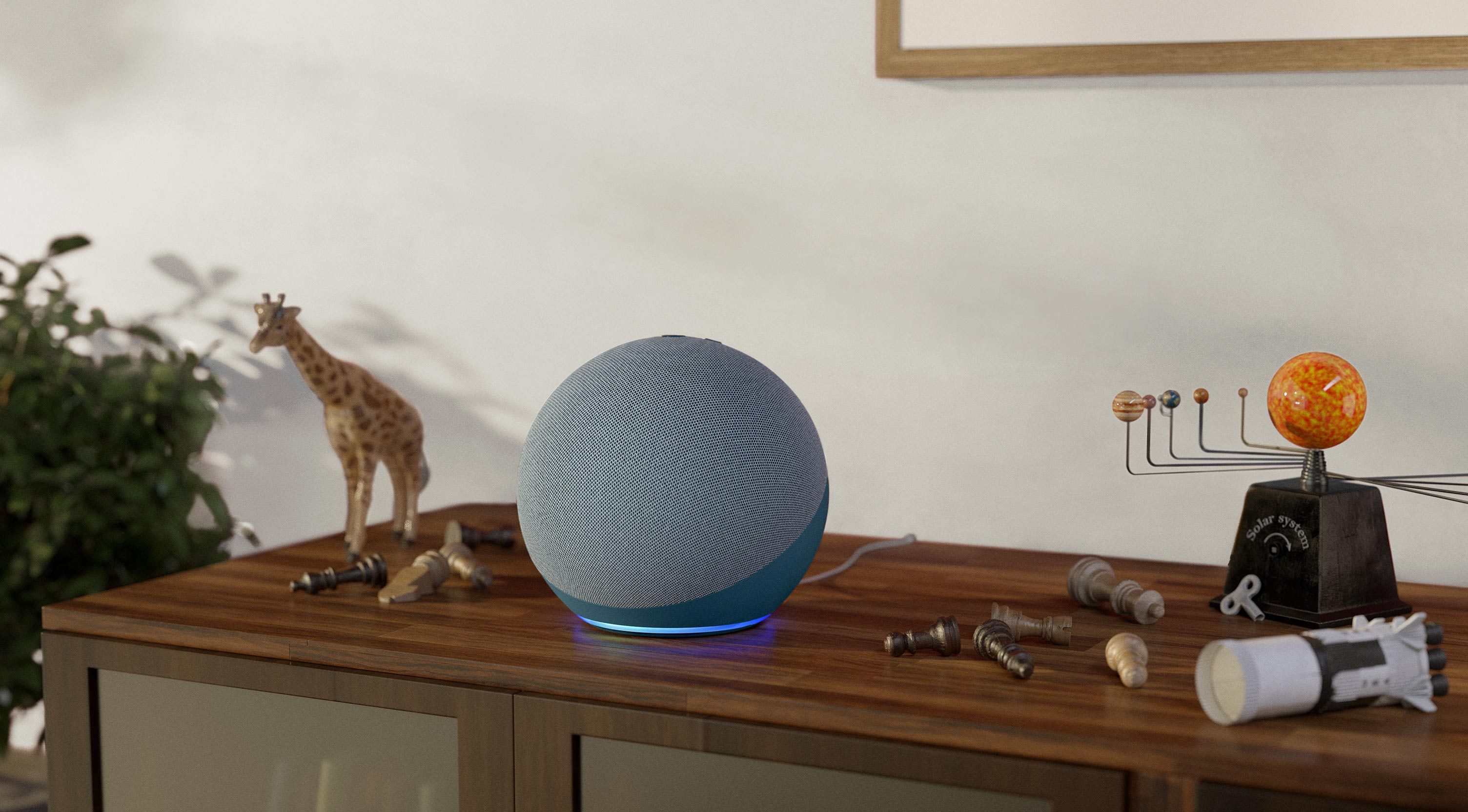
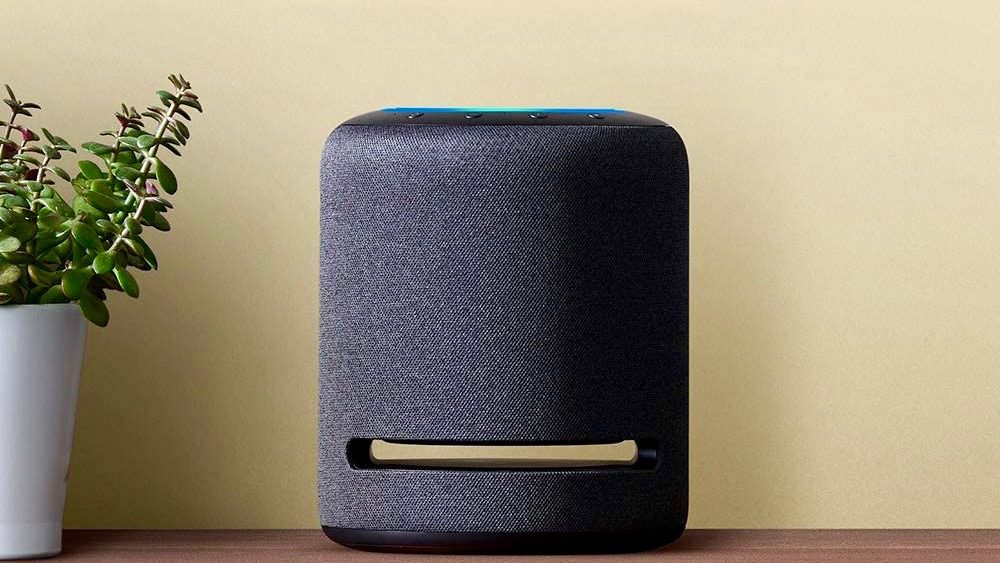
In order to use Alexa, you’ll need a device that integrates voice technology. This typically means an Amazon device like the compact Echo Pop and Echo Dot (5th Gen) smart speakers, to larger offerings like the Echo (4th Gen) and Echo Studio.
If you prefer a screen, there’s also the Echo Show 5, 8, 10, 15, and the new 21-inch model, which blurs the line between smart display and smart TV.
Alexa+ is debuting first on the latest Echo Show 8, 10, 15, and 21 models, with support for more Echo speakers and Fire TV devices expected later in 2025.
Beyond Amazon’s own lineup, Alexa also integrates with Ring doorbells, Kindle devices, and Fire TV hardware, as well as countless third-party products that carry the “Works with Alexa” tag. Elsewhere, the voice assistant has also been integrated into the Echo Auto, along with entertainment devices like Amazon’s own Fire TV streaming sticks.
TVs that run Amazon’s Fire OS are also compatible with Alexa, as are other third-party devices like the Sonos One. Someone even programmed Alexa to work with a Big Mouth Billy Bass, because why not?
Alexa has also become the center of many smart-home systems, including Wink, SmartThings, and the Logitech Harmony. You can also use the voice assistant to build your smart home piecemeal, as Alexa can pair with hubless devices such as WeMo switches and Nest thermostats.
And now that many Echo devices support Matter, it can interact with a wide variety of smart home gadgets. You can also use it directly on your phone via an app, so you don’t have to invest in third-party gadgets to enjoy the voice assistant’s company.
Here is a list of the best smart home devices compatible with Alexa.
What can Alexa do?
The list of commands Alexa can understand seems to grow on a daily basis. Amazon calls these “skills,” and you can even create your own skills through Amazon Blueprints. Upon review from Amazon, you can even publish your own skills in the Amazon Skills Store for other people to use on their Alexa devices. The number of tasks that Alexa can accomplish is clearly more than we can list in this article, so be sure to check out our roundup of the best Alexa skills.
In addition, Alexa is also useful in helping people establish bedtime and morning routines. You only need to assign a command, and that specific command can trigger a series of events. For instance, if you were to say, “Alexa, goodnight,” it could trigger the machine to turn all house lights off, arm the security system, and turn on an ambient noise machine simultaneously. You can make your routine pretty specific, too; If you’d like, you could program Alexa to turn on your preferred lights, wait 10 minutes, and then turn on the coffee pot. If you get up earlier than your partner does, you can use Alexa’s whisper mode, so it communicates back in a whisper and listens explicitly for your whispers. You can learn how to set up routines in our how-to guide.
With Alexa+, these capabilities go much further. The assistant can summarise documents or emails you upload, manage appointments, make restaurant reservations via OpenTable or service bookings through Thumbtack, and even carry on natural, back-and-forth conversations without repeating the wake word. It even remembers preferences such as dietary needs or favourite artists, and can use that context to make tailored suggestions.
Thanks to a new system of “experts” – dedicated task modules that let Alexa coordinate across tens of thousands of services and devices – Alexa+ can also take complex actions autonomously. For example, it might notice traffic delays and suggest leaving early, or move your music from the kitchen speaker to your living room Fire TV automatically.
Some of these new capabilities are rolling out gradually during Alexa+ early access, but even without the upgrade, standard Alexa continues to handle daily tasks, smart-home control, and entertainment – and will keep receiving new features over time.
Also interested in Apple Home? Here’s a detailed comparison of Apple Home vs. Amazon Alexa to help you figure out which is best for your smart home.
What is Alexa+?

Alexa+ is Amazon’s new generative-AI assistant, designed to make Alexa more conversational, personal, and capable. It builds on Amazon’s large language models (LLMs) running on Amazon’s own Bedrock service, enabling Alexa to understand natural speech, recall past interactions, and complete multi-step tasks seamlessly.
Alexa+ can, for example, navigate the web to find services, upload and interpret your own files or emails, manage your calendar, and control every Alexa-connected device in your home.
Conversations also flow naturally, too. You could, for example, start chatting to your Echo Show, and continue your conversation on the Alexa mobile app, with context remembered throughout.
As for pricing and availability, Alexa+ costs $19.99 per month, but it’s free for all Amazon Prime members as part of their subscription.
The upgrade is rolling out in stages, starting with US customers on the latest Echo Show models, with more Echo and Fire TV devices – and other regions – to follow later in 2025.
Amazon’s latest Alexa-enabled smart speakers