1. Home
  2. Gaming
  3. Computing
  4. Virtual Reality
  5. News

Windows Mixed Reality is about to have a Big Bang moment with SteamVR support

Add as a preferred source on Google

The library of content for Windows Mixed Reality (WMR) headsets is slated to explode when SteamVR support is officially added to the platform. Although there may be some incompatibilities considering the differences in hardware, WMR headset owners should then have access to all of the same games and experiences as HTC Vive users.

With its blend of support for both augmented and virtual reality, the WMR platform has the potential to be one of the most all-encompassing reality-bending systems out there. However, at this stage, its content is somewhat limited — just 61 virtual reality apps by RoadToVR’s count. That is all going to change in less than a week.

Recommended Videos

On Wednesday, November 15, a public preview of SteamVR integration will be released, making it possible to dive headfirst into virtual reality titles like Thumper, Rec Room, Serious Sam VR and many more of the best HTC Vive games on Steam.

This is all possible because SteamVR is designed to be an open standard that is gradually finding acceptance among hardware other than the headset and tracking system that Valve helped develop with HTC. We’re already seeing the trackers find usage in all sorts of exciting accessories.

For WMR  users, this is a big step though. In one fell swoop, it solves the chicken and egg content problem that has plagued augmented and virtual reality headsets since their inception. Without content, nobody wants the headsets and without headsets, nobody wants to make the content for them. With the entire SteamVR library at its disposal, suddenly the WMR platform looks much more attractive to consumers.

Once it starts making money for developers, it, in turn, will seem well worth porting your game to that hardware, or even crafting custom experiences that leverage mixed reality’s unique characteristics for something different.

This public preview should be pretty seamless too, as it’s been tested by early access developers for a while now. That said, this public preview is still being considered a beta, so users looking to jump on the bandwagon should be aware that it may not be perfect.

While this preview will debut on November 15, the final launch date for the finalized SteamVR support has not been announced yet.

Jon Martindale
Jon Martindale covers how to guides, best-of lists, and explainers to help everyone understand the hottest new hardware and…
MSI’s next gaming monitor can morph between three different resolutions and refresh rates
Why buy three monitors when MSI wants you to buy one expensive one?
MSI MPG OLED 322URDX

Gaming monitors have slowly become one of the most aggressively competitive categories in PC hardware. Over the past few years, brands have raced to push refresh rates higher, improve OLED technology, reduce response times, and deliver increasingly brighter displays. But despite all those upgrades, buyers still usually have to pick one side of the experience. You either buy a super-fast esports monitor with lower resolution or a high-resolution OLED display focused more on cinematic gaming.

At Computex 2026, MSI appears to be trying to eliminate that compromise. The company has officially unveiled the MSI MPG OLED 322URDX36, which it describes as the world’s first triple-mode QD-OLED gaming monitor.

Read more
All Stellaris cheats and console commands
Give yourself the edge in galactic conquest with these cheats and commands
Fleet in Stellaris

Running a galactic empire in Stellaris is an arduous task. One bad war, an economic spiral, or one neighbor with a suspiciously large fleet can turn a promising save into a slow-motion disaster. You may want to fix a mistake, or maybe even want to test a build. And sometimes, you just want to see what happens when your empire suddenly has more alloys than sense.

This is where Stellaris console commands come in. These cheats let you add resources, finish research, control empires, spawn ships, trigger events, or bend the galaxy in ways the normal game usually won’t allow.

Read more
Is Rust cross-platform?
Yes, but there's levels to this.
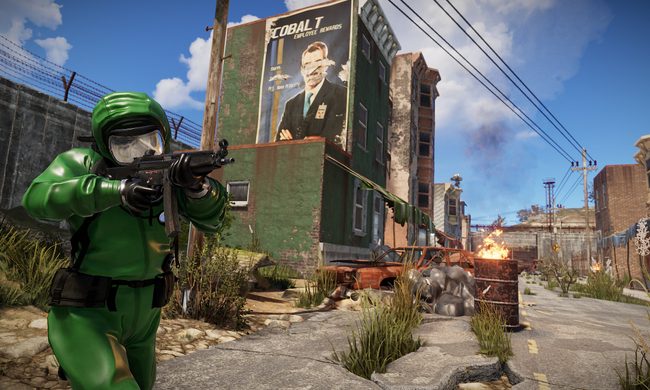
Rust player running by buildings.

Rust is the kind of survival game where choosing the right server matters almost as much as choosing the right weapon. This also reflects on the platform of your choice. If you're you're friends are spread across PC, PlayStation, and Xbox, you’ll want to know exactly who can play together before anyone starts building a base.

The answer to the question is simple in one way and annoying in another. Rust supports crossplay between PlayStation and Xbox players, but PC players cannot play with console players. So yes, there is cross-platform support, but only inside the console version of the game.

Read more